




How to uncover the root cause of PPC performance changes
Uncovering the root cause of PPC performance changes can be a daunting task. It is important to understand what could be causing the change so that you can make adjustments to improve the performance. First, it’s important to look at the data to see what exactly might be causing the change. Look at campaign-level data to see which campaigns are performing well and which ones are underperforming. Are the campaigns that are decreasing in performance limited to a single component, such as budget, or is the decrease in performance across all areas? Once you’ve identified the campaigns that are performing poorly, it’s time to dive deeper into those campaigns. Look at keyword level data to determine which keywords are causing the decrease in performance and why. Are these keywords receiving fewer impressions or clicks?
Next, take a look at the site metrics associated with the campaigns to understand if there are any issues with the website or landing pages that could be causing the decrease in performance. Is the website running slow? Are there errors in the conversion pages? Finally, take a look at the competitive landscape to determine if there is any competition that could be causing the change. Is there any new competition entering the market? Are competitor bids going up? Are there any new ad formats or innovative campaigns that are coming into play? Once you’ve identified the areas that could be causing the decrease in performance, it’s time to take action. It could be as simple as increasing budget in underperforming campaigns, or as complex as split-testing different Landing Pages and ad copy. By taking these steps, you can uncover the root cause of PPC performance changes and make the necessary adjustments to improve results.
Pay-Per-Lead Vs. Pay-Per-Click: Which Helps Businesses Most
Pay-per-click (PPC) and pay-per-lead (PPL) are two business models that allow businesses to optimize their online presence in order to increase engagement and ultimately generate more revenue. Pay-per-click is an advertising model in which a business is charged for each click generated from an ad or link placed on a website or social media platform. Pay-per-lead is an online marketing model in which a business is charged for each individual who completes an action such as signing up for an email list, completing a survey, or providing their contact details. When it comes to deciding which of the two strategies helps businesses most, it depends on the objectives of the business. PPC is a great choice for businesses that want to reach a wide audience and generate more immediate leads and revenue. PPC campaigns can be tailored to target specific demographics and can help generate more engagement for a specific product or service.
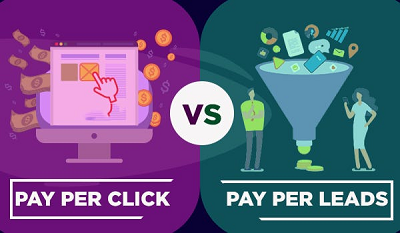
Furthermore, businesses can use PPC to better track their conversions, allowing them to make more informed decisions on how their advertising dollars are being spent. On the other hand, PPL is a great choice for businesses looking to capture high-value leads and cultivate longer-term relationships. With PPL, businesses can target users who have a higher likelihood of being interested in what they have to offer and are already engaged by the messaging, making them more likely to become customers in the future. Additionally, businesses can track user behavior and response to gain a better understanding of the overall effectiveness of their campaigns. With this information, they can make improvements to their campaigns accordingly and measure success over time. Ultimately, both PPC and PPL have their benefits, and the best way to choose which strategy to pursue is to understand the company’s individual goals and tailor the strategy to fit those objectives. However, each model has its own strengths and weaknesses and businesses should understand the strengths and weaknesses of each model before deciding which one to focus on.
Four Ways To Get The Most Out Of Your Pay-Per-Click Strategy
Pay-per-click strategies can be an excellent way to get your business seen online, and if done correctly, can help you generate leads and conversions. To ensure you get the most out of your pay-per-click strategy, there are a few key steps you should take.
1. Research Keywords: The first step in any successful pay-per-click strategy is to do your research. You’ll need to know what keywords your target audience is likely to use when searching for your products or services. To find these keywords, use tools such as Google Adwords Keyword Planner or WordStream to find relevant, high-traffic keywords related to your business.
2. Set a Budget: Once you’ve identified the right keywords, you’ll need to set a budget for your pay-per-click campaign. This budget should take into account the cost of each click, the estimated number of clicks you’ll need to generate a conversion, and any other associated costs such as ad design or copywriting.
3. Monitor and Adjust: Once your campaign is up and running, it’s important to keep an eye on how it’s performing. Monitor the conversion rate, cost-per-click, and other key metrics to identify any areas where your campaign isn’t performing as well as it should be. If you notice areas of improvement, make the necessary adjustments and test to see if they make a difference.
4. Utilize Remarketing: Remarketing is a great way to stay top-of-mind with potential customers who have already visited your site. Through remarketing, you can display targeted ads to users who have already expressed an interest in your products or services. This helps to keep your brand in front of potential customers and can help increase the chances of a conversion.
By following these four steps, you can get the most out of your pay-per-click strategy. Through careful research and monitoring, you can ensure that your campaigns are optimized for success and that you’re making the most of your advertising budget.
Leveraging Automated Bidding Strategies for Maximum PPC Performance
Automated bidding strategies are an effective way to maximize the performance of pay-per-click (PPC) campaigns. Automated bidding allows advertisers to set predetermined rules for their campaigns that are based on their predetermined goals. Automated bidding enables advertisers to focus more on the creative aspects of their campaigns, such as ad copy, targets, and budget, while the automated bidding engine automatically adjusts bids to ensure that the campaign reaches its goals. The most common automated bidding strategies are cost-per-click (CPC) bidding, cost-per-thousand impressions (CPM) bidding, and cost-per-acquisition (CPA) bidding. CPC bidding is the most commonly used automated bid strategy and is based on maximizing the number of clicks within a given budget. CPM bidding is based on maximizing impressions within a given budget, while CPA bidding is based on maximizing the number of conversions within a given budget. Advertisers can also use automated bidding strategies to optimize their campaigns for specific goals.
For example, advertisers can use automated bidding strategies to optimize for clicks, conversions, ROI, brand awareness, and more. By using automated bidding strategies, advertisers can ensure that their campaigns are always performing at their best, regardless of changes in the market or in their target audiences. In addition to optimizing campaigns for performance, automated bidding strategies can also be used to reduce costs. Automated bidding engines are able to identify patterns in the market and adjust bids accordingly, ensuring that the advertiser pays the lowest possible cost for their campaigns. This can be particularly useful for campaigns that are targeting a large number of keywords or targeting multiple audiences. Automated bidding strategies can significantly improve the performance of PPC campaigns. By leveraging the power of automated bidding, advertisers can ensure that their campaigns are always optimized for the best performance and that they are spending their budgets in the most efficient way possible.
Make Sense of your Marketing with the 101 Guide to Marketing Attribution
Marketing attribution is a process used by marketers to determine the effectiveness of their marketing campaigns. It is the process of assigning value to specific marketing activities and analyzing the impact of those activities on business objectives. The purpose of attribution is to determine which tactics and channels are driving the most value for an organization. Marketing attribution can be used to help organizations understand which channels are driving the most value, and to optimize their media mix. It can help marketers determine which tactics are working and which are not, and can inform decisions on how to allocate budgets and resources. Attribution can also provide insights on customer acquisition and retention, as well as the effectiveness of campaigns.
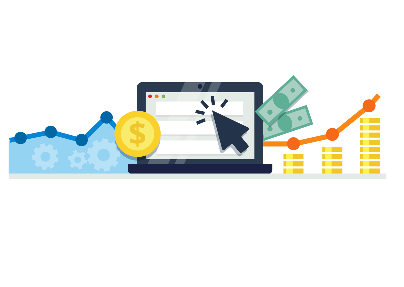
The 101 Guide to Marketing Attribution provides a comprehensive overview of the various approaches to attribution and how to effectively implement them. It explains the different types of attribution models, such as single-touch, multi-touch, and last-click, and how to select the best model for a given scenario. It also provides an overview of the key metrics associated with attribution, such as cost per acquisition, return on investment, and customer lifetime value. The guide also provides actionable advice on how to set up and manage an attribution system. It outlines the steps for capturing data and setting up the tracking infrastructure, and provides best practices for measuring and analyzing results. Additionally, the guide covers the legal and ethical considerations of attribution, such as data privacy and compliance. The 101 Guide to Marketing Attribution is an invaluable resource for marketers looking to gain a better understanding of attribution and how to effectively use it. It provides a comprehensive overview of the different models and metrics, as well as actionable advice on how to set up and manage an attribution system. The guide is an indispensable tool for marketers looking to maximize the impact of their campaigns and optimize their media mix.
Layer on the Automation: How to Combine Automation options for PPC Success
Automation has revolutionized digital marketing. In particular, automation has dramatically improved the success rate of pay-per-click (PPC) campaigns. By combining various automation options, marketing teams can create successful PPC campaigns that drive ROI, engagement, and brand awareness.
The first step in leveraging automation for PPC success is to select the right keywords. Automated keyword research tools help marketers generate lists of the most relevant and profitable keywords, as well as highly targeted audiences. This helps marketers focus their budget on the most effective keywords, as well as identify new opportunities for growth.
Another key automation option for PPC success is automated bid management. With automated bid management, marketers can set parameters for their bids and let the software adjust them as needed. This ensures that marketers are bidding the right amounts on the right keywords and audiences, helping them maximize their ROI.

Ad creative is also an important factor in PPC success, and automation can help with this as well. Automated ad creation tools can help marketers quickly generate high-quality ads that are optimized for performance. This ensures that marketers can rapidly launch campaigns without sacrificing quality.
Finally, automated reporting and analytics tools are essential for PPC success. Automated reporting can provide insights into campaign performance, ROI, and other metrics. This helps marketers optimize their campaigns for maximum performance.
By combining these automation options, marketing teams can create successful PPC campaigns that drive ROI, engagement, and brand awareness. Automation has made it easier than ever before for marketers to create and manage successful PPC campaigns. By leveraging automation, marketers can make the most of their PPC campaigns and quickly drive ROI.
How To Resolve 13 Common Mistakes In PPC Ad Campaigns
1. Not Setting Clear Goals: A successful PPC campaign requires clear, measurable goals. Without clear goals, it is impossible to determine if the campaign is successful or not.
2. Not Optimizing Landing Pages: Landing pages are a key factor in determining the success of a PPC campaign. Without proper optimization, the campaign will not generate the desired results.
3. Not Targeting the Right Audience: It is important to target the right audience with your PPC ads. If you are targeting the wrong people, your ads will not be effective.
4. Not Testing Different Ad Variations: Testing different ad variations is important in order to determine which one will be most effective.
5. Not Setting a Reasonable Budget: Setting a realistic budget is essential for a successful PPC campaign. Without setting a budget, you could end up overspending and not seeing the desired results.

6. Not Tracking and Analyzing Results: Tracking and analyzing the results of a PPC campaign is critical in order to determine which strategies are working and which ones are not. Without tracking and analyzing, it is impossible to make informed decisions.
7. Not Using Negative Keywords: Negative keywords are important in order to ensure that your ads are only displayed to the right audience. Without using negative keywords, your ads could be displayed to irrelevant people, which could lead to wasted money.
8. Not Using Ad Extensions: Ad extensions can help to improve the visibility and click-through rate of an ad. By using ad extensions, you can make your ad stand out from the competition.
9. Not Implementing Automation: Automation can help to streamline processes and save time. By implementing automation, you can ensure that your campaigns are running efficiently and effectively.
10. Not Using Remarketing: Remarketing is an effective way to reach potential customers who have already shown an interest in your product or service.
11. Not Using A/B Testing: A/B testing is an important tool for optimizing your ads. By testing different versions of an ad, you can determine which one is most effective.
12. Not Targeting Mobile Users: Mobile users are an important part of the digital landscape, so it is important to target them with your PPC ads.
13. Not Leveraging Audience Insights: Audience insights can provide valuable information about your target audience, which can be used to refine and optimize your PPC campaigns. By leveraging audience insights, you can ensure that your ads are being displayed to the right people.
Why PPC Is the Perfect Complement to Your SEO Strategy
PPC, or pay-per-click, is a form of digital marketing that is becoming increasingly popular among businesses and organizations in search of an effective way to increase website traffic, target specific audiences, and generate more leads.
PPC is a form of search engine marketing that allows companies to pay for their advertisements to be placed in prominent positions on search engine results pages. By paying for advertisements to be placed in these positions, businesses can ensure that their ads will be seen by potential customers and leads. PPC is a great way to quickly drive more traffic to a website and gain more leads.
PPC is an ideal complement to SEO (search engine optimization) efforts. SEO is a long-term strategy that focuses on improving the visibility of a website in organic search results. SEO results are not immediate, and it may take months or even years to see results from SEO efforts.
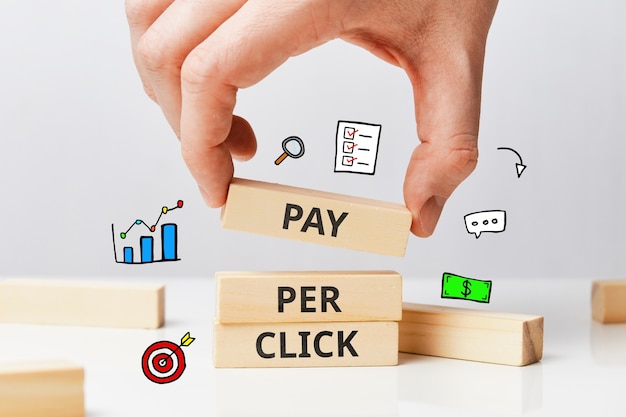
PPC, on the other hand, provides immediate results. A company can set up a PPC campaign and have their ads showing up on search engine results pages within minutes. This allows companies to quickly gain more visibility and increase website traffic.
Additionally, PPC allows companies to target specific audiences with their ads. With PPC, companies can choose which keywords they want their ads to appear for, as well as which geographical locations they want their ads to target. This allows them to create campaigns that are tailored to their target audiences.
Finally, PPC can be used to test different strategies and campaigns. Companies can use PPC to test different ad copies, headlines, and other aspects of their campaigns to see which strategies are most effective. This allows them to quickly learn what works and what doesn’t, so they can optimize their campaigns for maximum effectiveness.
In conclusion, PPC is the perfect complement to SEO efforts. PPC can provide immediate results, while SEO focuses on long-term visibility. PPC also allows companies to target specific audiences, and it can be used to quickly test different strategies and campaigns. By combining SEO and PPC, companies can maximize their visibility and drive more traffic to their websites.
No Pay, No Gain: Four Key Benefits Of PPC Marketing
PPC (Pay Per Click) marketing is the practice of paying for advertising on the Internet. It is one of the most effective ways to get your website seen by potential customers, as it allows you to target specific keywords that are related to your products or services and only pay when someone clicks on your ad. The key benefits of PPC marketing are as follows:
1. Increased Reach: Through PPC, you can reach more potential customers than with traditional advertising. With PPC, you can target specific keywords that are related to your business, which can help you reach more people who are interested in what you have to offer.
2. Faster Results: The beauty of PPC is that you can get results quickly. With traditional advertising, it can take weeks or months for you to see results, but with PPC, you can see results within days.
3. Cost-Effective: PPC is an extremely cost-effective way to advertise. You only pay when someone clicks on your ad, so you’re not wasting money on ads that don’t generate any results.
4. Measurable Results: With PPC, you can easily track and measure the results of your campaigns. With traditional advertising, it can be hard to determine the effectiveness of your campaigns, but with PPC, you can easily measure how many clicks your ad got and how many people converted into customers.
Overall, PPC marketing is an effective and cost-efficient way to reach more potential customers and increase your sales. With the right strategies and tools, you can get great results quickly and easily measure the effectiveness of your campaigns.
Pay-per-click Fraud is Costing Top Tech Companies, and You, Hundreds of Millions of Dollars
Pay-per-click fraud is an increasingly common issue in the tech industry, with estimates suggesting that it costs tech companies, as well as regular users, hundreds of millions of dollars every year. Essentially, pay-per-click fraud occurs when someone fraudulently clicks on an advertisement with the intention of generating costs for the advertiser or artificially inflating the number of clicks. This can be done by bots, or even manually by humans.
While it’s difficult to know exactly how much money is lost to pay-per-click fraud, some reports suggest that it could cost tech companies as much as $20 billion a year. The problem is complicated by the fact that it’s often difficult to detect pay-per-click fraud, as the perpetrators use sophisticated methods to disguise their activities. For example, they may use multiple devices, IP addresses, and locations to create the impression of real users. Furthermore, pay-per-click fraud can be used to disguise other types of malicious activity, such as clickjacking, which occurs when a malicious actor clicks on an advertisement in order to gain access to a user’s personal data.
This can be used to generate fraudulent accounts or hack into other user accounts. In order to combat pay-per-click fraud, tech companies are investing in artificial intelligence-based solutions that can detect suspicious activity and block it. They are also working on better ways to detect and protect against clickjacking. In addition, tech companies are encouraging users to be aware of the risks associated with click fraud and to ensure that their devices are secure and up-to-date. They are also providing users with resources to help them recognize and report suspicious activity. By investing in better security solutions, tech companies can help protect their users and their own bottom lines. In the long run, this will help protect everyone from the costs associated with pay-per-click fraud.