




How Search Engines Crawl Websites: A Developer’s Perspective
As developers, we tend to spend the majority of our time concentrating on issues such as functionality, speed, security, and user interface. We develop quick websites, make optimizations, and resolve various technical problems. However, one area that is often overlooked is how search engines discover websites.
Whether you’re building a simple business website or a large web application, understanding how search engines crawl websites can help you make better development decisions and improve your site’s visibility in search results.

Every day, Google and other search engines explore billions of web pages across the internet to discover new content and keep their search results up to date. They do this using automated programs known as crawlers or bots. Google’s crawler, called Googlebot, constantly moves from one page to another by following links, finding new content, and checking existing pages for updates. Before your website or webpage can appear in Google search results, Google first needs to find it, crawl it, and understand what the content is about.
The process of crawling, from the viewpoint of developers, entails much more than just a search engine visiting a particular web page. Googlebot visits the web page, exchanges information with the web server, gathers the information on that web page, analyzes its HTML code, clicks through links, and tries to understand the topic of that page. Therefore, the architecture of the website is very important because it either facilitates or impedes the access of the search engine to web page content.
Modern website development has enabled websites to become faster, more interactive, and more engaging in comparison with websites from previous times. Frameworks such as React, Vue, Angular, and Next.js have enabled software developers to create dynamic websites that provide an enjoyable user experience. Nonetheless, it can be challenging for search engines to crawl and index content developed by means of these frameworks. Despite improvements in Google’s algorithms in terms of processing JavaScript code, client-side rendered content can take additional time to become available for crawling and indexing. This is one of the reasons why developers use methods such as SSR and SSG.
The faster your site loads, the better you will offer an experience to visitors, but that is not all. It will also help search engine bots index your web pages more efficiently. Your newer pages and posts are also more likely to be discovered and indexed faster because search engine bots can explore your website more efficiently when it loads quickly. There are simple ways to increase the loading speed of websites, such as image optimization, code cleaning, cache enabling, and using reliable hosting services.
Technical problems can become an obstacle for successful crawling of the site by the search engine. Technical problems like using robots.txt incorrectly, links that don’t work on the page, redirections, server problems, or canonical tag configuration problems can prevent important pages from being crawled. It happens quite often that good sites with valuable information fail to get indexed due to inaccessible pages.
With the increasing complexity of sites, another aspect that becomes critical is the idea of the crawl budget. Crawl budget refers to the amount of resources search engines allocate to crawling a website. If a website consists of thousands of low-quality pages, then it is likely that crawlers will spend their valuable time on those pages rather than on useful content.
A lot of developers aim to create fast, reliable, and feature-packed websites. However, one should always keep in mind that if search engines cannot locate these websites in the first place, users will never have the opportunity to access them, despite the content being very useful. This makes knowledge of website crawling crucial. Indeed, developing websites with good navigation and internal linking makes crawling much easier for search engines, making it easier for more people to find these websites through organic search.
Which Is Better for Developers: GitHub Copilot or ChatGPT?
Artificial intelligence is transforming software development, and two of the most popular AI coding tools available today are GitHub Copilot and ChatGPT. Developers around the world are using these powerful AI assistants to write code faster, debug applications, learn new programming languages, and improve productivity. As AI-powered development tools continue to evolve, many programmers are asking the same question: Which is better for developers, GitHub Copilot or ChatGPT? While both tools leverage advanced artificial intelligence to assist with coding tasks, they serve different purposes and offer unique advantages depending on a developer’s workflow, project requirements, and technical expertize.
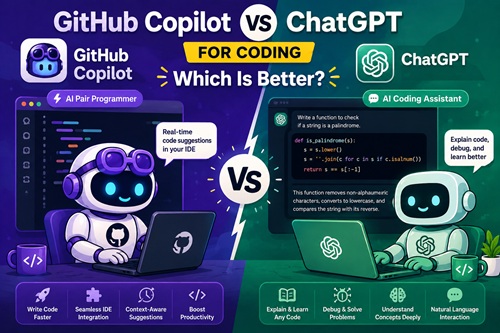
GitHub Copilot is specifically designed as an AI coding assistant that integrates directly into popular code editors such as Visual Studio Code, JetBrains IDEs, and Visual Studio. It excels at real-time code completion, automatically suggesting functions, classes, loops, and entire code blocks as developers type. For programmers working on software projects, web applications, APIs, mobile apps, or automation scripts, GitHub Copilot significantly speeds up the coding process by reducing repetitive tasks. It understands project context and can generate code based on existing files, making it one of the most powerful AI coding tools for developers. Developers looking for faster code generation, increased productivity, and seamless IDE integration often find GitHub Copilot to be an essential development companion.
On the other hand, ChatGPT for developers offers a broader range of capabilities beyond simple code completion. ChatGPT can explain complex programming concepts, generate code snippets, debug errors, review code, optimize performance, create technical documentation, and even teach new programming languages. Unlike GitHub Copilot, ChatGPT functions as an interactive AI assistant capable of understanding detailed prompts and providing in-depth explanations. Whether you’re learning Python, JavaScript, Java, C#, React, Node.js, or cloud technologies, ChatGPT can act as a virtual programming mentor. This makes it particularly valuable for beginners, students, and developers who frequently need help understanding code logic or solving technical challenges.
When comparing GitHub Copilot vs ChatGPT, the best choice often depends on the specific task. GitHub Copilot excels in day-to-day software development by providing instant code suggestions directly within the coding environment. It helps developers write code faster and maintain productivity without switching between applications. ChatGPT, however, shines when deeper problem-solving, debugging, architecture planning, code reviews, or learning assistance is required. Many professional developers use both tools together, relying on GitHub Copilot for code generation and ChatGPT for explanations, troubleshooting, and advanced development guidance.
From an SEO and technology perspective, AI-assisted programming is becoming one of the most significant trends in modern software engineering. Tools like GitHub Copilot and ChatGPT are changing how developers build applications, automate workflows, and solve coding problems. As artificial intelligence continues to improve, these platforms are expected to become even more powerful, helping teams reduce development time and improve code quality. Businesses investing in software development are increasingly adopting AI development tools, AI coding assistants, and developer productivity software to remain competitive in a rapidly evolving technology landscape.
Ultimately, there is no single winner in the GitHub Copilot vs ChatGPT comparison because both tools serve different purposes. If your primary goal is faster coding and real-time code completion, GitHub Copilot is often the better choice. If you need detailed programming assistance, debugging support, learning resources, and technical explanations, ChatGPT offers greater flexibility. For many developers, the most effective strategy is combining both platforms to maximize productivity, improve coding efficiency, and stay ahead in the future of AI-powered software development.
Safe Ways to Use AI-Generated Code

Artificial Intelligence is changing the way developers build websites and applications. Today, AI tools can help generate code, fix bugs, explain programming concepts, and speed up development tasks. These tools are becoming more popular because they help developers save time and improve productivity.
While AI-generated code can be very helpful, developers should still use it carefully. Blindly copying and using generated code without understanding it may create security problems, performance issues, or unexpected bugs inside applications. Using AI responsibly helps developers build safer and more reliable projects.
1. Review the Code Carefully
One of the most important steps when using AI-generated code is reviewing everything before adding it to a project. Developers should understand what the code does and confirm that it fits the project requirements.
Sometimes AI tools generate unnecessary logic or incorrect solutions that may cause future problems. If developers do not understand how the generated code works, it is usually better not to use it directly in production applications.
Important things to check:
Read through the entire AI-generated code carefully before using it in your project to identify mistakes, unnecessary logic, or unexpected behavior.
Make sure you fully understand how the generated code works and how it affects your application before implementing it in production.
Check for outdated coding methods, syntax issues, compatibility problems, or practices that may not follow modern development standards.
2. Test Everything Properly
Even if AI-generated code looks correct, it may still contain hidden bugs or unexpected behavior. Testing helps developers identify problems early and ensures applications work properly for users.
Developers should test different user inputs, edge cases, and real-world scenarios before deploying applications.
Things developers should test:
Test the generated code with different user inputs to make sure the application behaves correctly under various conditions and unexpected situations.
Check how the code handles errors and invalid data to ensure the application does not crash or create problems for users.
Test the overall performance of the generated code to confirm that it runs efficiently without slowing down the website or application.
Review different real-world user scenarios to verify that the generated code works properly for all types of users and interactions.
Test the generated code on mobile devices and different screen sizes to ensure compatibility and a smooth user experience across platforms.
3. Avoid Sharing Sensitive Information
Developers should never paste private or sensitive information into AI tools. Protecting business and customer data is extremely important for security and privacy.
Sensitive information should always remain protected.
Never share:
Never share passwords inside AI tools because sensitive login information can become exposed and create serious security risks for your applications and accounts.
Avoid pasting API keys into AI platforms since exposed keys may allow unauthorized access to services, databases, or third-party integrations.
Customer information should always remain private and protected to prevent data leaks, privacy violations, or misuse of sensitive user details.
Payment details such as credit card information or banking data should never be shared inside AI tools for security and compliance reasons.
Private business data, confidential documents, or internal company information should always remain protected to avoid security and privacy risks.
Keeping sensitive information secure helps prevent security risks and data leaks.
4. Check for Security Risks
AI-generated code may sometimes include insecure coding practices or weak security methods. Developers should always review generated code carefully for vulnerabilities before using it in real projects.
Security should remain a top priority during development.
Common security issues include:
Weak authentication systems can make applications vulnerable to unauthorized access, allowing attackers to log into accounts or access sensitive information easily.
Unsafe database queries may expose applications to security attacks such as SQL injection, which can compromise important business or customer data.
Poor input validation can allow harmful or unexpected data to enter the system, creating security vulnerabilities and application stability issues.
Hardcoded credentials inside source code can expose usernames, passwords, or API keys if the code becomes publicly accessible or compromised.
Missing security checks may allow attackers to bypass important protections and gain unauthorized access to application features or sensitive information.
Careful review helps developers build safer applications.
5. Keep the Code Simple
AI tools sometimes generate solutions that are more complicated than necessary. Simple and clean code is much easier to maintain, debug, and improve in the future.
Developers should simplify generated code whenever possible and keep projects organized.
Benefits of simple code:
Easier maintenance helps developers update, improve, and manage applications more efficiently without creating unnecessary complexity or confusion within the project structure.
Faster debugging allows developers to quickly identify and fix issues, reducing development time and improving overall productivity during software development.
Better teamwork makes it easier for multiple developers to understand, collaborate on, and contribute to the same project without communication problems.
Improved readability helps developers understand the code more clearly, making future updates, reviews, and troubleshooting much easier and more organized.
Long-term scalability allows applications to grow more smoothly over time without major restructuring or performance issues as project requirements increase.
Simple code usually creates better development experiences.
6. Follow Proper Coding Practices
AI-generated code should still follow proper project structure and coding standards. Consistency helps developers maintain cleaner and more professional applications.
Developers should ensure generated code matches their project guidelines and naming conventions.
Good coding practices include:
Clear naming helps developers understand variables, functions, and components more easily, improving readability and reducing confusion while working on large projects.
Organized structure keeps project files, folders, and code sections properly arranged, making applications easier to maintain, update, and scale over time.
Readable functions make code easier to understand by keeping logic clean, simple, and focused on performing one specific task efficiently.
Consistent formatting improves code readability and teamwork by ensuring all developers follow the same coding style and project standards throughout development.
Proper documentation helps developers understand how the code works, making future updates, debugging, and collaboration much easier within development teams.
Following best practices improves project quality over time.
7. Use AI as a Helper
AI works best as a productivity assistant rather than a replacement for programming knowledge. It can help developers save time, automate repetitive tasks, and generate ideas more quickly.
However, human review and decision-making are still extremely important during development.
AI can help developers:
Generate code faster by quickly creating functions, templates, and solutions that reduce manual coding effort and improve overall development efficiency.
Learn new concepts more easily by explaining programming ideas, frameworks, and coding techniques in a faster and more beginner-friendly way.
Automate repetitive work such as writing similar code blocks, generating boilerplate code, or handling routine development tasks more efficiently.
Improve productivity by helping developers complete tasks more quickly, reduce manual effort, and focus on solving more important programming problems.
Reduce development time by speeding up coding, debugging, testing, and problem-solving processes during website and application development.
The best results happen when developers combine AI tools with real programming knowledge.
TypeScript + Next.js App Router Best Practices (2026)
In 2026, the combination of TypeScript and the Next.js App Router has become the default standard for building scalable, production-ready React applications. With Next.js continuing to prioritize Server Components, streaming, and edge rendering, developers can no longer rely on legacy patterns from the Pages Router era. TypeScript plays a critical role in this new architecture by providing type safety across server and client boundaries, preventing runtime errors before they reach production. As applications grow more complex-handling parallel routes, nested layouts, and dynamic segments-TypeScript ensures predictability, maintainability, and developer confidence. Modern search trends show increasing demand for content around “Next.js App Router best practices” and “TypeScript with Next.js”, making this topic essential for developers building future-proof web apps.

A clean and scalable folder structure is the foundation of any successful App Router project. In 2026, best practices emphasize strict separation between server-only logic and client components, using TypeScript to enforce boundaries. Server Components should remain the default, while Client Components must be explicitly marked using the "use client" directive. TypeScript’s strict mode helps catch invalid prop usage, mismatched types, and incorrect data shapes early in development. Shared types-such as API response interfaces and domain models-should live in a centralized types or models directory to ensure consistency across routes, layouts, and components. Proper typing of route parameters, metadata, and layout props improves reliability and reduces bugs in complex navigation flows.
One of the most powerful features of the Next.js App Router is its advanced data-fetching and caching model. In 2026, developers are expected to fully leverage TypeScript-typed fetch functions, ensuring API responses are validated and predictable. Typed async functions, combined with generics, allow precise control over returned data structures. Best practices include explicitly defining cache behavior using fetch options such as revalidate and cache, while maintaining strict typing to prevent stale or invalid data from breaking the UI. TypeScript also improves error handling by enforcing typed error responses and fallback states. When combined with streaming and Suspense, typed data fetching enables smoother user experiences and more resilient applications.
Performance is a core focus in 2026, and the App Router is designed to deliver fast, efficient experiences by default. Using TypeScript with Server Components ensures that heavy logic, database access, and API calls stay on the server, reducing JavaScript shipped to the browser. Best practices include typing server actions, validating inputs, and preventing accidental client-side imports. TypeScript’s compile-time checks help enforce performance-friendly patterns, such as avoiding unnecessary client hydration and keeping components lightweight. Proper typing also improves collaboration in large teams, making it easier to reason about component responsibilities and data flow. When implemented correctly, TypeScript and Server Components together create applications that are both fast and maintainable.
As search engines continue to evolve, SEO-friendly rendering and performance remain essential for discoverability. The App Router’s support for metadata APIs, streaming HTML, and server rendering aligns perfectly with modern SEO requirements. TypeScript enhances this by ensuring metadata objects, route configurations, and dynamic content are correctly structured and validated. In 2026, scalable applications depend on strong typing to manage growing codebases, onboard new developers, and reduce long-term technical debt. By following TypeScript + Next.js App Router best practices, developers build applications that rank well, perform efficiently, and remain adaptable to future framework updates. This combination is no longer optional-it’s the standard for serious modern web development.
Node.js Sitemap Generator: Automatically Create Dynamic sitemap.xml for Large Websites
A Node.js sitemap generator is an essential tool for modern websites that continuously grow with new pages, blog posts, products, or dynamic content. Search engines rely on sitemap.xml files to discover and index pages efficiently, but manually updating a sitemap becomes nearly impossible as your website scales. With Node.js, you can automate this process and ensure that every important URL is always available to search engines. By generating your sitemap dynamically, you reduce the risk of missing pages and improve your site’s SEO performance without additional manual work.
Dynamic sitemap generation is especially useful for large websites such as e-commerce platforms, news portals, SaaS applications, and marketplaces where content changes frequently. Instead of recreating the sitemap whenever new pages are added, a Node.js script can fetch URLs directly from your database, CMS, or API and automatically build an updated sitemap. This ensures better crawl coverage and faster indexing, which ultimately helps your pages rank sooner. Additionally, automated sitemaps minimize human error and maintain consistency across your site structure.
One of the easiest ways to create a sitemap in Node.js is by using the sitemap npm package. It allows you to generate XML sitemaps quickly while supporting features like priority, change frequency, and last modified dates. First, install the package:
npm install sitemap express
Next, create a simple Express server that dynamically produces a sitemap when accessed.
const express = require(“express”);
const { SitemapStream, streamToPromise } = require(“sitemap”);
const app = express();
app.get(“/sitemap.xml”, async (req, res) => {
try {
const smStream = new SitemapStream({ hostname: “https://example.com” });
// Example dynamic URLs (replace with database data)
const urls = [
{ url: “/”, changefreq: “daily”, priority: 1.0 },
{ url: “/about”, changefreq: “monthly”, priority: 0.7 },
{ url: “/blog”, changefreq: “weekly”, priority: 0.8 },
{ url: “/products”, changefreq: “daily”, priority: 0.9 },
];
urls.forEach(link => smStream.write(link));
smStream.end();
const sitemapOutput = await streamToPromise(smStream);
res.header(“Content-Type”, “application/xml”);
res.send(sitemapOutput.toString());
} catch (error) {
console.error(error);
res.status(500).end();
}
});
app.listen(3000, () => console.log(“Server running on port 3000”));
This example creates a /sitemap.xml endpoint that automatically generates your sitemap whenever it is requested. In a real-world application, you would replace the static URL array with data pulled from your database — for example, product pages, category links, or blog articles. You can also schedule the sitemap to regenerate periodically using cron jobs or cache the output to improve performance for high-traffic websites.
To maximize SEO benefits, remember to submit your sitemap to search engines like Google Search Console and Bing Webmaster Tools after deployment. Also, keep your sitemap under the recommended size limits (50,000 URLs per file) by splitting it into multiple sitemaps if necessary. Automating sitemap creation with Node.js not only saves time but also strengthens your technical SEO foundation, ensuring that search engines always have an accurate map of your website.
Promises vs Async/Await in JavaScript
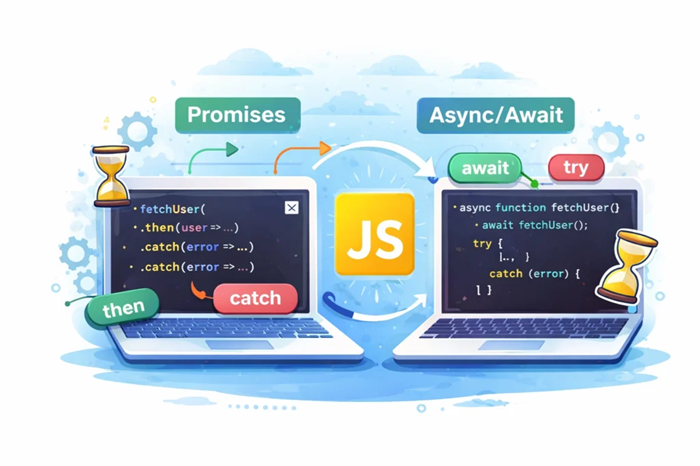
JavaScript is designed to handle tasks asynchronously, meaning it can perform long-running operations like API requests, file handling, or database calls without blocking the main execution thread. To manage these asynchronous operations, JavaScript introduced Promises, which later evolved into a more readable syntax called async/await. Both Promises and async/await are essential concepts in modern JavaScript development, and while they solve the same problem, they differ in how the code is written and understood. Choosing the right approach can greatly improve code readability, maintainability, and error handling in real-world applications.
A Promise is an object that represents the eventual result of an asynchronous operation. It can be in one of three states: pending, fulfilled, or rejected. Promises use .then() to handle successful results and .catch() to handle errors. They helped developers avoid callback hell by allowing chaining of asynchronous operations. However, when many .then() calls are chained together, the code can still become difficult to read and debug.
fetch(‘/api/data’)
.then(response => response.json())
.then(data => {
console.log(data);
})
.catch(error => {
console.error(error);
});
This example shows how a Promise handles an API request and processes the response.
Async/await is built on top of Promises but provides a cleaner and more synchronous-looking syntax. Any function declared with the async keyword automatically returns a Promise, and the await keyword pauses the execution until the Promise resolves. This makes the code easier to read and understand, especially when multiple asynchronous operations depend on each other. Error handling also becomes simpler using try...catch, which is more familiar to most developers.
async function fetchData() {
try {
const response = await fetch(‘/api/data’);
const data = await response.json();
console.log(data);
} catch (error) {
console.error(error);
}
}
This version performs the same task but is much easier to follow.
performance. Promises are useful when you need to run tasks in parallel, such as using Promise.all() to fetch data from multiple sources at the same time. Async/await is better for sequential logic, where one operation depends on the result of another. Internally, async/await still uses Promises, so there is no significant performance difference between the two.
In modern JavaScript development, async/await is generally preferred because it produces cleaner, more maintainable code. However, understanding Promises is still important, especially when working with older codebases or advanced asynchronous patterns. By mastering both Promises and async/await, developers can write efficient, scalable, and professional JavaScript applications. Knowing when to use each approach is a key skill for anyone building modern web applications.
What Happens When You Enter a URL in a Browser?

When you type a website address like www.example.com and press Enter, the page loads in seconds (sometimes milliseconds). But behind the scenes, your browser performs many technical actions—finding the server, creating a secure connection, requesting data, and then building the webpage you see. Here’s the process explained step-by-step in simple paragraphs.
Step 1: You type a URL and press Enter
A URL is the address of a resource on the internet. When you enter it, your browser reads the URL, understands which protocol to use (HTTP or HTTPS), identifies the domain name, and checks which page or path you are trying to access. This is the starting point that tells the browser what it needs to fetch and how to fetch it.
Step 2: The browser checks cache to load faster
Before reaching out to the internet, the browser first checks whether it already has some of the required data saved locally. If you visited the site before, your browser may have cached files like images, stylesheets, or scripts. It may also have saved DNS information. If relevant cached data is available and still valid, the browser can skip some network steps and load parts of the page much faster.
Step 3: DNS lookup converts the domain into an IP address
Computers don’t communicate using domain names like “example.com”; they communicate using IP addresses. So the browser performs a DNS lookup to find the IP address linked to that domain. It checks local DNS records first and, if needed, asks DNS servers on the network and internet until it gets the correct IP. Once the IP address is found, the browser knows which server to contact to request the website.
Step 4: A connection is created with the destination server
After obtaining the IP address, the browser starts a connection with that server. For reliability, the connection typically begins with a TCP handshake, which confirms both sides are ready to communicate. If the site uses HTTPS (which most sites do), an additional TLS/SSL handshake occurs to verify the website’s security certificate and set up encrypted communication so data cannot be easily intercepted.
Step 5: The browser sends an HTTP request
Once the connection is ready, the browser sends an HTTP request to the server. In most cases, it sends a GET request asking for the webpage’s main HTML file. This request includes important information like the browser type, supported formats, language settings, and cookies (which may be used for login sessions or personalization). This request is basically the browser saying, “Send me the content for this page.”
Step 6: The server processes the request and prepares a response
When the request reaches the server, it is handled by web server software and often forwarded to the website application. The backend may check permissions, read cookies, or run business logic. If the page is dynamic, the server may query a database to fetch content such as product details, blog posts, or user data. The server then builds the final response, which can include HTML and references to other resources like CSS and JavaScript.
Step 7: The server returns an HTTP response
The server replies with an HTTP response containing a status code and the requested content. A successful response typically returns status code 200, while other codes indicate redirects, missing pages, or server errors. Along with HTML content, the response includes headers that tell the browser things like how to cache the page, whether the response is compressed, and whether cookies should be saved.
Step 8: The browser renders the webpage
After receiving the HTML, the browser begins to render the page. It parses the HTML to build the page structure, downloads CSS to understand the styling, and then combines structure and styling to determine what should appear on screen and where. After layout is calculated, the browser paints pixels to display the visible page. This is the stage where the content starts appearing on your screen.
Step 9: The browser loads additional resources
The initial HTML usually references many additional files such as stylesheets, JavaScript files, images, icons, and fonts. The browser downloads these resources—often in parallel—and updates the page as they arrive. Some websites also load data from APIs after the page starts rendering, which is common in modern web applications and dynamic sites.
Step 10: The page becomes interactive and fully usable
As JavaScript finishes loading and running, the page becomes interactive. Buttons respond, menus open, forms submit, and dynamic content appears. The browser may also run analytics and tracking scripts in the background. Once the most important content is loaded and the page responds smoothly to user actions, the website experience is considered fully ready.
Conclusion
When you enter a URL, your browser checks cache, finds the site’s IP address through DNS, creates a secure connection, sends a request, receives a response, and then renders and loads everything needed to display and run the page.
Best Programming Languages to Learn in 2026
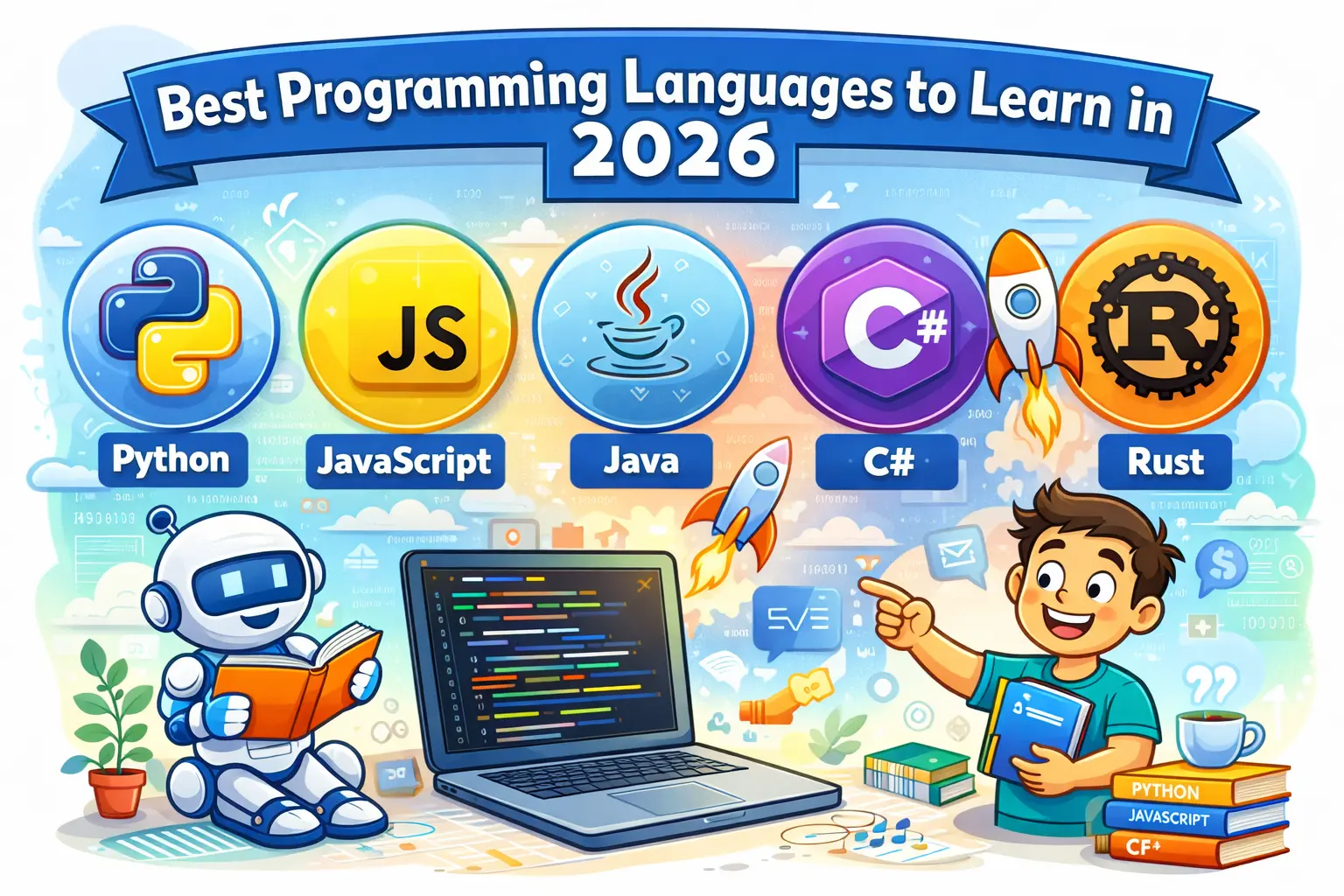
Choosing the right programming language to learn is one of the most important decisions for beginners and professionals alike. Technology evolves quickly, and the demand for certain programming skills changes every year. In 2026, companies are looking for developers who can build fast applications, automate tasks, work with data, and scale systems efficiently. Learning the right programming language can open doors to better job opportunities, freelancing work, and long-term career growth.
Below are the best programming languages to learn in 2026, based on industry demand, versatility, ease of learning, and future relevance.
1.Python
Python continues to be one of the most popular programming languages in 2026. Its simple syntax makes it ideal for beginners, while its power makes it valuable for professionals. Python is widely used in web development, automation, data science, artificial intelligence, machine learning, and SEO tools. Many companies rely on Python for backend systems and automation scripts, making it a strong long-term choice.
2.JavaScript
JavaScript remains essential for modern web development. It is the core language of the web and is used to build interactive websites, web applications, and server-side applications. With frameworks like React, Next.js, and Node.js, JavaScript allows developers to work on both frontend and backend using a single language. In 2026, JavaScript skills are still in very high demand.
3.TypeScript
TypeScript is a strongly typed version of JavaScript and is rapidly becoming the standard for large-scale applications. It helps developers catch errors early and write more maintainable code. Many companies now prefer TypeScript over plain JavaScript, especially for enterprise-level projects. Learning TypeScript in 2026 gives you an advantage in modern web development roles.
4.Java
Java remains a reliable and widely used programming language, especially in enterprise software, backend systems, Android development, and large-scale applications. It is known for its performance, stability, and strong ecosystem. Many banks, corporations, and government systems still rely heavily on Java, making it a solid career option.
5.Go(Golang)
Go is gaining popularity due to its simplicity and performance. It is widely used for cloud computing, microservices, APIs, and DevOps tools. Companies like Google, Uber, and Docker use Go extensively. In 2026, Go is an excellent choice for developers interested in backend performance and scalable systems.
6.Rust
Rust is known for its focus on performance and memory safety. It is increasingly used in system programming, blockchain development, and performance-critical applications. While Rust has a steeper learning curve, it offers strong job opportunities and is highly respected in the developer community.
7.PHP
PHP is still widely used, especially for WordPress, content management systems, and ecommerce websites. Many websites on the internet are powered by PHP, and there is consistent demand for PHP developers. In 2026, PHP remains relevant for web development and maintenance work.
8.C#
C# is a popular language for Windows applications, game development (Unity), backend systems, and enterprise software. It is especially valuable for developers working within the Microsoft ecosystem. C# continues to evolve and remains a strong option in 2026.
Conclusion
The best programming language to learn in 2026 depends on your goals. If you want simplicity and versatility, Python is a great choice. For web development, JavaScript and TypeScript are essential. If you’re interested in performance and scalable systems, Go or Rust are excellent options. For enterprise and long-term stability, Java and C# remain strong.
Instead of focusing on just one language, aim to master one core language and understand the fundamentals of programming. Once the basics are clear, learning additional languages becomes much easier.
Safe Workflow for AI-Generated Code: Testing and Security Checks

AI models generate code based on training data patterns, not real-time project context. As a result, AI-generated code may contain outdated practices, insecure logic, or missing edge-case handling. Without proper testing and security checks, these issues can reach production and cause serious problems.
From a security standpoint, AI-generated code can accidentally introduce vulnerabilities related to input validation, authentication, authorization, or data exposure. Implementing a secure AI code workflow helps reduce these risks significantly.
1.Treat AI-Generated Code as Untrusted Input
The foundation of a safe workflow is treating AI-generated code as untrusted until verified. Just like third-party code, it should never be deployed directly. All AI-generated code must pass review, testing, and security checks before being merged.
This mindset reduces overreliance on AI and promotes responsible development practices.
2.Perform a Manual AI Code Review
Manual review remains essential for identifying logic flaws, inefficient patterns, and security concerns. Developers should inspect AI-generated code for unclear logic, hardcoded values, poor naming conventions, and unnecessary complexity.
A structured AI code review process ensures alignment with project standards and improves maintainability.
3.Test AI-Generated Code Thoroughly
Testing AI-generated code is a key part of a safe workflow. Unit tests validate individual functions, while integration tests confirm correct interaction with other components. Code should not be deployed unless all automated tests pass successfully.
Adding tests where none exist improves long-term reliability and reduces regression risks.
4.Run Security Checks on AI-Generated Code
Security scanning is crucial when working with AI-generated code. Static analysis tools and dependency scanners help detect insecure functions, vulnerable libraries, and unsafe coding patterns. Special attention should be given to user input handling and sensitive operations.
These AI-generated code security checks help prevent common vulnerabilities before deployment.
5.Validate Performance and Efficiency
AI-generated code may function correctly but still be inefficient. Reviewing database queries, API calls, loops, and resource usage helps ensure performance stability. Poor performance can negatively impact scalability, user experience, and SEO.
Optimizing early prevents costly refactoring later.
6.Enforce CI/CD Validation for AI Code
A strong CI/CD pipeline is essential for secure AI code deployment. All AI-generated changes should pass linting, testing, and security checks automatically before deployment. This reduces human error and enforces consistent quality standards.
Automation plays a key role in maintaining a secure workflow for AI-generated code.
7.Monitor AI-Generated Code After Deployment
Post-deployment monitoring is the final safety layer. Tracking logs, error rates, and performance metrics helps detect unexpected behavior early. Quick detection allows teams to respond before users are impacted.
Conculsion
AI-generated code can significantly accelerate development, but only when used responsibly. By following a safe workflow for AI-generated code that includes manual review, testing, security checks, CI/CD validation, and monitoring, developers can deploy AI-assisted code with confidence.
This structured approach balances innovation with security, making AI a reliable part of modern software development.
How to Create Custom Gutenberg Blocks Using JavaScript & React?
Gutenberg is the modern block editor of WordPress, and creating custom Gutenberg blocks using JavaScript and React allows developers to build reusable, structured content elements that are easy for editors to use and hard to break. Instead of relying on shortcodes or heavy page builders, custom blocks give you full control over layout, functionality, and performance while keeping content flexible. Because Gutenberg is built on React, every block is essentially a React component that defines how content appears inside the editor and how it is rendered on the front end. Custom blocks are especially useful for elements like feature sections, testimonials, pricing tables, FAQs, call-to-action banners, and custom layouts that need consistency across a website. By using JavaScript and React, developers can create interactive editing experiences, manage block data cleanly through attributes, and ensure that the final output follows WordPress standards. Blocks can be packaged inside plugins or themes, but plugins are recommended so the blocks remain usable even if the site design changes. Once registered, a custom block appears in the Gutenberg inserter like any native block and can be reused across posts and pages, making it a powerful tool for modern WordPress development.
Steps to Create Custom Gutenberg Blocks Using JavaScript & React
Step 1: Set up the development environment by ensuring WordPress is installed locally and JavaScript tooling is ready. WordPress provides official block development tools that help scaffold block files quickly and correctly, saving time and reducing configuration errors.
Step 2: Create a plugin to store your custom Gutenberg blocks. Using a plugin instead of a theme ensures your blocks remain available even when the theme is changed, making them more portable and reusable.
Step 3: Register the Gutenberg block using JavaScript. This step involves defining the block’s unique name, category, icon, and description so it appears correctly in the block inserter and is easy for editors to find.
Step 4: Define block attributes that store the block’s data. Attributes can include text, images, URLs, colors, or toggles. These attributes allow the block to save user input and maintain its state properly.
Step 5: Build the block’s editor interface using React components provided by WordPress. This includes input fields, buttons, media upload controls, and layout options that make the block easy to customize within the editor.
Step 6: Implement the edit function, which controls how the block looks and behaves inside the Gutenberg editor. This function uses React to update content dynamically as the user edits the block.
Step 7: Implement the save function to define how the block’s content is stored in the database and rendered on the front end. Static blocks save HTML directly, while dynamic blocks rely on server-side rendering.
Step 8: Use dynamic rendering with PHP if the block content needs to change based on logic, user data, or database queries. This is useful for blocks like recent posts, product lists, or dynamic testimonials.
Step 9: Add styles for both the editor and front end to ensure consistent design. Editor styles help content creators preview the final look, while front-end styles ensure the block matches the site’s theme.
Step 10: Test the custom Gutenberg block across different screen sizes and browsers. This step ensures responsiveness, accessibility, and compatibility with other WordPress features.
Step 11: Optimize the block for performance by keeping JavaScript lightweight, avoiding unnecessary re-renders, and using WordPress best practices. Efficient blocks help maintain fast page load times.
Step 12: Deploy the block and maintain it over time. Update the plugin for WordPress compatibility, add improvements based on user feedback, and refine the block as Gutenberg evolves.
Creating custom Gutenberg blocks using JavaScript and React is a future-proof approach to WordPress development. It combines modern programming practices with a flexible content system, allowing developers to build powerful, reusable components while giving editors a clean and intuitive experience.