



SEO Home
 Shopify App Installation, Setup & Conflict Resolution
Shopify App Installation, Setup & Conflict Resolution Services
Shopify App Installation is an essential part of any successfully working online shop because of its ability to extend your Shopify store's functionality. Unfortunately, incorrectly used or installed applications may create errors and affect the speed of the page negatively.
Using our Shopify App Installation, Shopify App Setup & Conflict Resolution service, you get professionally set-up apps, fully optimized, and integrated into the theme without any errors or problems related to the application's operation. The team of our experienced Shopify experts and Shopify app developers will take care of your store's Shopify app integration, Shopify app troubleshooting, Shopify technical support, and Shopify store optimization services.

Fix Shopify App Issues Fast
Fix App IssuesWhy Shopify App Setup Matters More Than You Think?
However, for many of those operating Shopify stores, installing an app might seem like a fairly easy thing to do. This is because Shopify provides its users with access to a huge app marketplace where one can easily install a chosen app by pressing only a couple of buttons. Nevertheless, what the store owner should keep in mind is that the behind-the-scenes part of the procedure is far from being that simple.
Shopify app setup goes far beyond mere Shopify app installation since it incorporates Shopify app integration into your store structure, making sure it will work properly together with your current theme as well as other apps installed on it. The Shopify Developer knows that a good Shopify store setup is not possible without Shopify technical support.
The professional Shopify app installation and Shopify app setup will guarantee no performance issues or compatibility problems with your site.
Common conflict scenarios include:
-
Two applications executing the same JavaScript code
-
Two applications interfering with each other's JavaScript operations
-
Two applications incompatible with the current theme version
-
Code remaining from applications no longer installed
-
Loading of unnecessary resources by applications
-
Such problems need Shopify app troubleshooting and Shopify technical support. Our Shopify app developers follow proven Shopify custom development techniques in resolving such issues to achieve effective Shopify app integration. Incorrect Shopify app installation could affect the performance of your Shopify store.
Need Shopify App Support?
Get expert help with app installation, setup, integration, and conflict resolution.
Get Free ConsultationWhat Happens Behind the Scenes of Shopify App Setup?
The installation of an application is more than adding an icon to your Shopify store. Many applications demand Shopify app integration into your shop's theme and functionalities. Such applications need Shopify app setup before their integration into your shop to ensure that they function properly. These apps typically:
- Inject JavaScript into Your Theme: JavaScript is commonly used by applications for handling dynamic features of your shop, like popups, sliders, upselling, subscriptions, etc. The wrong Shopify app setup could result in conflicts within the JavaScripts. A Shopify developer checks the JavaScripts during Shopify app setup to ensure smooth functioning of the applications in your Shopify store.
- Add Liquid Code Fragments: Liquid is the templating language used by Shopify for content customization. Apps may utilize Liquid code for modifying content appearance, handling products, or integrating checkout features. Improper implementation of the Shopify App Integration process may cause Liquid code errors across the site if done without the knowledge of a professional Shopify technical support expert.
- Change Checkout Process or Cart:There are many Shopify apps aimed at enhancing the checkout or cart experience through the use of upsells, offers, subscriptions, and recommended products. However, improper Shopify app installation may break the checkout process and lead to loss of sales and a bad shopping experience. Shopify Expert is needed for proper Shopify app integrations. A poorly implemented Shopify app setup will lead to a dysfunctional checkout process. An expert in Shopify apps would ensure that everything related to the integration of the applications is done successfully.
- External Script Loadings:Many applications use external software for analytics, automation marketing, customer engagement, and tracking services. These need proper Shopify app installation and consistent Shopify technical support so that they don't adversely affect speed or performance. Every external script is analyzed by the Shopify developer to keep up Shopify store optimization and performance.
- Interaction With Other Applications And Theme Files:Shopify applications hardly function on their own. They usually work in tandem with other applications, theme files, checkout services, and custom coding. Without proper Shopify App Troubleshooting and Shopify App Integration, conflicts between applications will arise, leading to feature and performance problems. Shopify Custom Development and Shopify Store Setup services help ensure that every application functions without any issues with performance and compatibility.
What Can Go Wrong with Improper App Setup?
- Problems with Add-to-Cart Buttons:Applications that affect cart functions can hinder customers from adding items to carts, causing them to lose potential sales. Our Shopify app troubleshooting service can assist in pinpointing and fixing this problem.
- Checkout Failures:Improperly configured apps for payment and discounts can lead to problems in checkout processes, hindering customers from completing their transactions. Shopify App Installation and our Shopify Technical Support can fix this.
- Mobile Layout Problems:Scripts that may duplicate during Shopify app installation will make your store run slowly due to technical problems associated with Shopify store optimization.
- Duplicate Scripts: Redundant scripts left by apps can load multiple times, slowing down your store and causing technical conflicts.
- Slower Load Time:Some apps are not optimized, which means that they may lead to the loading time getting longer, which is bad for SEO purposes. It's vital to have a Shopify app setup and Shopify app integration that will ensure speed.
- Analytic Issues: Some apps may cause the analytics tracking problem, which means that it will be difficult to gather data. It's important to have an expert who can perform a successful Shopify app installation.
- Lower Conversions:All mentioned issues will definitely result in lower conversions, which means that fewer sales will take place because people won't complete their transactions.
Our Shopify App Installation, Setup & Conflict Resolution Process
We use a systematic approach to ensure that every app installed on your Shopify store functions properly, integrates seamlessly with your theme, and does not cause performance issues. Our process is designed to keep your store stable, fast, and optimized.
1. Initial Store & App Review
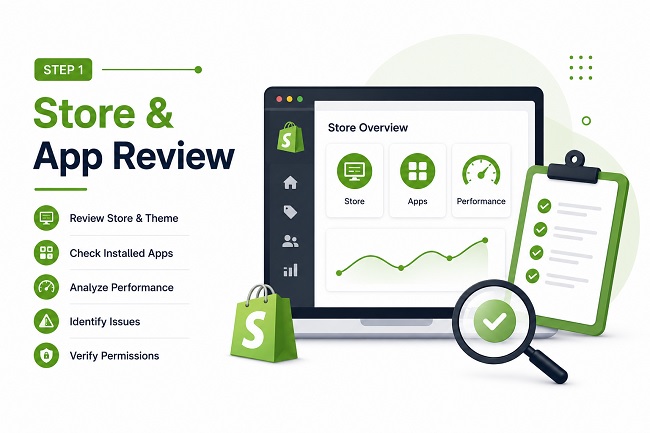
Before making any changes, we carefully assess your store's existing setup to identify risks and prevent issues.
- Current Theme: We review your active theme to understand its structure and compatibility with new apps. A Shopify Developer evaluates your theme architecture to ensure successful Shopify App Installation and Shopify App Integration without affecting performance.
- Installed & Previously Installed Apps: We analyze all current and past apps to detect conflicts, compatibility concerns, duplicate functionality, and leftover code. Proper Shopify App Troubleshooting starts with understanding your app environment.
- Store Speed & Performance: We evaluate load times, performance metrics, and existing optimization opportunities before beginning any Shopify App Setup process. This helps improve Shopify Store Optimization while minimizing risks.
- Known Errors or Reported Issues: Any detected or reported errors are documented and addressed. Our Shopify Technical Support team investigates issues that may affect functionality, conversions, or customer experience.
- App Permissions & Integrations:We verify that app permissions align with your store's functionality, security requirements, and integration needs. Proper Shopify App Integration helps ensure smooth communication between apps and store components.
This detailed review allows us to understand your store environment and minimize risks during app installation.
2. Installation of Apps Professionally
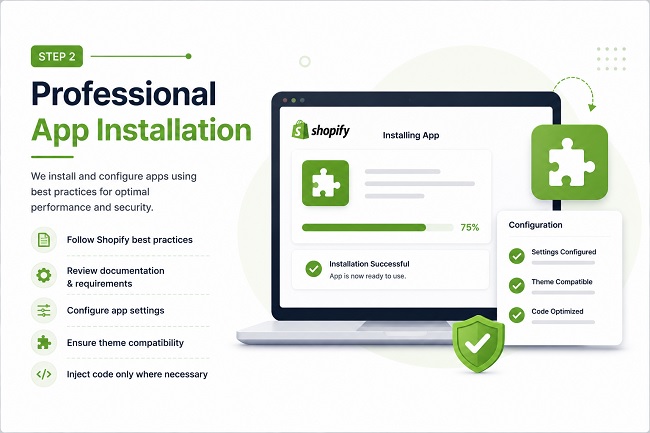
The installation process of each app will be conducted in accordance with Shopify guidelines for maximum stability, security, and performance.
- Installation Based on Best Practices: Our developers utilize Shopify-approved methods of Shopify app installation in accordance with Shopify app documentation requirements.
- Document Analysis & Requirements Review: All Shopify app installations begin with reviewing documentation, technical requirements, installation processes, and compatibility.
- Set Up App Settings:All settings for apps will be made considering your particular needs and business strategies for future growth. Shopify developers will integrate the apps according to your goals.
- Theme Compatibility Assurance:We ensure that the app functions seamlessly with your current theme. Shopify Technical Support is crucial at this stage.
- Code Injection Only Where Needed: Unnecessary code is not injected into your store for better Shopify store optimization.
3. Theme Integration & Custom Placement
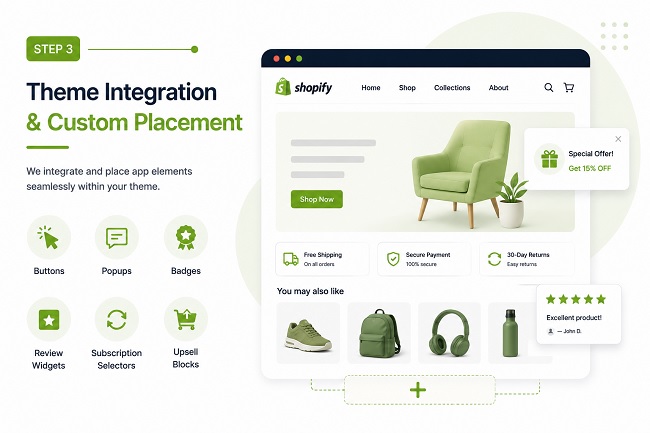
There are many Shopify apps that feature visuals that need to be appropriately placed to create the most enjoyable experience. Theme integration by Shopify app experts guarantees that all Shopify app installations fit well within your design and functionality.
- Buttons: Add-to-cart, upsell, and action buttons
- Popups: Promotional or announcement popups
- Badges: Sale, new product, or trust badges
- Review Widgets: Customer review displays
- Subscription Selectors: Subscription management elements
- Upsell Blocks: Related or recommended product sections
- Correct Placement: Elements are positioned exactly where they should appear.
- On-Brand Styling: Design matches your store's branding and layout.
- Responsive Design: Tested on desktop, tablet, and mobile devices.
- Layout Stability: No spacing issues or broken sections.
4. App Conflict Detection
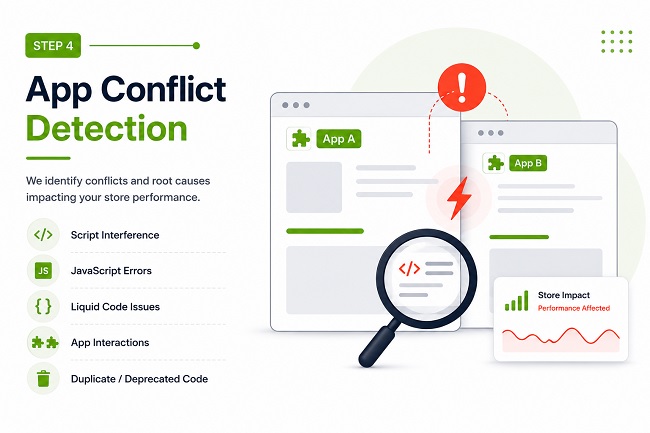
If your store faces problems already, we conduct a detailed analysis to understand what causes them. Professional Shopify App Troubleshooting gives us the ability to discover some underlying issues impacting the performance of the store and its functionality.
- Script Interference:We detect interfering scripts, which lead to functional problems. The correct Shopify app integration prevents these conflicts from occurring.
- JavaScript Bugs:The Shopify developer team looks for bugs associated with JavaScript and stopping the app from working.
- Liquid Code Incompatibility Issues:We check the theme files and app-related Liquid code for any issues.
- App Interaction:Apps can often interact with each other. As part of our Shopify Technical Support service, we test interactions between apps.
- Duplicated/Deprecated Code:Extra code or deprecated app code may result in performance problems. We take care of this by means of the Shopify Store Optimization process.
We concentrate on providing permanent Shopify app troubleshooting services.
5. App Conflict Resolution & Cleanup
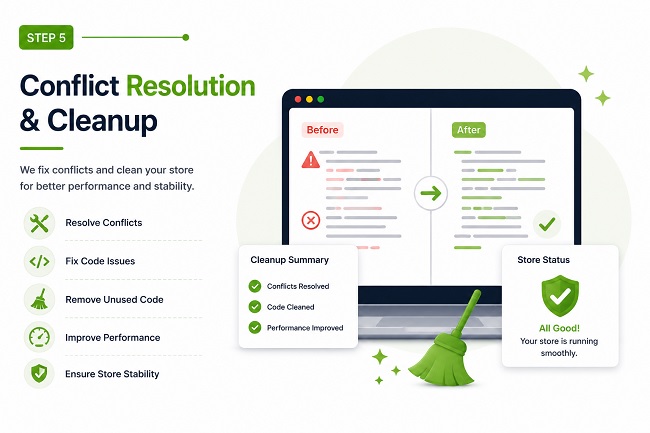
Once issues are identified, we resolve them carefully and efficiently.
- Remove Conflicting or Duplicate Code: We eliminate unnecessary scripts, duplicate assets, and conflicting code that affect functionality and Shopify Store Optimization.
- Optimize Script Loading: Efficient script management improves speed, stability, and customer experience.
- Fix Broken Functionality:Our Shopify App Troubleshooting services restore features affected by app conflicts and improper Shopify App Setup.
- Clean Leftover App Code: Old code left behind after uninstalling apps can create hidden issues. Our Shopify Developers remove unused code and improve store performance.
- Restore Normal Store Behavior:We ensure smooth operation across your Shopify Store Setup by resolving technical issues and improving Shopify App Integration.
All fixes are performed carefully to protect sales, SEO performance, customer experience, and existing integrations.
6. Testing & Quality Assurance
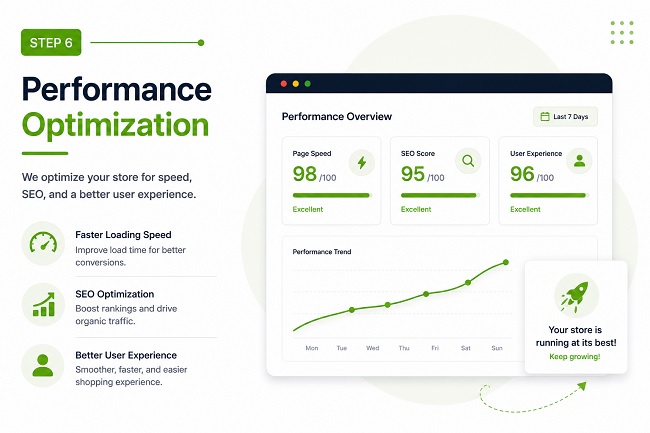
Prior to delivery, all aspects of your store are tested by us.
- Cart Functionality:Products can be added, modified, and deleted without problems.
- Checkout Procedure:The checkout procedures are tested in order to prevent errors while checking out.
- App Features:All features provided by the Shopify app installation are tested to check their performance.
- Mobile App Experience:Shopify Experts test the performance of the app on all mobile devices.
- Page Speed:Performance testing ensures that the goals of Shopify Store Optimization have been met as well as that no adverse influence on speed is produced by any apps.
- Browser Compatibility:Shopify Experts test the compatibility and the performance of all Shopify app setups within different browsers.
All Shopify App Installation, Shopify App Integration, Shopify Technical Support, Shopify App Troubleshooting, Shopify Store Setup, Shopify Custom Development, and Shopify Store Optimization are tested before the completion of our services.
Shopify Checkout or Cart Not Working?
We troubleshoot checkout errors, add-to-cart issues, broken scripts, and app conflicts.
Request App TroubleshootingCommon Problems We Fix
The problems associated with improper Shopify app installation and Shopify app setup may cause technical problems in the application, which could result in malfunctioning and reduced performance. Our Shopify Expert Team is here to help you out in the form of Shopify app troubleshooting, Shopify app integration, Shopify technical support, Shopify store optimization, Shopify custom development, and Shopify store setup. Please find listed below some of the common Shopify app problems solved by us.
1. Non-functioning Add-to-Cart Button
What Happens:
An Add-to-Cart button plays an important role in driving sales. The failure of such a button leads to losses in sales as well as poor conversion rates.
What Causes It:
- JavaScript conflicts
- Cart code errors
- Theme incompatibility
- Improper app setup
What We Do:
With our Shopify app development services, we work on JavaScript and Liquid codes and resolve any conflict to ensure that the Add-to-Cart button works properly.
2. Issues at Checkout After Installing App
What Will Happen:
Customers may face checkout errors that prevent successful purchases.
Why Does This Happen:
- Incorrect app installation
- Checkout integration errors
- App conflicts
- Theme compatibility issues
What We Do:
Our expert team performs testing of the checkout process and finds out the root cause of the problem and then makes sure all the Shopify app integrations work properly.
3. Layout Issues Caused by Application Coding
Issue Manifestations:
Apps may break layouts and affect the store's appearance.
What Causes It:
- CSS conflicts
- JavaScript issues
- Theme conflicts
- Poor app integration
What We Do:
Through our expertise in Shopify custom development & Shopify store optimization, we'll work through theme files, adjust any code needed, and maintain a responsive site layout in all cases of Shopify app setups.
4. Slow Page Loading Caused Due To Adding Apps
How It Happens:
Too many apps can slow down your Shopify store.
How It Is Caused:
- Excessive scripts
- Heavy third-party resources
- Duplicate code
- Poor optimization
What We Do:
We at our Shopify Expert team optimize your performance issues. We reduce scripts, optimize your Shopify app integration, and provide better user experience.
5. App Features Not Displaying Correctly
What Happens:
Important app features may not display or function properly.
What Causes It:
- Theme compatibility issues
- JavaScript errors
- Incorrect configuration
- Incomplete app setup
What We Do:
We review app settings, analyze code, and perform Shopify App Troubleshooting to ensure every feature works properly. Our Shopify Technical Support team ensures all app elements display correctly and align with your store design.
6. Duplicate Scripts Slowing Down Pages
What Happens:
Duplicate scripts can reduce speed and create technical issues.
What Causes It:
- Multiple apps loading the same files
- Unused app code
- Poor script management
- Improper app installation
What We Do:
Our Shopify Developers identify duplicate scripts, remove unnecessary resources, and improve Shopify Store Optimization. We streamline Shopify App Integration to improve speed, stability, and functionality.
Why Choose Us
Selecting an appropriate technical Shopify partner is crucial for the success, reliability, and growth of your online business. Our main services include app installation, app setup, app integration, app troubleshooting, technical support, store optimization, custom development, and store setup services, which will yield long-term successful results.
- Focused Shopify Services:As Shopify Experts, we deal only with Shopify. Our Shopify developers have lots of experience working with themes, apps, Liquid code, integration, and optimization.
- Safe Implementations:In all our Shopify app installations, we follow best practices in implementation. We use no short paths that can affect the speed and stability of your store.
- Setup without Shopify App Conflicts:Our experts perform comprehensive testing of all newly installed apps, making sure they will not cause any issues with your existing Shopify theme and applications.
- High-Performance Shopify Apps:With our Shopify store optimization services, we prioritize high-performing app integration that excludes unnecessary code and ensures seamless Shopify app setup.
- Revenue Safety Measures:In our Shopify support service, we are focused on sales protection, so our team makes sure all add-to-cart, payment system, subscription plans, and other elements work properly.
- Responsiveness across All Devices:We test our Shopify app installation and Shopify app configuration procedures across mobile, tablet, and desktop platforms to make sure the experience remains consistent.
- Clear Communication and Reporting:You can expect clear explanations from our Shopify experts, who communicate regularly, keep you informed about the progress of each task, and ask for approvals for changes.
- Quick Results:All Shopify app troubleshooting services we provide take 24–48 hours, which is fast enough to minimize any impact on your Shopify site.
- Stability and Reliability:Custom development and store configuration services we provide are guaranteed to be stable and minimize the risk of issues that require troubleshooting or custom configurations later.
Our Shopify Services
Our Shopify services help store owners fix technical issues, improve speed, increase search visibility, and boost conversions. From Shopify SEO indexing fixes and performance optimization to theme customization, migration, and emergency store recovery — our experts deliver results-driven solutions.
Shopify Indexing Fix Services
Fix coverage, canonical, robots, sitemap & GSC issues.
Shopify Speed Optimization
Core Web Vitals, asset cleanup, lazy-load, app bloat removal.
Shopify Store Migration
Safe move from Woo/BigCommerce/Magento + redirects.
Shopify Conversion Rate Optimization
Improve UX, PDP/collection flows, cart & checkout funnels.
Shopify Payment Gateway & Shipping Setup
Configure gateways, rates, zones, taxes, and rules cleanly.
Shopify Theme Customization & Bug Fixes
Liquid edits, sections, layout fixes, and responsive cleanup.
Shopify Subscription & Recurring Orders
Recharge / Appstle setup, logic, styling & testing.
Shopify Broken Link & 404 Error Fixing
Redirect mapping, broken collections/products, cleanup.
Shopify Database Optimization
Speed up store by reducing heavy queries and app overhead.
Shopify Hosting & Server Optimization
CDN, caching strategy, DNS, image delivery improvements.
Shopify Store Recovery & Emergency Support
Broken theme, checkout issues, critical errors & rollback.
Shopify Checkout & Payment Error Fix
Fix gateway errors, order failures, tax/shipping issues.
Shopify Security Audit Service
Detect vulnerabilities, risky apps, and security gaps. Get a clear action plan.
Shopify API Integration Error Fix
Fix API sync issues, webhook errors, connection failures, and data mismatch problems.
Shopify Admin Access & Permission Fix
Restore admin access, fix staff permissions, collaborator issues, and login blocks.
Shopify Email Deliverability & SPF/DKIM Setup
Fix email deliverability issues, configure SPF, DKIM, and DMARC to prevent spam and improve inbox placement.
Shopify Tracking & Analytics Setup
Accurate setup of Google Analytics, GA4, Facebook Pixel, conversion tracking, and event tracking.
Shopify SEO Technical Fixes Service
Resolve technical SEO issues like indexing errors, site speed, structured data, and crawl problems.
Shopify App Installation & Conflict Resolution
Install, configure, and fix conflicts between Shopify apps that slow down or break your store.
Shopify AI Chatbot Setup Services
Transform your Shopify store with intelligent AI chatbot solutions that automate customer support, boost conversions, and deliver seamless shopping experiences 24/7.
Frequently Asked Questions (FAQs)
1. Why should I use a professional Shopify app installation service?
Professional Shopify app installation helps prevent theme errors, broken layouts, slow loading, and app conflicts. Our Shopify experts configure the app correctly, test compatibility, review permissions, and ensure the app works smoothly with your store design, checkout, cart, and existing integrations.
2. Can you fix conflicts between Shopify apps?
Yes. We identify conflicts caused by JavaScript, Liquid code, duplicate scripts, theme incompatibility, and overlapping app functions. After finding the root cause, we clean unnecessary code, adjust integrations, and test the store to make sure apps work together without affecting performance.
3. Will app conflict resolution improve my store speed?
In many cases, yes. Duplicate scripts, heavy third-party resources, and leftover app code can slow down Shopify stores. We remove unnecessary code, optimize script loading, and improve app integration so your store loads faster and delivers a better customer experience.
4. Can you fix checkout, cart, and add-to-cart issues?
Yes. We troubleshoot checkout failures, broken add-to-cart buttons, payment errors, discount code issues, subscription problems, and cart conflicts. Our Shopify technical support team checks the app setup, theme files, scripts, and integrations to restore smooth shopping and checkout functionality.
5. How long does Shopify app troubleshooting take?
Most Shopify app troubleshooting tasks are completed within 24 to 48 hours, depending on the issue complexity. Simple configuration fixes may be resolved faster, while deeper conflicts involving Liquid code, JavaScript, checkout functions, or multiple apps may require detailed testing.
Need Expert Shopify App Support?
Get expert Shopify support for app setup, integrations, checkout issues, theme conflicts, and performance optimization.