



SEO Home  Shopify Tracking & Analytics Setup
Shopify Tracking & Analytics Setup

In order to analyze customers' behavior, track your marketing success, and successfully scale your shop, proper tracking becomes crucially important. The Shopify Tracking Setup service and Shopify Analytics Setup service offered by us will track accurately every user's action on your website - be it a product page view, an add to cart button click, checkout, and purchase.
We set up and fine-tuned GA4, Facebook Pixel, Google Ads conversion tracking, and Shopify ecommerce events in order to avoid any possible duplication, inaccuracies, and errors in reports, as well as broken conversion paths. If you encounter any problems related to your Shopify e-commerce analytics, including incorrect ROI reports or inconsistent analytics metrics, our Shopify tracking experts will make your website's analytics tracking system clear and accurate.
The services we offer include Shopify conversion tracking setup, Shopify event tracking setup, and Shopify Google Analytics setup, as well as Google Tag Manager integration for your website. With accurate tracking data, you'll be able to optimize your advertising campaigns, analyze and fix any problems with the customer funnel, and increase your conversion rates significantly.
Shopify Tracking & Analytics Setup
Track. Analyze. Grow.What This Service Includes
Our Shopify Tracking Setup Service and Shopify Analytics Setup Service ensure your store’s tracking is accurate, consistent, and reliable, so every visit, click, and purchase is measured correctly. This allows you to confidently scale ads, optimize funnels, and make data-driven decisions using advanced Shopify ecommerce tracking, Shopify event tracking setup, and Shopify store analytics setup solutions.
GA4 Setup & Configuration
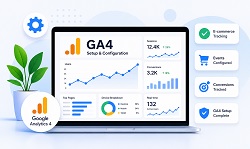
We properly configure Google Analytics 4 (GA4) for your Shopify store to ensure all ecommerce data is tracked correctly through our Shopify GA4 Setup Service and Shopify Google Analytics setup process.
Our Services Include:
- Setting up or linking the right GA4 property for your store
- Configuring advanced tracking of e-commerce on Shopify to track pageviews, add-to-carts, checkouts, and purchases
- Setting up essential e-commerce events like add to cart, start checkout, purchase, and pageviews with Shopify event tracking configuration
- Identifying and fixing any missing, broken, or not firing events to improve reporting
- Boosting the accuracy of Shopify analytics setup
Why it matters: Without proper Shopify GA4 setup and Shopify Google Analytics setup, Shopify data is often incomplete or incorrect. Our Shopify Tracking Setup Service ensures your revenue, conversion rate, Shopify ecommerce tracking, and customer behavior data are reliable.
Setting up the Facebook Pixel and Other Marketing Pixels
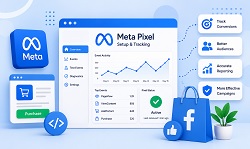
The proper installation of your Meta (Facebook) pixel and other marketing pixels is guaranteed with our help. With our Shopify analytics and conversion tracking setup, we guarantee accurate reports and better campaigns.
What we do:
- Properly install and configure the Facebook / Meta Pixel
- Set up Conversion API (CAPI) when required for better data accuracy and tracking reliability
- Remove duplicate or conflicting pixels that cause double reporting
- Verify all key events (view content, add to cart, purchase) inside Meta Events Manager
- Improve Shopify ecommerce tracking and Shopify event tracking setup
Why it matters: Incorrect pixel setup leads to inaccurate ad reporting, poor optimization, and wasted ad spend. Our Shopify Analytics Setup Service ensures Meta receives clean and accurate conversion data.
Google Ads Conversion Tracking
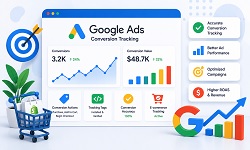
We configure Google Ads conversion tracking so you can accurately measure sales and optimize campaigns through our Shopify Conversion Tracking Service and Shopify conversion tracking setup implementation..
What we do:
- Create Google Ads conversion actions for purchases and major milestones.
- Install dynamic remarketing tags to boost ad targeting precision.
- Correct problems like overcounted or undercounted conversions
- Match conversion values to real Shopify order information
- Enhance the performance of your Shopify tracking setup and Shopify analytics setup.
Why it is important: Better Google Ads tracking will lead to better campaigns, better smart bidding, and better ROAS. Our Shopify Conversion Tracking Service will help Shopify merchants grow profitably.
Google Tag Manager Integration (Optional)
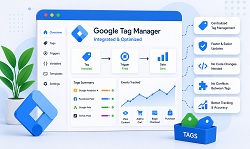
For sophisticated tracking configurations, we use Google Tag Manager (GTM) integration, where we will be managing all the tracking scripts from one location using our Shopify Google Tag Manager setup service.
We will:
- Install and set up GTM integration on Shopify.
- Remove hard-coded tracking scripts and add them to GTM.
- Streamline the management of tags for efficient management in the future.
- Prevent any conflicts between different tags
- Better Shopify tracking and Shopify events tracking setup
Why it matters:Our Shopify Google Tag Manager Setup Service gives you flexibility, cleaner code, and easier control over all analytics and marketing tags.
Data Accuracy & Debugging
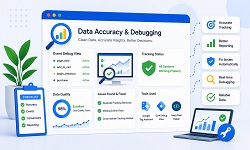
We thoroughly test and debug your tracking setup to ensure everything works exactly as expected. As a Shopify tracking expert and Shopify analytics expert, we focus heavily on Shopify analytics setup accuracy and Shopify conversion tracking setup consistency.
What we do:
- Identify and fix duplicate tracking issues
- Verify cross-domain and checkout tracking accuracy
- Debug events using GA Debug tools and Meta Pixel Helper
- Ensure basic consent compatibility with cookie banners and privacy settings
- Improve Shopify store analytics setup and Shopify ecommerce tracking reliability
Why it matters:Even small tracking errors can lead to major reporting issues. Our Shopify Tracking Setup Service ensures your data is clean, compliant, and trustworthy.
Fix Broken Shopify Tracking & Improve ROAS
Get Free Tracking AuditWhy Proper Tracking Matters?
Correct Shopify analytics setup and Shopify conversion tracking setup are the prerequisites for each successful online store. Without accurate Shopify conversion tracking and Shopify analytics setup, all decisions are made by assumptions instead of real numbers-meaning that all your ad spend, optimizations, and growth strategies will be wasted efforts.
Correct Revenue & Conversion Reporting:
If done right, Shopify analytics and conversion tracking will provide accurate data about all sales, add-to-carts, and checkouts in the store. Your revenue metrics, conversion rates, and other Shopify e-commerce tracking statistics won’t lie.
Improved Ad Performance & Reduced Expenses:
Major platforms such as Google Ads and Meta use conversion tracking data to run ad optimization. Thus, correct Shopify conversion tracking setup will help the platform better understand which users convert and make ads serve more efficiently.
Detailed Insights Into Funnels & Buyer Behaviors:
With the correct Shopify analytics setup, you will gain full insight into how buyers move through funnels and make purchases.
Confidence in Ads Scaling:
It's risky to scale campaigns without adequate Shopify analytics setup because of possible problems.
Prevents Costly Tracking Errors:
Many Shopify stores suffer from duplicate tracking, missing events, or incorrect values. Our Shopify Tracking Setup Service eliminates these issues before they impact performance.
Reliable Reporting Across Platforms:
When Shopify GA4 setup, Google Ads, Meta Pixel, and Shopify Google Analytics setup are correctly configured, all platforms report consistent and accurate data.
Not Sure If Your Shopify Tracking Is Accurate?
We'll audit your GA4, Meta Pixel, and Google Ads tracking setup to find missing conversions, duplicate events, and reporting errors.
Request a Free Tracking ReviewOur Search Engine Genie Process
We begin by understanding your store goals and current setup. As a Shopify tracking expert and Shopify analytics expert, we review your Shopify theme, apps, and existing tracking tools to identify problems like missing events, duplicate tags, inaccurate conversion values, or broken checkout tracking.
Step 1: Audit & Requirement Analysis
We begin by understanding your store goals and reviewing your current setup. This helps us identify missing tracking, duplicate tags, incorrect conversion values, or checkout reporting issues through our Shopify Tracking Setup Service and Shopify Analytics Setup Service.
- Review current Shopify GA4 setup, Meta Pixel, and Google Ads tracking setup
- Check tags installed via theme, apps, or Shopify Google Tag Manager Setup Service
- Identify tracking errors like duplicate conversions or missing purchases
- Audit funnel steps: product view → add to cart → checkout → purchase using Shopify ecommerce tracking
Step 2: Strategy & Setup Plan
After the audit, we create a clean setup plan based on your store and marketing goals. We decide what to track and the best implementation method without slowing down your site through our Shopify tracking setup process.
- Define key conversion events and triggers for Shopify event tracking setup
- Choose the right setup approach (native, GTM, or hybrid)
- Plan a clean tracking structure for accurate Shopify store analytics setup
- Ensure basic consent and privacy compatibility during Shopify analytics setup
Step 3: Implementation & Configuration
We implement tracking using best practices and remove conflicts. This ensures your data remains accurate across GA4, Meta, and Google Ads through our Shopify Conversion Tracking Service and Shopify ecommerce tracking implementation.
- Configure GA4 ecommerce events and settings
- Set up Meta Pixel and Conversion API (if required)
- Configure Google Ads conversions and remarketing tags
- Optional: Set up Shopify Google Tag Manager Setup Service for centralized control
- Remove duplicate or old scripts to prevent double tracking
Step 4: Testing & Quality Assurance
Before delivery, we test every event with professional tools to confirm correct firing and accurate values. Our Shopify tracking expert team ensures your Shopify event tracking setup works correctly across every stage of the funnel.
- Test events across product, cart, checkout, and thank-you pages
- Verify conversion values, currency, and transaction IDs
- Fix duplicate firing and missing event issues
- Cross-check platform accuracy (GA4 vs Shopify vs Ads dashboards)
Step 5: Reporting & Verification
Once everything is working, we provide verification and guidance so you can confidently monitor results using your Shopify analytics setup and Shopify store analytics setup.
- Confirm key events and conversions are tracked correctly
- Provide a setup checklist of what’s installed and firing
- Share where to verify data inside Shopify GA4 setup, Meta, and Google Ads
Step 6: Ongoing Support
Shopify themes, apps, and platforms update often. We offer optional support to keep Shopify tracking setup, Shopify analytics setup, and Shopify ecommerce tracking accurate as your store grows.
- Fix tracking after theme or app changes
- Add new events or conversion goals through Shopify event tracking setup
- Ongoing QA and Shopify conversion tracking setup optimization
Why Choose Search Engine Genie
We specialize only in Shopify technical services, and this makes us aware of Shopify's structure, restrictions during the checkout process, application behavior, and even tracking. Thanks to our extensive knowledge of Shopify technicalities, we can successfully offer a Shopify Tracking Setup Service that will follow best practices, not repeating the mistakes others make.
✔ Shopify-Focused Expertize
We specialize in Shopify technical services. From Shopify tracking setup and Shopify analytics setup to Shopify ecommerce tracking and Shopify event tracking setup, our solutions are built specifically for Shopify's ecosystem and best practices.
✔ Clean & Accurate Implementations
We don't bloat your store with unnecessary scripts or apps. Every Shopify Tracking Setup Service implementation is clean, optimized, and tested to ensure accuracy without slowing down your site.
✔ Data-Driven Methodology
All our decisions are made according to factual data and tested methods. Thus, your Shopify analytics installation, advertising, and tracking reports will be based on what's really going on in your business.
✔ Transparent Process
No hidden steps, no confusion. You always know what’s being implemented, why it's needed, and how to verify your Shopify store analytics setup.
✔ Built for Scalability
Our Shopify Tracking Setup Service and Shopify Analytics Setup Service are designed to grow with your store-whether you're increasing ad spend, adding new tools, or expanding into new markets.
Common Shopify Tracking Problems We Fix
This is because most Shopify sites have problems with erroneous tracking and are not even aware of it. This causes inaccurate reports, waste of money spent on ads, and bad decisions being made. We address these problems right from the core by offering Shopify conversion tracking and Shopify e-commerce tracking services.
Duplicate Tracking & Double Conversions
Problem:Multiple scripts from apps, themes, or GTM cause events to fire twice.
Fix: We audit and remove duplicate tags so each conversion is tracked once using Shopify event tracking setup best practices.
Missing Purchase or Checkout Tracking
Problem: Sales occur but conversions don’t show correctly in analytics.
Fix:We configure and verify purchase and checkout events properly through Shopify conversion tracking setup.
Incorrect Conversion Values
Problem: Reported revenue doesn’t match actual Shopify order data.
Fix: We align event values, currency, and transaction data accurately using Shopify analytics setup methods.
Broken Funnel Tracking
Problem: Missing or inconsistent product, cart, or checkout events.
Fix: We rebuild Shopify ecommerce tracking funnels to measure every step correctly.
Pixel & Analytics Conflicts
Problem: Apps and custom scripts interfere with tracking.
Fix: We clean up conflicts and implement stable Shopify tracking setup systems.
Cross-Domain & Checkout Tracking Issues
Problem: Session breaks and attribution errors during checkout.
Fix: We configure proper cross-domain and checkout tracking through Shopify Google Analytics setup.
Privacy & Consent Tracking Issues
Problem: Tracking fails or violates consent rules.
Fix: We ensure basic consent-compatible Shopify event tracking setup implementation.
Experiencing Tracking Errors or Missing Conversions?
Our Shopify tracking experts can fix duplicate tracking, broken checkout events, inaccurate reports, and pixel conflicts.
Talk to a Shopify Tracking ExpertOur Shopify Services
Our Shopify services help store owners fix technical issues, improve speed, increase search visibility, and boost conversions. From Shopify SEO indexing fixes and performance optimization to theme customization, migration, and emergency store recovery — our experts deliver results-driven solutions.
Shopify Indexing Fix Services
Fix coverage, canonical, robots, sitemap & GSC issues.
Shopify Speed Optimization
Core Web Vitals, asset cleanup, lazy-load, app bloat removal.
Shopify Store Migration
Safe move from Woo/BigCommerce/Magento + redirects.
Shopify Conversion Rate Optimization
Improve UX, PDP/collection flows, cart & checkout funnels.
Shopify Payment Gateway & Shipping Setup
Configure gateways, rates, zones, taxes, and rules cleanly.
Shopify Theme Customization & Bug Fixes
Liquid edits, sections, layout fixes, and responsive cleanup.
Shopify Subscription & Recurring Orders
Recharge / Appstle setup, logic, styling & testing.
Shopify Broken Link & 404 Error Fixing
Redirect mapping, broken collections/products, cleanup.
Shopify Database Optimization
Speed up store by reducing heavy queries and app overhead.
Shopify Hosting & Server Optimization
CDN, caching strategy, DNS, image delivery improvements.
Shopify Store Recovery & Emergency Support
Broken theme, checkout issues, critical errors & rollback.
Shopify Checkout & Payment Error Fix
Fix gateway errors, order failures, tax/shipping issues.
Shopify Security Audit Service
Detect vulnerabilities, risky apps, and security gaps. Get a clear action plan.
Shopify API Integration Error Fix
Fix API sync issues, webhook errors, connection failures, and data mismatch problems.
Shopify Admin Access & Permission Fix
Restore admin access, fix staff permissions, collaborator issues, and login blocks.
Shopify Email Deliverability & SPF/DKIM Setup
Fix email deliverability issues, configure SPF, DKIM, and DMARC to prevent spam and improve inbox placement.
Shopify Tracking & Analytics Setup
Accurate setup of Google Analytics, GA4, Facebook Pixel, conversion tracking, and event tracking.
Shopify SEO Technical Fixes Service
Resolve technical SEO issues like indexing errors, site speed, structured data, and crawl problems.
Shopify App Installation & Conflict Resolution
Install, configure, and fix conflicts between Shopify apps that slow down or break your store.
Shopify AI Chatbot Setup Services
Transform your Shopify store with intelligent AI chatbot solutions that automate customer support, boost conversions, and deliver seamless shopping experiences 24/7.
Frequently Asked Questions (FAQs)
1. How can I effectively track my conversions on my Shopify store?
To track conversions effectively, you need proper Shopify GA4 setup, ecommerce event tracking, Meta Pixel, and Google Ads conversion tracking. Accurate tracking of product views, add-to-cart actions, checkouts, and purchases helps measure store performance and improve campaign optimization for better return on ad spend.
2. Am I able to track the behavior of customers via different devices?
Yes, with a properly configured Shopify GA4 integration, you can track customer behavior across multiple devices. It helps monitor how users interact with your store when switching between mobile, tablet, and desktop devices, giving you deeper insights into customer journeys and overall shopping behavior.
3. Is my Shopify analytics tracking setup GDPR compliant?
Here's what you need to have to make your Shopify analytics tracking setup GDPR-compliant:
- Install cookie consent pop-ups, where users can provide permission to track before any personal data is collected.
- Use Shopify Google Tag Manager Integration Service for managing your cookie consent across all the tracking tags.
- Do not save any personal data from users without permission.
All the analytical solutions, including Shopify GA4 integration and Meta Pixel, are installed by us with anonymized IP addresses.
4. Will my ads work better after the tracking is set up properly?
Yes, once your Shopify conversion tracking setup is sorted out, you can expect to get clean and accurate conversion data on your ad platform channels such as Google Ads and Meta Ads. The algorithms will work to optimize your ad spend and ROAS accordingly.
5. Is it possible for me to measure my refund and cancellation rates with Shopify?
Yes, you can measure your refunds and cancellations using Shopify e-commerce tracking setup and Shopify event tracking setup configuration options. However, keep in mind that Shopify does not send any refund or cancellation data to GA4 or Meta Pixel by default.
Ready to Fix Your Shopify Tracking Setup?
Get accurate GA4 reporting, Meta Pixel tracking, Google Ads conversion tracking, and reliable Shopify ecommerce analytics.
Email Our Experts Request Free Consultation