



SEO Home  WordPress Technical SEO Fixes Services
WordPress Technical SEO Services - SEO Audit, Speed & Core Web Vitals Optimization
Get professional WordPress Technical SEO Fixes Services including Core Web Vitals Optimization, crawl error fixes, indexing issue repair, schema markup, speed optimization, and complete WordPress SEO optimization to improve Google rankings and organic traffic.
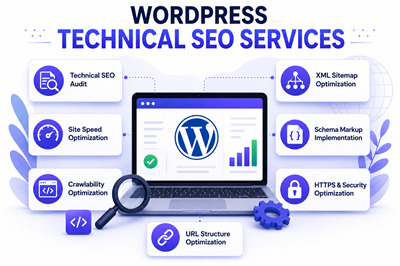
At Search Engine Genie, we provide expert WordPress Technical SEO Fixes Services to improve search rankings, website speed, and SEO performance. Our specialists fix crawl errors, indexing issues, duplicate content, broken links, XML sitemap errors, and Core Web Vitals Optimization problems to help increase organic traffic and Google visibility.
Our WordPress Technical SEO Audit Services identify hidden SEO issues affecting your website. We optimize URL structure, schema markup, robots.txt files, canonical tags, and mobile SEO settings to make your website fully search engine friendly and improve overall website performance.
We also offer advanced WordPress Core Web Vitals Optimization and WordPress Speed Optimization Services to improve page loading speed and user experience. From image compression and caching to CSS and database optimization, we help your WordPress website achieve faster performance and better Google Page Experience scores.
With regard to rank falls and index issues on your website, you will benefit from our WordPress SEO Troubleshooting Services for all issues, including redirect fixes, HTTPS SEO, structured data, meta data, and broken link fix services. Our team will apply the most advanced SEO techniques to ensure that your website ranks well.
We offer cost-effective and dependable WordPress Technical SEO Services that will help boost your search engine presence through optimized websites. Our expert WordPress SEO maintenance and optimization services will keep your website protected and optimized for high rankings.
Benefits of WordPress Technical SEO Fixes Services
WordPress Professional Technical SEO Fixes Services aid in enhancing your website rankings, site speed, crawability, and SEO performance through fixing important technical SEO issues. The process of fixing crawl errors, indexing errors, duplicate content, broken links, and XML sitemaps helps maintain your website to be SEO-friendly and highly optimized for top-ranking on Google and receiving more organic traffic.
WordPress Expert Technical SEO Audit Services guarantee that your website structure, schema markups, robots.txt file, canonical URLs, and mobile SEO parameters are well-optimized. Such services include WordPress SEO Optimization, Meta Tags Optimization, and URL Structure Optimization that result in enhanced usability and superior experience for users.
WordPress Advanced Core Web Vitals Optimization Services and WordPress Speed Optimization Services boost the speed of your website, Google Page Experience, and website performance. Website image optimization, caching, CSS & Javascript optimization, and database optimization can help reduce bounce rate and improve website performance.
WordPress SEO Troubleshooting Services experts and HTTPS SEO Fixes services can aid in correcting any SEO problems such as ranking decreases, redirect errors, structured data errors, or indexation problems. Technical optimization of your WordPress site will increase its efficiency in accordance with the Google SEO standards.
WordPress SEO Maintenance and professional WordPress Technical SEO services will aid businesses in maintaining high rankings, high website performance, and sustainability in the online environment. The optimized WordPress site ensures the constant inflow of traffic from search engines, resulting in lead generation and business growth.
WordPress Technical SEO Fixes Services we offer
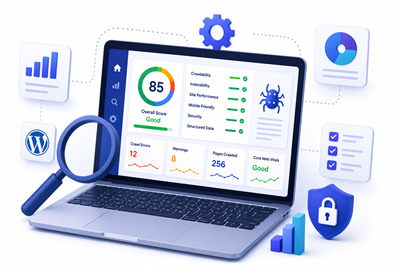
1. WordPress Technical SEO Audit Services
WordPress Technical SEO issues can seriously impact your Google rankings, organic traffic, website speed, mobile usability, Core Web Vitals, and overall search engine performance. Problems such as poor website architecture, slow page loading speed, missing schema markup, weak internal linking, duplicate metadata, and bad user experience can reduce your online visibility and affect your website's ability to rank higher in Google search results.
Search Engine Genie provides professional WordPress Technical SEO Audit Services, WordPress SEO Optimization Services, and Technical SEO Consulting Services to analyze and improve your website's technical SEO health. Our SEO experts perform a complete website audit to identify hidden SEO problems and deliver advanced optimization solutions for better crawlability, faster indexing, improved page experience, higher keyword rankings, and long-term organic traffic growth.
- Complete Website Technical SEO Analysis: Our professionals provide highly advanced SEO Auditing Services using WordPress to check for technical SEO issues, crawlability problems, indexing issues, and optimization possibilities that may affect your website rankings and search engine traffic.
- Core Web Vitals & Website Speed Audit: We carry out analysis on website speed, mobile usability, page experience factors, server speed, and Core Web Vital Factors for SEO purposes.
- Schema Markup & Structured Data Review: We audit and implement schema markup services, schema optimization, and rich snippets for search engines in order to boost CTRs.
- Mobile SEO & User Experience Optimization:Mobile usability and performance, responsive designs, and other UX elements of your WordPress website are also optimized by us.
- Metadata, Internal Linking & On-Page SEO Audit: Title Tags, meta description, images SEO, header tags, keyword SEO, and other on-page SEO aspects of your WordPress site are audited and optimized by us.
2. WordPress Core Web Vitals & Speed Optimization Services
The process of optimizing the website using WordPress Core Web Vitals is necessary in order to enhance its performance in terms of its loading speed, user experience, and SEO rankings. The slow loading speed of websites may affect organic traffic, mobile usability, conversion rate, and even the site's SEO ranking overall. Some common performance problems include having non-optimized images, having too much CSS and JavaScript files, inefficient caching settings, slow server responses, overloaded databases, and bad coding of the WordPress theme and plugins.
In Search Engine Genie, you may avail our highly rated WordPress Speed Optimization Services and WordPress Technical SEO Services in order to boost your site's loading speed, Core Web Vitals, and Page Experience performance.
- Core Web Vitals Performance Optimization:We enhance LCP, FID, and CLS metrics to enable you to have high Google Core Web Vitals score ratings and thus have better search engine ranking positions for your site.
- WordPress Image & Media Optimization: Image and media file sizes may affect your website performance negatively. We ensure that we compress all your media and optimize image files and allow for lazy loading, enabling your web page to load faster.
- CSS, JavaScript & Code Optimization: CSS and JavaScript files, if too many, can slow down your website load times and performance. We ensure we minify and defer such files, enhancing website loading times.
- Caching & Database Optimization:Our WordPress Speed Optimization Services involve optimizing caching, database cleaning, and server performance, which will lead to decreased page load times and increased website efficiency and performance.
- Mobile Speed & Page Experience Optimization:Mobile usability sites rank highly in the search engines. Therefore, we ensure that we optimize your WordPress website to be responsive and fast to load from mobile devices.
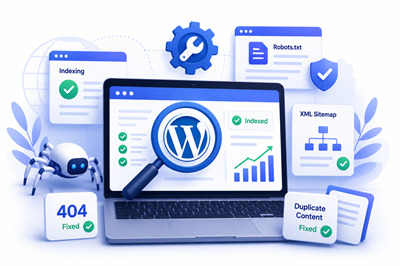
3. WordPress Indexing & Technical SEO Fixes Services
WordPress indexing issues as well as technical SEO issues will prevent search engines from effectively crawling, indexing, and ranking your website pages. Some common problems that may arise are crawl errors, indexing errors, redirect chains, broken links, 404 errors, HTTPS SEO errors, duplicate content, canonical errors, XML sitemap errors, and Google Search Console errors.
Search Engine Genie provides WordPress Indexing & Technical SEO Fixes Services, WordPress SEO Troubleshooting Services, and Advanced Technical SEO Optimization Services that aim at troubleshooting all types of technical SEO issues within a short time span and in an efficient manner. At Search Engine Genie, our WordPress SEO experts use sophisticated SEO techniques to resolve all the SEO issues.
- Indexing Issues & Crawl Error Resolution: Fixing any kind of indexing errors, crawl problems, blocked pages, issues with the XML Sitemap file, robots.txt errors, and search engine crawl restrictions helps in website indexing and organic SEO.
- 404 Errors & Redirect Optimization: Our professional SEO experts help to solve the problem of broken links, redirection loops, incorrect URLs, and other related problems. Our goal is to provide a good navigation experience for users and optimize our client's technical SEO.
- HTTPS SEO & SSL Error Fixes: We also address problems related to HTTPS SEO, including SSL certificate, mixed content, and website security problems.
- Google Search Console Error Repair:Our SEO professionals resolve all kinds of indexing alerts, coverage problems, mobile usability problems, structured data errors, and technical SEO issues from the Google Search Console.
- Canonical Tags & Duplicate Content Fixes:Canonical tags, duplicate content problems, URL indexing problems, and search engine understanding can be optimized by our SEO experts to improve search rankings.

4. Schema Markup & Mobile SEO Optimization Services
WordPress schema markup services and Mobile SEO optimization services are necessary to enhance your search engine presence, rich snippets, mobile-friendliness, and the overall performance of your website. Bad structured data, poorly optimized mobile designs, slow loading speeds on mobile devices, and problematic metadata can harm your rankings on Google and reduce traffic to your website.
Our company provides high-quality WordPress technical SEO fixes services and schema markup optimization services for you to enhance your website's structured data, mobile-friendliness, URL structure, and general SEO performance.
- Schema Markup & Structured Data Optimization: Our experts implement advanced WordPress Schema Markup Services to optimize structured data, and improving the quality of rich snippets to make your website look more appealing within Google search results.
- Mobile SEO & Responsive Optimization: You will have access to professional WordPress Mobile SEO Optimization Services for making your site more mobile responsive and mobile-friendly, ensuring an enjoyable user experience on all types of devices.
- Metadata & URL Structure Optimization: Our experts work on improving your WordPress SEO optimization through SEO title and meta description optimization, internal linking, and optimal URL structure.
- Core Web Vitals & Mobile Speed Optimization:We will work towards increasing the page speed and performance of your website by making your images optimized, improving Core Web Vitals, and enhancing Google page experience performance.
- Technical SEO Performance Enhancement:If you want to ensure that your website is in accordance with the latest Google SEO guidelines, you should consider availing of our advanced WordPress technical SEO services.
5. WordPress SEO Maintenance & Performance Support
SEO Maintenance and Optimization for WordPress sites is essential in order to achieve high-ranking positions on Google, ensure that your site loads quickly, and maintain optimal website security. Bad website maintenance, use of outdated plugins, broken links, poor page load time, and other technical SEO problems can seriously affect how well your site performs on the internet.
The SEO experts at Search Engine Genie provide WordPress SEO Maintenance and WordPress Technical SEO services to ensure that your site is safe, optimized, and search engine friendly. Our SEO specialists constantly monitor and optimize website performance to prevent technical SEO problems from affecting your rankings.
- Technical SEO Monitoring & Error Fixing: Our specialists regularly monitor crawl errors, indexing problems, broken links, XML sitemap errors, and Google Search Console errors in order to keep your website's SEO performance at its highest level.
- WordPress Speed & Core Web Vitals Optimization: We deliver advanced WordPress Speed Optimization Services and Core Web Vitals Optimization in order to increase website load time, mobile-friendly nature, and Google Page Experience score.
- Plugin, Theme & Website Performance Optimization:Plugins and themes that are out of date may cause your site to have slower load time. We specialize in optimizing all these elements as well as database and caching, CSS, and JavaScript optimization.
- WordPress Security & HTTPS SEO Fixes:We offer comprehensive website security services, including HTTPS SEO Optimization, malware prevention, and technical SEO maintenance in order to keep your website protected and optimized.
- Ongoing WordPress SEO Support & Maintenance:WordPress SEO Maintenance services offered by us allow business owners to achieve high rankings, regular traffic, higher website performance, and sustainable SEO growth.
BOOST RANKINGS & IMPROVE WEBSITE PERFORMANCE
Optimize your website with WordPress Technical SEO Services for better rankings, faster speed, and increased organic traffic.
Why Choose Search Engine Genie?
At Search Engine Genie, we provide result-driven WordPress Technical SEO Services designed to improve website rankings, speed, and overall search engine performance. Our SEO experts use advanced strategies and the latest SEO tools to identify and fix technical issues that affect your website visibility and organic traffic.
- Experienced WordPress SEO Experts: Our specialists have a great deal of experience in WordPress SEO optimization, technical SEO audit, website speed optimization, and CWV optimization. We provide highly specialized services that will be suitable for your needs.
- Complete Technical SEO Solutions: Our company provides all kinds of WordPress Technical SEO Fixes Services like fixing crawl errors, fixing indexing issues, schema markup optimization, XML sitemap setting up, canonical tag optimization, HTTPS SEO optimization, and mobile SEO optimization.
- Advanced Speed & Performance Optimization: Our WordPress Speed Optimization Services improve page loading speed, website performance, and Google Page Experience scores. Our services include such aspects as caching optimization, image optimization, CSS and JavaScript optimization, database optimization.
- Proven SEO Strategies for Higher Rankings: The best way to ensure top-notch ranking positions in Google is to use the most up-to-date SEO techniques and guidelines. That's what we do at Search Engine Genie.
- Affordable & Reliable SEO Support:With Search Engine Genie, you can enjoy highly affordable WordPress SEO Maintenance Services that include ongoing technical SEO audit, troubleshooting, performance optimization.
Our team also reviews plugin compatibility, theme performance, website speed, security vulnerabilities, database stability, and overall site functionality to ensure your WordPress website runs smoothly and efficiently.
Our WordPress Technical SEO Process
All our WordPress Technical SEO Services start with a thorough SEO Analysis of the structure of your website, your website speed, core web vitals, crawlability, indexing process, and general SEO performance. The SEO professionals will determine what technical SEO problems you have that can affect your Google ranking and organic traffic.
Upon completion of the SEO audit, our WordPress Technical SEO Experts will develop an optimized plan based on your needs and SEO goals for your website. We'll fix your crawl errors, indexing problems, content duplication, broken links, XML sitemap errors, and schema markup problems.
In order to make sure the optimization process is done safely and efficiently, we will take care of backup of your site, technical SEO tests, and performance analysis before implementing any changes. Our experts will do everything possible to perform WordPress Speed Optimization, HTTPS SEO Fixes, mobile SEO improvements, canonical tags' optimization, and fixes in Google Search Console without harming your site's functionality and SEO ranking.
Finally, we will conduct full SEO testing and optimization for your website.
- Complete WordPress Technical SEO Audit: Website structure analysis, crawling errors, indexing errors, meta information, URL structures, sitemaps, and technical SEO performance is analyzed prior to applying changes and fixes.
- Advanced WordPress Speed & Core Web Vitals Optimization: The experts increase page load times, enhance cache usage, optimize images, CSS, JavaScript, and database performance to increase Google Page Experience and ranking positions.
- Professional WordPress Technical SEO Fixes: We correct errors such as duplicate content, broken links, redirection errors, schema markup errors, HTTPS SEO errors, and mobile SEO errors by applying advanced SEO optimization techniques.
- SEO Testing & Performance Optimization: Website performance testing including speed, mobile-friendliness, crawl ability, indexing status, and other SEO performance is tested after applying technical SEO improvements.
- Ongoing WordPress SEO Maintenance Services:Technical SEO performance monitoring, website performance optimization, and SEO troubleshooting services help our clients maintain their high-ranking positions and drive more organic traffic.
Frequently Asked Questions(FAQ's)
What are WordPress Technical SEO Services?
WordPress Technical SEO Services help improve website rankings, crawlability, indexing, page speed, and overall SEO performance. These services include crawl error fixes, Core Web Vitals Optimization, schema markup, XML sitemap optimization, and website speed optimization.
Why is Technical SEO important for WordPress websites?
Technical SEO ensures search engines can properly crawl and index your website. Proper WordPress Technical SEO Optimization improves Google rankings, website speed, mobile usability, and organic traffic while enhancing user experience.
What issues are fixed in WordPress Technical SEO Services?
Our WordPress Technical SEO Fixes Services resolve indexing issues, broken links, duplicate content, redirect errors, crawl errors, HTTPS SEO issues, schema markup problems, and slow website performance to improve search engine visibility.
How does WordPress Speed Optimization improve SEO?
WordPress Speed Optimization Services improve page loading speed, user engagement, and Google Page Experience scores. Faster WordPress websites rank higher on search engines and help increase organic traffic and conversions.
What is Core Web Vitals Optimization in WordPress SEO?
Core Web Vitals Optimization improves website loading performance, visual stability, and responsiveness. Optimizing Core Web Vitals helps boost Google rankings, mobile SEO performance, and overall website usability.
Why choose Search Engine Genie for WordPress Technical SEO Services?
Search Engine Genie provides professional WordPress Technical SEO Services using advanced SEO strategies, speed optimization techniques, and technical SEO fixes to improve search engine rankings, website performance, and long-term organic traffic growth.
Search Engine Genie will make sure that you have all the benefits mentioned above at a click of your finger.