




TypeScript + Next.js App Router Best Practices (2026)

In 2026, the combination of TypeScript and the Next.js App Router has become the default standard for building scalable, production-ready React applications. With Next.js continuing to prioritize Server Components, streaming, and edge rendering, developers can no longer rely on legacy patterns from the Pages Router era. TypeScript plays a critical role in this new architecture by providing type safety across server and client boundaries, preventing runtime errors before they reach production. As applications grow more complex-handling parallel routes, nested layouts, and dynamic segments-TypeScript ensures predictability, maintainability, and developer confidence. Modern search trends show increasing demand for content around “Next.js App Router best practices” and “TypeScript with Next.js”, making this topic essential for developers building future-proof web apps.
A clean and scalable folder structure is the foundation of any successful App Router project. In 2026, best practices emphasize strict separation between server-only logic and client components, using TypeScript to enforce boundaries. Server Components should remain the default, while Client Components must be explicitly marked using the "use client" directive. TypeScript’s strict mode helps catch invalid prop usage, mismatched types, and incorrect data shapes early in development. Shared types-such as API response interfaces and domain models-should live in a centralized types or models directory to ensure consistency across routes, layouts, and components. Proper typing of route parameters, metadata, and layout props improves reliability and reduces bugs in complex navigation flows.
One of the most powerful features of the Next.js App Router is its advanced data-fetching and caching model. In 2026, developers are expected to fully leverage TypeScript-typed fetch functions, ensuring API responses are validated and predictable. Typed async functions, combined with generics, allow precise control over returned data structures. Best practices include explicitly defining cache behavior using fetch options such as revalidate and cache, while maintaining strict typing to prevent stale or invalid data from breaking the UI. TypeScript also improves error handling by enforcing typed error responses and fallback states. When combined with streaming and Suspense, typed data fetching enables smoother user experiences and more resilient applications.
Performance is a core focus in 2026, and the App Router is designed to deliver fast, efficient experiences by default. Using TypeScript with Server Components ensures that heavy logic, database access, and API calls stay on the server, reducing JavaScript shipped to the browser. Best practices include typing server actions, validating inputs, and preventing accidental client-side imports. TypeScript’s compile-time checks help enforce performance-friendly patterns, such as avoiding unnecessary client hydration and keeping components lightweight. Proper typing also improves collaboration in large teams, making it easier to reason about component responsibilities and data flow. When implemented correctly, TypeScript and Server Components together create applications that are both fast and maintainable.
As search engines continue to evolve, SEO-friendly rendering and performance remain essential for discoverability. The App Router’s support for metadata APIs, streaming HTML, and server rendering aligns perfectly with modern SEO requirements. TypeScript enhances this by ensuring metadata objects, route configurations, and dynamic content are correctly structured and validated. In 2026, scalable applications depend on strong typing to manage growing codebases, onboard new developers, and reduce long-term technical debt. By following TypeScript + Next.js App Router best practices, developers build applications that rank well, perform efficiently, and remain adaptable to future framework updates. This combination is no longer optional-it’s the standard for serious modern web development.
Node.js Sitemap Generator: Automatically Create Dynamic sitemap.xml for Large Websites
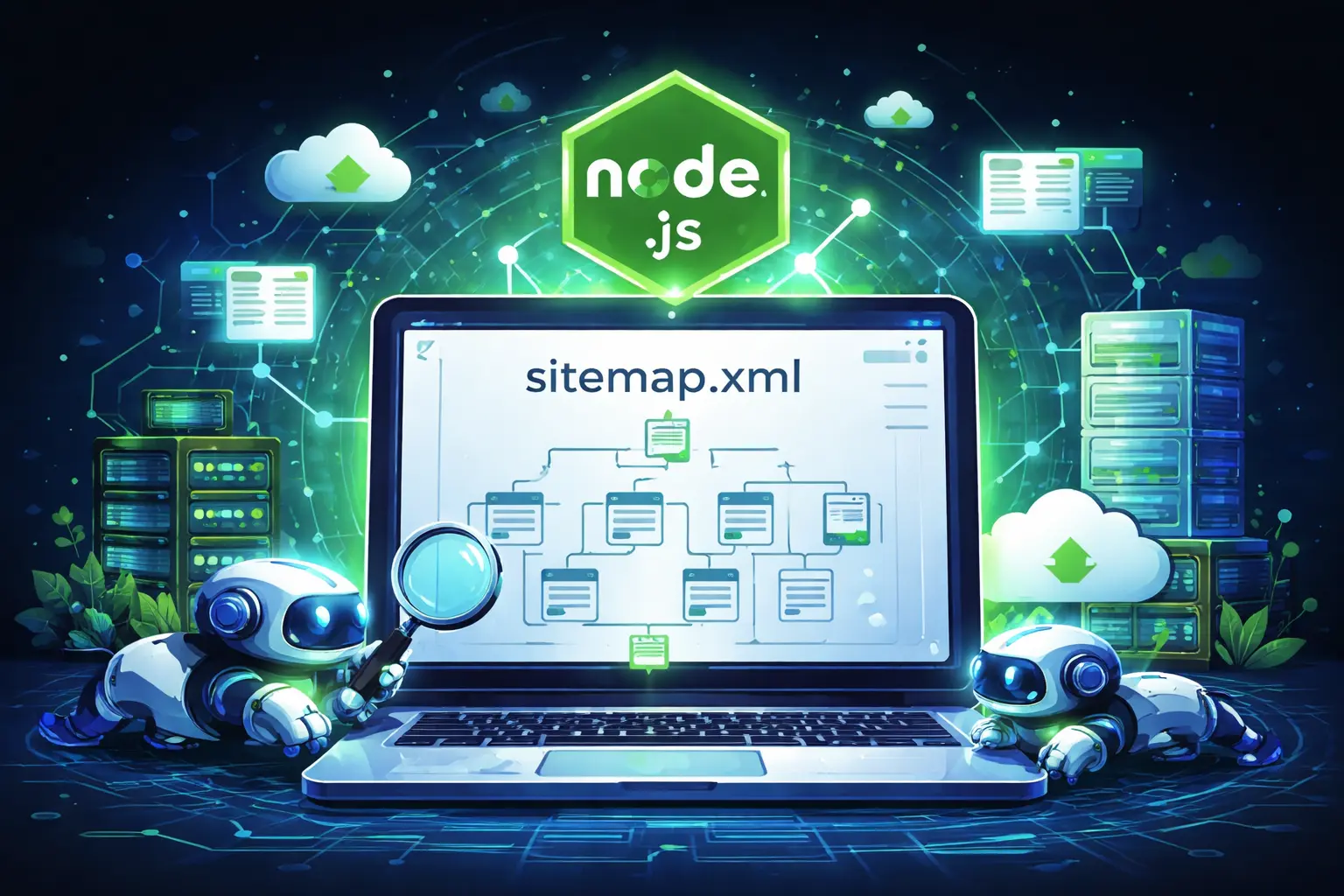
A Node.js sitemap generator is an essential tool for modern websites that continuously grow with new pages, blog posts, products, or dynamic content. Search engines rely on sitemap.xml files to discover and index pages efficiently, but manually updating a sitemap becomes nearly impossible as your website scales. With Node.js, you can automate this process and ensure that every important URL is always available to search engines. By generating your sitemap dynamically, you reduce the risk of missing pages and improve your site’s SEO performance without additional manual work.
Dynamic sitemap generation is especially useful for large websites such as e-commerce platforms, news portals, SaaS applications, and marketplaces where content changes frequently. Instead of recreating the sitemap whenever new pages are added, a Node.js script can fetch URLs directly from your database, CMS, or API and automatically build an updated sitemap. This ensures better crawl coverage and faster indexing, which ultimately helps your pages rank sooner. Additionally, automated sitemaps minimize human error and maintain consistency across your site structure.
One of the easiest ways to create a sitemap in Node.js is by using the sitemap npm package. It allows you to generate XML sitemaps quickly while supporting features like priority, change frequency, and last modified dates. First, install the package:
npm install sitemap express
Next, create a simple Express server that dynamically produces a sitemap when accessed.
const express = require(“express”);
const { SitemapStream, streamToPromise } = require(“sitemap”);
const app = express();
app.get(“/sitemap.xml”, async (req, res) => {
try {
const smStream = new SitemapStream({ hostname: “https://example.com” });
// Example dynamic URLs (replace with database data)
const urls = [
{ url: “/”, changefreq: “daily”, priority: 1.0 },
{ url: “/about”, changefreq: “monthly”, priority: 0.7 },
{ url: “/blog”, changefreq: “weekly”, priority: 0.8 },
{ url: “/products”, changefreq: “daily”, priority: 0.9 },
];
urls.forEach(link => smStream.write(link));
smStream.end();
const sitemapOutput = await streamToPromise(smStream);
res.header(“Content-Type”, “application/xml”);
res.send(sitemapOutput.toString());
} catch (error) {
console.error(error);
res.status(500).end();
}
});
app.listen(3000, () => console.log(“Server running on port 3000”));
This example creates a /sitemap.xml endpoint that automatically generates your sitemap whenever it is requested. In a real-world application, you would replace the static URL array with data pulled from your database — for example, product pages, category links, or blog articles. You can also schedule the sitemap to regenerate periodically using cron jobs or cache the output to improve performance for high-traffic websites.
To maximize SEO benefits, remember to submit your sitemap to search engines like Google Search Console and Bing Webmaster Tools after deployment. Also, keep your sitemap under the recommended size limits (50,000 URLs per file) by splitting it into multiple sitemaps if necessary. Automating sitemap creation with Node.js not only saves time but also strengthens your technical SEO foundation, ensuring that search engines always have an accurate map of your website.
Promises vs Async/Await in JavaScript
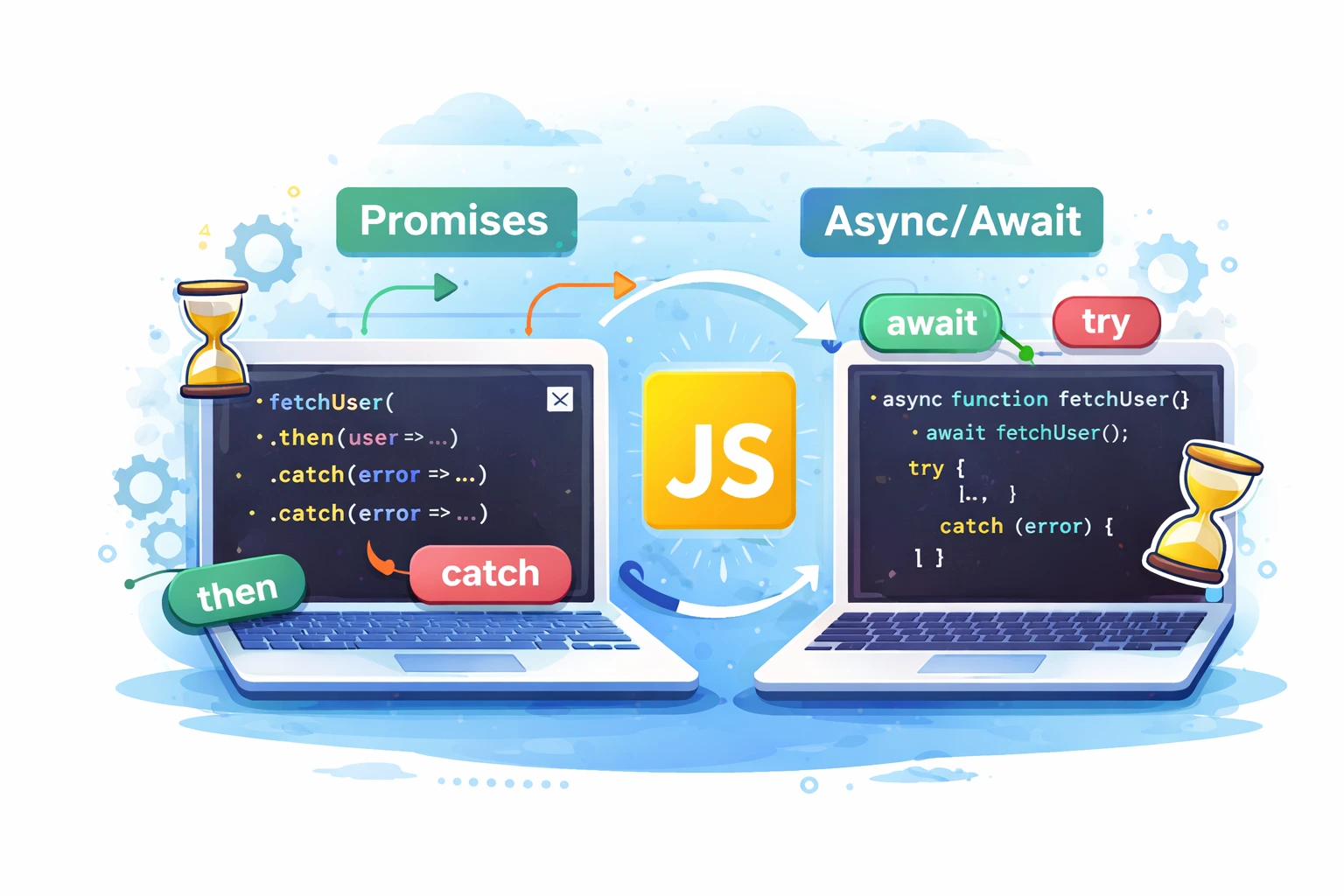
JavaScript is designed to handle tasks asynchronously, meaning it can perform long-running operations like API requests, file handling, or database calls without blocking the main execution thread. To manage these asynchronous operations, JavaScript introduced Promises, which later evolved into a more readable syntax called async/await. Both Promises and async/await are essential concepts in modern JavaScript development, and while they solve the same problem, they differ in how the code is written and understood. Choosing the right approach can greatly improve code readability, maintainability, and error handling in real-world applications.
A Promise is an object that represents the eventual result of an asynchronous operation. It can be in one of three states: pending, fulfilled, or rejected. Promises use .then() to handle successful results and .catch() to handle errors. They helped developers avoid callback hell by allowing chaining of asynchronous operations. However, when many .then() calls are chained together, the code can still become difficult to read and debug.
fetch(‘/api/data’)
.then(response => response.json())
.then(data => {
console.log(data);
})
.catch(error => {
console.error(error);
});
This example shows how a Promise handles an API request and processes the response.
Async/await is built on top of Promises but provides a cleaner and more synchronous-looking syntax. Any function declared with the async keyword automatically returns a Promise, and the await keyword pauses the execution until the Promise resolves. This makes the code easier to read and understand, especially when multiple asynchronous operations depend on each other. Error handling also becomes simpler using try...catch, which is more familiar to most developers.
async function fetchData() {
try {
const response = await fetch(‘/api/data’);
const data = await response.json();
console.log(data);
} catch (error) {
console.error(error);
}
}
This version performs the same task but is much easier to follow.
performance. Promises are useful when you need to run tasks in parallel, such as using Promise.all() to fetch data from multiple sources at the same time. Async/await is better for sequential logic, where one operation depends on the result of another. Internally, async/await still uses Promises, so there is no significant performance difference between the two.
In modern JavaScript development, async/await is generally preferred because it produces cleaner, more maintainable code. However, understanding Promises is still important, especially when working with older codebases or advanced asynchronous patterns. By mastering both Promises and async/await, developers can write efficient, scalable, and professional JavaScript applications. Knowing when to use each approach is a key skill for anyone building modern web applications.
What Happens When You Enter a URL in a Browser?

When you type a website address like www.example.com and press Enter, the page loads in seconds (sometimes milliseconds). But behind the scenes, your browser performs many technical actions—finding the server, creating a secure connection, requesting data, and then building the webpage you see. Here’s the process explained step-by-step in simple paragraphs.
Step 1: You type a URL and press Enter
A URL is the address of a resource on the internet. When you enter it, your browser reads the URL, understands which protocol to use (HTTP or HTTPS), identifies the domain name, and checks which page or path you are trying to access. This is the starting point that tells the browser what it needs to fetch and how to fetch it.
Step 2: The browser checks cache to load faster
Before reaching out to the internet, the browser first checks whether it already has some of the required data saved locally. If you visited the site before, your browser may have cached files like images, stylesheets, or scripts. It may also have saved DNS information. If relevant cached data is available and still valid, the browser can skip some network steps and load parts of the page much faster.
Step 3: DNS lookup converts the domain into an IP address
Computers don’t communicate using domain names like “example.com”; they communicate using IP addresses. So the browser performs a DNS lookup to find the IP address linked to that domain. It checks local DNS records first and, if needed, asks DNS servers on the network and internet until it gets the correct IP. Once the IP address is found, the browser knows which server to contact to request the website.
Step 4: A connection is created with the destination server
After obtaining the IP address, the browser starts a connection with that server. For reliability, the connection typically begins with a TCP handshake, which confirms both sides are ready to communicate. If the site uses HTTPS (which most sites do), an additional TLS/SSL handshake occurs to verify the website’s security certificate and set up encrypted communication so data cannot be easily intercepted.
Step 5: The browser sends an HTTP request
Once the connection is ready, the browser sends an HTTP request to the server. In most cases, it sends a GET request asking for the webpage’s main HTML file. This request includes important information like the browser type, supported formats, language settings, and cookies (which may be used for login sessions or personalization). This request is basically the browser saying, “Send me the content for this page.”
Step 6: The server processes the request and prepares a response
When the request reaches the server, it is handled by web server software and often forwarded to the website application. The backend may check permissions, read cookies, or run business logic. If the page is dynamic, the server may query a database to fetch content such as product details, blog posts, or user data. The server then builds the final response, which can include HTML and references to other resources like CSS and JavaScript.
Step 7: The server returns an HTTP response
The server replies with an HTTP response containing a status code and the requested content. A successful response typically returns status code 200, while other codes indicate redirects, missing pages, or server errors. Along with HTML content, the response includes headers that tell the browser things like how to cache the page, whether the response is compressed, and whether cookies should be saved.
Step 8: The browser renders the webpage
After receiving the HTML, the browser begins to render the page. It parses the HTML to build the page structure, downloads CSS to understand the styling, and then combines structure and styling to determine what should appear on screen and where. After layout is calculated, the browser paints pixels to display the visible page. This is the stage where the content starts appearing on your screen.
Step 9: The browser loads additional resources
The initial HTML usually references many additional files such as stylesheets, JavaScript files, images, icons, and fonts. The browser downloads these resources—often in parallel—and updates the page as they arrive. Some websites also load data from APIs after the page starts rendering, which is common in modern web applications and dynamic sites.
Step 10: The page becomes interactive and fully usable
As JavaScript finishes loading and running, the page becomes interactive. Buttons respond, menus open, forms submit, and dynamic content appears. The browser may also run analytics and tracking scripts in the background. Once the most important content is loaded and the page responds smoothly to user actions, the website experience is considered fully ready.
Conclusion
When you enter a URL, your browser checks cache, finds the site’s IP address through DNS, creates a secure connection, sends a request, receives a response, and then renders and loads everything needed to display and run the page.
Best Programming Languages to Learn in 2026

Choosing the right programming language to learn is one of the most important decisions for beginners and professionals alike. Technology evolves quickly, and the demand for certain programming skills changes every year. In 2026, companies are looking for developers who can build fast applications, automate tasks, work with data, and scale systems efficiently. Learning the right programming language can open doors to better job opportunities, freelancing work, and long-term career growth.
Below are the best programming languages to learn in 2026, based on industry demand, versatility, ease of learning, and future relevance.
1.Python
Python continues to be one of the most popular programming languages in 2026. Its simple syntax makes it ideal for beginners, while its power makes it valuable for professionals. Python is widely used in web development, automation, data science, artificial intelligence, machine learning, and SEO tools. Many companies rely on Python for backend systems and automation scripts, making it a strong long-term choice.
2.JavaScript
JavaScript remains essential for modern web development. It is the core language of the web and is used to build interactive websites, web applications, and server-side applications. With frameworks like React, Next.js, and Node.js, JavaScript allows developers to work on both frontend and backend using a single language. In 2026, JavaScript skills are still in very high demand.
3.TypeScript
TypeScript is a strongly typed version of JavaScript and is rapidly becoming the standard for large-scale applications. It helps developers catch errors early and write more maintainable code. Many companies now prefer TypeScript over plain JavaScript, especially for enterprise-level projects. Learning TypeScript in 2026 gives you an advantage in modern web development roles.
4.Java
Java remains a reliable and widely used programming language, especially in enterprise software, backend systems, Android development, and large-scale applications. It is known for its performance, stability, and strong ecosystem. Many banks, corporations, and government systems still rely heavily on Java, making it a solid career option.
5.Go(Golang)
Go is gaining popularity due to its simplicity and performance. It is widely used for cloud computing, microservices, APIs, and DevOps tools. Companies like Google, Uber, and Docker use Go extensively. In 2026, Go is an excellent choice for developers interested in backend performance and scalable systems.
6.Rust
Rust is known for its focus on performance and memory safety. It is increasingly used in system programming, blockchain development, and performance-critical applications. While Rust has a steeper learning curve, it offers strong job opportunities and is highly respected in the developer community.
7.PHP
PHP is still widely used, especially for WordPress, content management systems, and ecommerce websites. Many websites on the internet are powered by PHP, and there is consistent demand for PHP developers. In 2026, PHP remains relevant for web development and maintenance work.
8.C#
C# is a popular language for Windows applications, game development (Unity), backend systems, and enterprise software. It is especially valuable for developers working within the Microsoft ecosystem. C# continues to evolve and remains a strong option in 2026.
Conclusion
The best programming language to learn in 2026 depends on your goals. If you want simplicity and versatility, Python is a great choice. For web development, JavaScript and TypeScript are essential. If you’re interested in performance and scalable systems, Go or Rust are excellent options. For enterprise and long-term stability, Java and C# remain strong.
Instead of focusing on just one language, aim to master one core language and understand the fundamentals of programming. Once the basics are clear, learning additional languages becomes much easier.
Safe Workflow for AI-Generated Code: Testing and Security Checks

AI models generate code based on training data patterns, not real-time project context. As a result, AI-generated code may contain outdated practices, insecure logic, or missing edge-case handling. Without proper testing and security checks, these issues can reach production and cause serious problems.
From a security standpoint, AI-generated code can accidentally introduce vulnerabilities related to input validation, authentication, authorization, or data exposure. Implementing a secure AI code workflow helps reduce these risks significantly.
1.Treat AI-Generated Code as Untrusted Input
The foundation of a safe workflow is treating AI-generated code as untrusted until verified. Just like third-party code, it should never be deployed directly. All AI-generated code must pass review, testing, and security checks before being merged.
This mindset reduces overreliance on AI and promotes responsible development practices.
2.Perform a Manual AI Code Review
Manual review remains essential for identifying logic flaws, inefficient patterns, and security concerns. Developers should inspect AI-generated code for unclear logic, hardcoded values, poor naming conventions, and unnecessary complexity.
A structured AI code review process ensures alignment with project standards and improves maintainability.
3.Test AI-Generated Code Thoroughly
Testing AI-generated code is a key part of a safe workflow. Unit tests validate individual functions, while integration tests confirm correct interaction with other components. Code should not be deployed unless all automated tests pass successfully.
Adding tests where none exist improves long-term reliability and reduces regression risks.
4.Run Security Checks on AI-Generated Code
Security scanning is crucial when working with AI-generated code. Static analysis tools and dependency scanners help detect insecure functions, vulnerable libraries, and unsafe coding patterns. Special attention should be given to user input handling and sensitive operations.
These AI-generated code security checks help prevent common vulnerabilities before deployment.
5.Validate Performance and Efficiency
AI-generated code may function correctly but still be inefficient. Reviewing database queries, API calls, loops, and resource usage helps ensure performance stability. Poor performance can negatively impact scalability, user experience, and SEO.
Optimizing early prevents costly refactoring later.
6.Enforce CI/CD Validation for AI Code
A strong CI/CD pipeline is essential for secure AI code deployment. All AI-generated changes should pass linting, testing, and security checks automatically before deployment. This reduces human error and enforces consistent quality standards.
Automation plays a key role in maintaining a secure workflow for AI-generated code.
7.Monitor AI-Generated Code After Deployment
Post-deployment monitoring is the final safety layer. Tracking logs, error rates, and performance metrics helps detect unexpected behavior early. Quick detection allows teams to respond before users are impacted.
Conculsion
AI-generated code can significantly accelerate development, but only when used responsibly. By following a safe workflow for AI-generated code that includes manual review, testing, security checks, CI/CD validation, and monitoring, developers can deploy AI-assisted code with confidence.
This structured approach balances innovation with security, making AI a reliable part of modern software development.
How to Create Custom Gutenberg Blocks Using JavaScript & React?
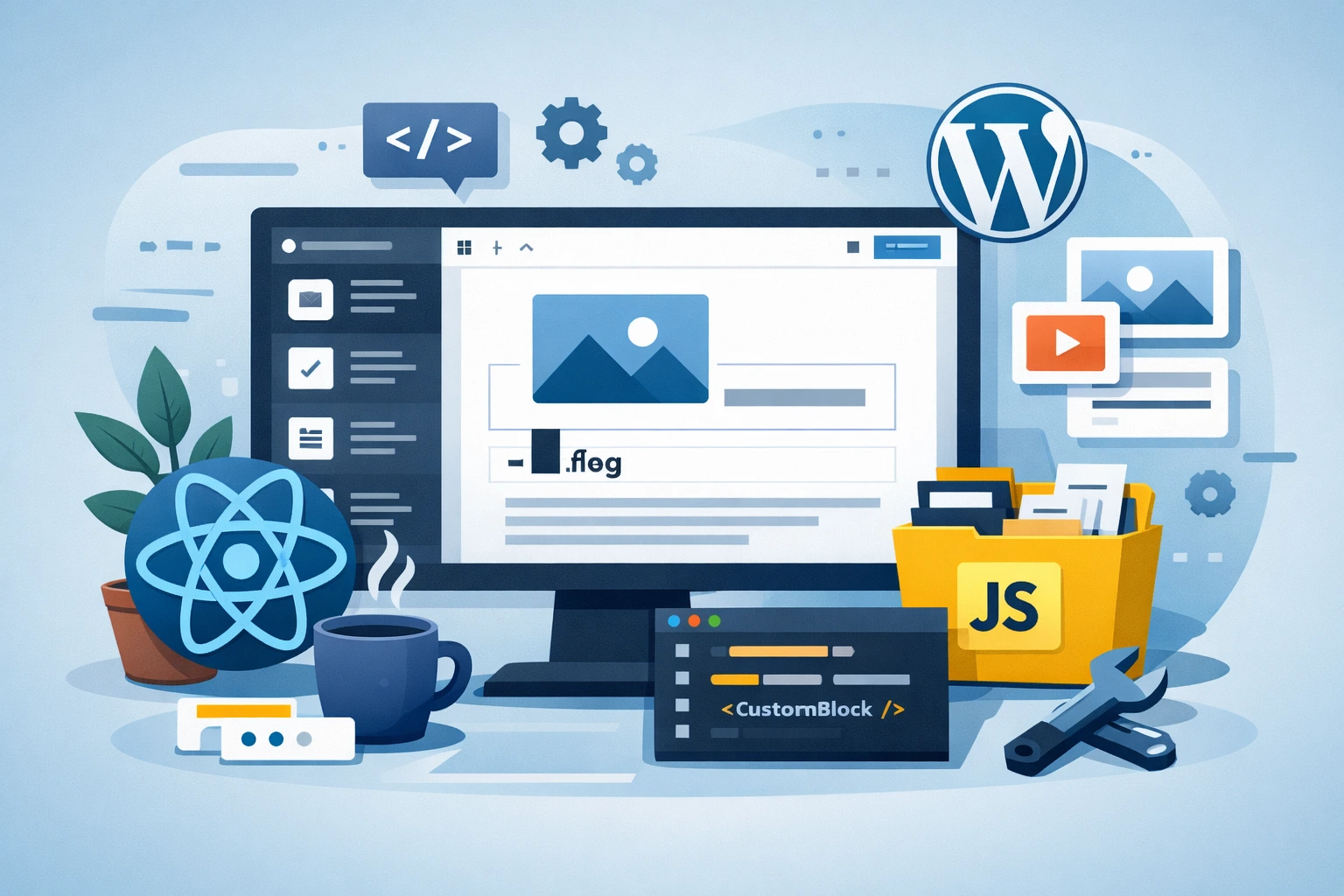
Gutenberg is the modern block editor of WordPress, and creating custom Gutenberg blocks using JavaScript and React allows developers to build reusable, structured content elements that are easy for editors to use and hard to break. Instead of relying on shortcodes or heavy page builders, custom blocks give you full control over layout, functionality, and performance while keeping content flexible. Because Gutenberg is built on React, every block is essentially a React component that defines how content appears inside the editor and how it is rendered on the front end. Custom blocks are especially useful for elements like feature sections, testimonials, pricing tables, FAQs, call-to-action banners, and custom layouts that need consistency across a website. By using JavaScript and React, developers can create interactive editing experiences, manage block data cleanly through attributes, and ensure that the final output follows WordPress standards. Blocks can be packaged inside plugins or themes, but plugins are recommended so the blocks remain usable even if the site design changes. Once registered, a custom block appears in the Gutenberg inserter like any native block and can be reused across posts and pages, making it a powerful tool for modern WordPress development.
Steps to Create Custom Gutenberg Blocks Using JavaScript & React
Step 1: Set up the development environment by ensuring WordPress is installed locally and JavaScript tooling is ready. WordPress provides official block development tools that help scaffold block files quickly and correctly, saving time and reducing configuration errors.
Step 2: Create a plugin to store your custom Gutenberg blocks. Using a plugin instead of a theme ensures your blocks remain available even when the theme is changed, making them more portable and reusable.
Step 3: Register the Gutenberg block using JavaScript. This step involves defining the block’s unique name, category, icon, and description so it appears correctly in the block inserter and is easy for editors to find.
Step 4: Define block attributes that store the block’s data. Attributes can include text, images, URLs, colors, or toggles. These attributes allow the block to save user input and maintain its state properly.
Step 5: Build the block’s editor interface using React components provided by WordPress. This includes input fields, buttons, media upload controls, and layout options that make the block easy to customize within the editor.
Step 6: Implement the edit function, which controls how the block looks and behaves inside the Gutenberg editor. This function uses React to update content dynamically as the user edits the block.
Step 7: Implement the save function to define how the block’s content is stored in the database and rendered on the front end. Static blocks save HTML directly, while dynamic blocks rely on server-side rendering.
Step 8: Use dynamic rendering with PHP if the block content needs to change based on logic, user data, or database queries. This is useful for blocks like recent posts, product lists, or dynamic testimonials.
Step 9: Add styles for both the editor and front end to ensure consistent design. Editor styles help content creators preview the final look, while front-end styles ensure the block matches the site’s theme.
Step 10: Test the custom Gutenberg block across different screen sizes and browsers. This step ensures responsiveness, accessibility, and compatibility with other WordPress features.
Step 11: Optimize the block for performance by keeping JavaScript lightweight, avoiding unnecessary re-renders, and using WordPress best practices. Efficient blocks help maintain fast page load times.
Step 12: Deploy the block and maintain it over time. Update the plugin for WordPress compatibility, add improvements based on user feedback, and refine the block as Gutenberg evolves.
Creating custom Gutenberg blocks using JavaScript and React is a future-proof approach to WordPress development. It combines modern programming practices with a flexible content system, allowing developers to build powerful, reusable components while giving editors a clean and intuitive experience.
Python Script to Find Broken Links and Export a CSV Report
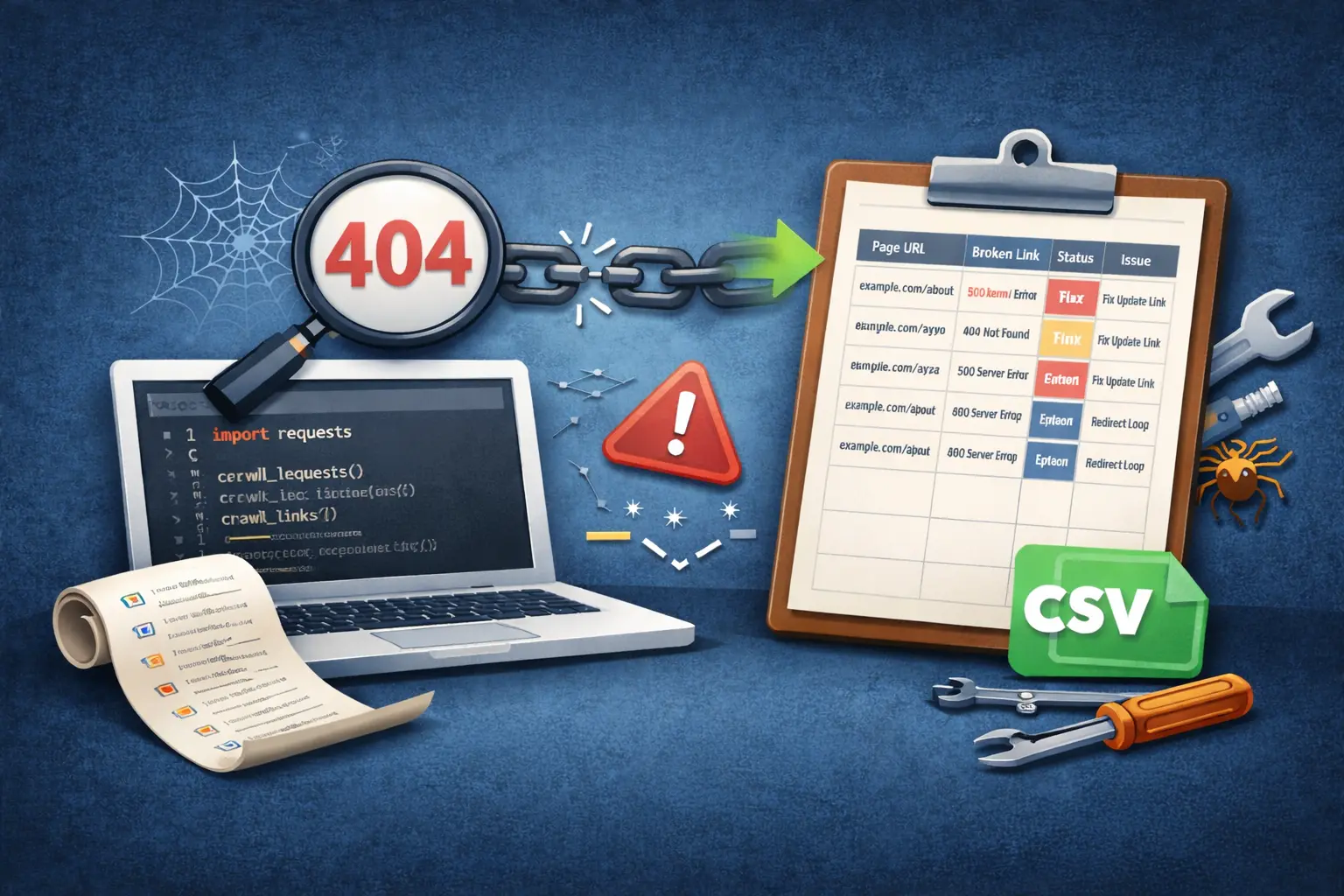
A Python broken link checker is one of the most practical programming-based tools you can build for SEO, because broken links create a bad user experience and can also waste search engine crawl budget. When visitors click a link and land on a “page not found” error, trust drops instantly, and if Googlebot finds too many dead URLs on your site, it may reduce crawling efficiency and slow down discovery of your important pages. That’s why adding broken link checking to your technical SEO routine is valuable for blogs, business sites, and ecommerce stores. With Python, you can automate the entire process instead of manually opening pages and clicking links one by one. The concept is simple: your script visits a page, collects all the links on that page, checks each link’s HTTP status code, and records any link that returns an error like 404, 500, or a problematic redirect pattern. The best part is that you can export the results to a CSV report, which makes it easy to review, share with a developer, and fix systematically.
Steps to Build a Python Broken Link Checker That Exports a CSV Report
Step 1: Understand the purpose of broken link checking
Broken links negatively affect user experience and SEO by leading visitors and search engines to non-existent or error pages. A Python broken link checker is designed to automatically identify these problematic URLs so they can be fixed quickly. Understanding this goal helps you focus on SEO-critical links and generate actionable reports.
Step 2: Prepare the list of URLs to scan
Start by deciding which pages should be checked. This usually includes the homepage, blog posts, service pages, and category pages. URLs can be added manually, read from a file, or pulled from an XML sitemap to ensure complete site coverage.
Step 3: Fetch page content using HTTP requests
Each URL is requested to retrieve its HTML content. If a page itself returns an error status, it should be logged separately because it indicates a broken page rather than a broken link inside the page.
Step 4: Extract all links from the HTML
Once the HTML is available, extract all anchor tag links. Clean the results by removing empty links, page fragments, email links, and phone links. This ensures only valid URLs are checked.
Step 5: Normalize and filter URLs
Convert relative URLs into absolute URLs so they can be tested correctly. At this stage, you can also filter out unnecessary URLs such as admin paths, tracking parameters, or non-indexable pages.
Step 6: Decide link checking rules
Internal links should be prioritized because they directly affect site structure and SEO. External links can also be checked, but they should be treated carefully since you don’t control external websites.
Step 7: Check HTTP status codes
Each link is requested and its HTTP status code is recorded. Links returning 200 are valid. Redirects (301 or 302) should be checked for chains. Links returning 404, 500, or timing out are marked as broken.
Step 8: Classify link issues clearly
Instead of storing raw status codes only, classify issues into readable categories such as broken link, server error, redirect chain, or timeout. This improves report usability for non-technical users.
Step 9: Record source and destination details
For every issue, store both the source page where the link was found and the destination URL. This helps quickly locate and fix broken links.
Step 10: Export results to a CSV report
All collected data is exported into a CSV file. The report should include source URL, broken link, status code, issue type, and suggested fix. CSV format allows easy sharing and prioritization.
Step 11: Fix issues and repeat regularly
After fixing broken links or adding redirects, re-run the script to confirm the fixes. Regular audits should be performed after content updates, redesigns, or migrations.
What are some best practices for SEO programming?

Best practices for SEO programming involve a combination of technical optimization, content structure, and user experience enhancements. Here are some key practices:
1. Clean and Semantic HTML Markup:
Use clean, well-structured HTML code with proper tags and semantic elements. This helps search engines understand the content hierarchy.
2. Optimize Page Load Speed:
Minimize file sizes, leverage browser caching, and optimize images to ensure fast page loading times. This positively impacts user experience and SEO.
3. Mobile-Friendly Design:
Ensure your website is responsive and provides a seamless experience on both desktop and mobile devices. Google prioritizes mobile-friendly sites in its rankings.
4. SEO-Friendly URLs:
Use descriptive and user-friendly URLs that reflect the content of the page. Avoid using cryptic or overly complex URLs.
5. Proper Use of Headings (H1-H6):
Organize content using appropriate heading tags. The H1 tag should contain the main heading, followed by H2, H3, etc., for subheadings.
6. Optimize Images and Multimedia:
Use descriptive alt attributes for images and provide captions or transcripts for multimedia content. This improves accessibility and provides additional context for search engines.
7. Canonical Tags for Duplicate Content:
Use canonical tags to indicate the preferred version of a page if you have multiple pages with similar content. This prevents duplicate content issues.
8. Structured Data Markup:
Implement structured data (Schema.org) to provide additional context about the content on your pages. This helps search engines better understand and display your content in search results.
9. Optimize Meta Tags:
Craft compelling and relevant meta titles and descriptions for each page. This is what users see in search results and can significantly impact click-through rates.
10. XML Sitemap and Robots.txt:
Create and submit an XML sitemap to search engines to help them crawl and index your site efficiently. Ensure your robots.txt file is properly configured to control which pages should be crawled.
11. Secure Site with HTTPS:
Secure your website with an SSL certificate to encrypt data transmission. Google favors HTTPS sites in search rankings.
12. Avoid Flash and JavaScript for Critical Content:
Use HTML for critical content and minimize the use of Flash and JavaScript, which can be harder for search engines to parse.
13. Monitor and Fix Broken Links:
Regularly check for broken links (404 errors) and fix them promptly. Broken links can negatively impact user experience and SEO.
14. Optimize for Local Search (if applicable):
If your business has a physical location, optimize for local search by including location-specific keywords, and ensure your business information is accurate and consistent across directories.
15. Regularly Update and Refresh Content:
Keep your content up-to-date and relevant. Regularly publish new, high-quality content to signal to search engines that your site is active and authoritative.
By following these best practices, you’ll create a solid foundation for SEO-friendly programming, which can lead to improved search rankings and better user experiences on your website.
Moving Domain and Keeping SEO Rank using Redirects

Transitioning to a new domain can be a pivotal step for a website, but it comes with the challenge of maintaining SEO rankings and preserving the existing traffic flow. This guide outlines the best practices for executing seamless domain migrations while safeguarding your hard-earned SEO rank through strategic redirects.
1. Comprehensive Site Audit
Conduct a thorough audit of your current website, identifying high-performing pages, inbound links, and valuable content. This analysis will inform your redirect strategy.
2. Choose the Right Domain
Select a new domain that reflects your brand identity and is relevant to your content. Ensure it is easy to remember and type.
3. Backup Your Content
Safeguard your website content, databases, and media files. This ensures that no critical data is lost during the migration process.
4. Implement 301 Redirects
Set up 301 redirects from the old URLs to their corresponding new URLs. This permanent redirect informs search engines that the content has permanently moved.
5. Update Internal Links
Modify internal links within your website to point to the new domain. This ensures a seamless user experience and prevents broken links.
6. Submit Updated Sitemap to Search Engines
Generate a new XML sitemap for the new domain and submit it to search engines via Google Search Console and Bing Webmaster Tools.
7. Update Google My Business and Local Listings
If applicable, update your business information on platforms like Google My Business, ensuring accuracy in address, phone number, and website URL.
8. Monitor Traffic and Indexing
Keep a close eye on traffic patterns and indexation after the domain migration. Address any issues promptly.
9. Preserve Social Media Presence
Update your social media profiles with the new domain. Share posts or updates announcing the domain change to keep your audience informed.
10. Retain Valuable Backlinks
Reach out to webmasters of high-authority websites linking to your content. Request them to update the links with the new domain.
11. Maintain SSL Certificates
Ensure that SSL certificates are updated for the new domain, securing the connection and maintaining trust with users.
12. Test and Validate
Thoroughly test all pages, forms, and functionalities on the new domain to identify and rectify any potential issues.
13. Monitor Search Console for Errors
Keep an eye on Google Search Console for any crawl errors, and address them promptly to maintain optimal search visibility.
A well-executed domain migration with effective redirects is a pivotal step in preserving SEO rankings and ensuring a smooth transition for your audience. By following these best practices, you can confidently navigate the domain migration process while safeguarding your website’s hard-earned search engine presence.