




Safe Ways to Use AI-Generated Code
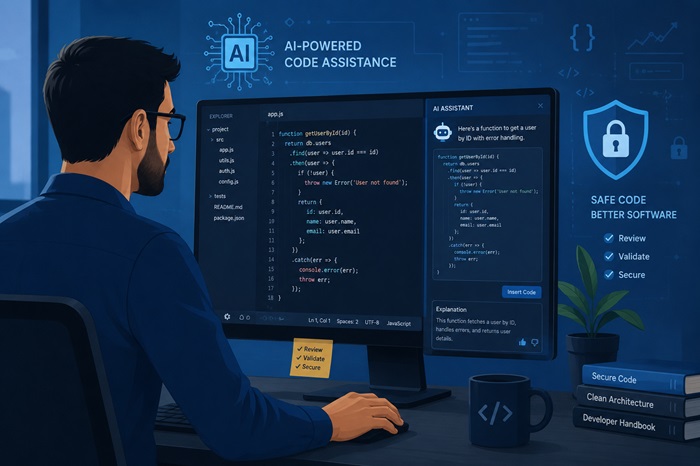
Artificial Intelligence is changing the way developers build websites and applications. Today, AI tools can help generate code, fix bugs, explain programming concepts, and speed up development tasks. These tools are becoming more popular because they help developers save time and improve productivity.
While AI-generated code can be very helpful, developers should still use it carefully. Blindly copying and using generated code without understanding it may create security problems, performance issues, or unexpected bugs inside applications. Using AI responsibly helps developers build safer and more reliable projects.
1. Review the Code Carefully
One of the most important steps when using AI-generated code is reviewing everything before adding it to a project. Developers should understand what the code does and confirm that it fits the project requirements.
Sometimes AI tools generate unnecessary logic or incorrect solutions that may cause future problems. If developers do not understand how the generated code works, it is usually better not to use it directly in production applications.
Important things to check:
Read through the entire AI-generated code carefully before using it in your project to identify mistakes, unnecessary logic, or unexpected behavior.
Make sure you fully understand how the generated code works and how it affects your application before implementing it in production.
Check for outdated coding methods, syntax issues, compatibility problems, or practices that may not follow modern development standards.
2. Test Everything Properly
Even if AI-generated code looks correct, it may still contain hidden bugs or unexpected behavior. Testing helps developers identify problems early and ensures applications work properly for users.
Developers should test different user inputs, edge cases, and real-world scenarios before deploying applications.
Things developers should test:
Test the generated code with different user inputs to make sure the application behaves correctly under various conditions and unexpected situations.
Check how the code handles errors and invalid data to ensure the application does not crash or create problems for users.
Test the overall performance of the generated code to confirm that it runs efficiently without slowing down the website or application.
Review different real-world user scenarios to verify that the generated code works properly for all types of users and interactions.
Test the generated code on mobile devices and different screen sizes to ensure compatibility and a smooth user experience across platforms.
3. Avoid Sharing Sensitive Information
Developers should never paste private or sensitive information into AI tools. Protecting business and customer data is extremely important for security and privacy.
Sensitive information should always remain protected.
Never share:
Never share passwords inside AI tools because sensitive login information can become exposed and create serious security risks for your applications and accounts.
Avoid pasting API keys into AI platforms since exposed keys may allow unauthorized access to services, databases, or third-party integrations.
Customer information should always remain private and protected to prevent data leaks, privacy violations, or misuse of sensitive user details.
Payment details such as credit card information or banking data should never be shared inside AI tools for security and compliance reasons.
Private business data, confidential documents, or internal company information should always remain protected to avoid security and privacy risks.
Keeping sensitive information secure helps prevent security risks and data leaks.
4. Check for Security Risks
AI-generated code may sometimes include insecure coding practices or weak security methods. Developers should always review generated code carefully for vulnerabilities before using it in real projects.
Security should remain a top priority during development.
Common security issues include:
Weak authentication systems can make applications vulnerable to unauthorized access, allowing attackers to log into accounts or access sensitive information easily.
Unsafe database queries may expose applications to security attacks such as SQL injection, which can compromise important business or customer data.
Poor input validation can allow harmful or unexpected data to enter the system, creating security vulnerabilities and application stability issues.
Hardcoded credentials inside source code can expose usernames, passwords, or API keys if the code becomes publicly accessible or compromised.
Missing security checks may allow attackers to bypass important protections and gain unauthorized access to application features or sensitive information.
Careful review helps developers build safer applications.
5. Keep the Code Simple
AI tools sometimes generate solutions that are more complicated than necessary. Simple and clean code is much easier to maintain, debug, and improve in the future.
Developers should simplify generated code whenever possible and keep projects organized.
Benefits of simple code:
Easier maintenance helps developers update, improve, and manage applications more efficiently without creating unnecessary complexity or confusion within the project structure.
Faster debugging allows developers to quickly identify and fix issues, reducing development time and improving overall productivity during software development.
Better teamwork makes it easier for multiple developers to understand, collaborate on, and contribute to the same project without communication problems.
Improved readability helps developers understand the code more clearly, making future updates, reviews, and troubleshooting much easier and more organized.
Long-term scalability allows applications to grow more smoothly over time without major restructuring or performance issues as project requirements increase.
Simple code usually creates better development experiences.
6. Follow Proper Coding Practices
AI-generated code should still follow proper project structure and coding standards. Consistency helps developers maintain cleaner and more professional applications.
Developers should ensure generated code matches their project guidelines and naming conventions.
Good coding practices include:
Clear naming helps developers understand variables, functions, and components more easily, improving readability and reducing confusion while working on large projects.
Organized structure keeps project files, folders, and code sections properly arranged, making applications easier to maintain, update, and scale over time.
Readable functions make code easier to understand by keeping logic clean, simple, and focused on performing one specific task efficiently.
Consistent formatting improves code readability and teamwork by ensuring all developers follow the same coding style and project standards throughout development.
Proper documentation helps developers understand how the code works, making future updates, debugging, and collaboration much easier within development teams.
Following best practices improves project quality over time.
7. Use AI as a Helper
AI works best as a productivity assistant rather than a replacement for programming knowledge. It can help developers save time, automate repetitive tasks, and generate ideas more quickly.
However, human review and decision-making are still extremely important during development.
AI can help developers:
Generate code faster by quickly creating functions, templates, and solutions that reduce manual coding effort and improve overall development efficiency.
Learn new concepts more easily by explaining programming ideas, frameworks, and coding techniques in a faster and more beginner-friendly way.
Automate repetitive work such as writing similar code blocks, generating boilerplate code, or handling routine development tasks more efficiently.
Improve productivity by helping developers complete tasks more quickly, reduce manual effort, and focus on solving more important programming problems.
Reduce development time by speeding up coding, debugging, testing, and problem-solving processes during website and application development.
The best results happen when developers combine AI tools with real programming knowledge.
No comments yet.