



SEO Home  Wordpress Error Fix Services
WordPress Error Fix Services - Fix WSOD, 500 Errors & Critical Issues Fast
Fix WordPress errors fast with expert WordPress Error Fix Services. Resolve WSOD, 500/403/404 errors, plugin conflicts, PHP issues, database errors, malware, and critical website problems with professional WordPress troubleshooting and repair support.
At Search Engine Genie, we offer you fast and efficient WordPress Error Fix Services that will help you resolve any kind of WordPress website errors. If your website is experiencing problems with WordPress Critical Errors, White Screen of Death (WSOD), 500 Internal Server Error, database connection errors, plugins and themes conflicts, PHP fatal errors, or any other errors, our team will make sure that your website works properly.
WordPress Troubleshooting Services offered by us will help you troubleshoot and fix all kinds of errors on your website. If your website needs to be fixed, you can rely on our WordPress Website Repair Services, WordPress Bug Fix Services, WordPress Plugin Conflict Repair Services, or WordPress Theme Error Fix Services.
We also have experts for resolving issues like WooCommerce Error Fix, WordPress Login Error Fix, and WordPress Website Down Fix. Our developers make use of advanced software and techniques for fixing such problems in no time.
In case there is any malware or security issue on your site, then we will offer complete WordPress Malware Removal Services and WordPress Security Fix Services to get rid of any malicious code and other security vulnerabilities from your site. With our Emergency WordPress Support and 24/7 WordPress Technical Support, you will get all the help you need for fixing website errors immediately.
Here at Search Engine Genie, it is our aim to offer you affordable yet reliable Professional WordPress Error Resolution services. From urgent problem-solving to offering WordPress Maintenance Services, we ensure that your site is working optimally always.
Benefits of WordPress Error Fix Services
Professional WordPress error fix services provide you with an opportunity to increase website efficiency, security, and performance by solving critical website problems. The solution of problems such as WordPress critical error, 500 internal server error, plugin conflict, and White Screen of Death (WSOD) will allow your website to remain stable, fast, and completely functional. Efficient WordPress Website Repair service also ensures reduced downtime, increased traffic, and increased customers' trust and engagement.
Professional WordPress Troubleshooting Services guarantee your plugins, themes, database, and server settings function correctly without any compatibility issues. Services including WordPress plugin conflict repair, WordPress theme error fix, and WooCommerce error fix are crucial for increasing website usability and improving user experience both on desktops and mobile devices. It helps you improve website speed and its ability to be crawled by search engines.
WordPress security fix services and WordPress malware removal services will secure your website from any possible hacker or malware attack. The solution of website errors and website security issues provides not only protection of your valuable data and business processes but also optimization of SEO performance and general website stability.
Emergency WordPress Support, as well as WordPress Maintenance Services, help businesses avoid constant technical issues, ensure high uptime, and maintain their websites� performance all the time. A secure, error-free, and optimized WordPress website will increase your search engine ranking, bring you more leads, and result in conversions and future growth for your business.
WordPress Error Fix Services We Offer
1. White Screen of Death (WSOD) WordPress Error Fix Services
White Screen Of Death (WSOD) is one of the most frequent and annoying problems in WordPress which can make your entire site blank without showing any error message. This serious problem may affect the performance of your website including traffic and search engine rankings. The WSOD problem occurs due to the incompatibility between WordPress plugins or themes, exhausted PHP memory limits, damaged core files of WordPress, or server errors.
Search Engine Genie offers Professional WordPress Error Fixing Services as well as sophisticated WordPress Troubleshooting Services to diagnose and solve the problem of WSOD instantly.
- Debugging & Error Diagnosis: Our team performs in-depth WordPress troubleshooting by checking server error logs, enabling WordPress debug mode, and analyzing plugin and theme conflicts to identify the exact cause of the White Screen of Death.
- PHP Memory Limit Optimization: Insufficient PHP memory is one of the leading causes of WSOD. As part of our WordPress Website Repair Services, we increase your PHP memory limit and optimize server settings to improve website stability and performance.
- WordPress Plugin Conflict Repair: Faulty or outdated plugins can break your website functionality. Our WordPress Plugin Conflict Repair experts disable problematic plugins, troubleshoot compatibility issues, and restore your website without affecting important data.
- WordPress Theme Error Fix:Incompatible or corrupted themes can trigger a blank white screen. We provide reliable WordPress Theme Error Fix Services by testing, repairing, or replacing damaged theme files to restore your website design and functionality.
- Corrupted File Recovery & Website Restoration: If corrupted WordPress core files are causing the issue, our team replaces them with clean and secure files from the official WordPress repository. Our complete WordPress Site Recovery Services ensure your website is restored quickly and securely.
2. 500 / 403 / 404 WordPress Error Fix Services
HTTP errors like 500 Internal Server Error, 403 Forbidden Error, and 404 Page Not Found Error can negatively affect your website performance, user experience, and SEO rankings. At Search Engine Genie, our expert WordPress Error Fix Services quickly diagnose and resolve these issues to restore website security, accessibility, and performance with minimal downtime.
The 500 Internal Server Error is commonly caused by plugin conflicts, corrupted .htaccess files, PHP errors, or server misconfigurations, while the 403 Forbidden Error occurs due to incorrect file permissions, firewall settings, or security plugin issues. Our experienced WordPress Technical Support team identifies the root cause and provides fast, reliable fixes to restore secure website access.
A 404 Page Not Found Error occurs when pages are missing, deleted, or incorrectly redirected. Our professional WordPress Website Repair specialists fix broken links, optimize permalink settings, and implement SEO-friendly redirects to improve website functionality, user experience, and search engine rankings.
- Detailed WordPress Error Analysis:Our WordPress Bug Fix Experts perform advanced diagnostics by reviewing server logs, website configurations, plugin activity, and error reports to identify the exact cause of the issue.
- Corrupted .htaccess File Repair: We repair or regenerate corrupted .htaccess files, which are a major cause of 500 Internal Server Errors and website access issues.
- File Permission & Security Fixes: Our team adjusts incorrect file and folder permissions to resolve 403 Forbidden Errors while strengthening website security and accessibility.
- Broken Link & Permalink Optimization:For 404 Error Fix Services, we repair broken URLs, update redirects, and optimize WordPress permalink settings to ensure all pages and posts load correctly.
- Advanced Server Diagnostics:We conduct complete server-level troubleshooting to identify hosting, PHP configuration, caching, or database-related problems causing WordPress errors and website downtime.
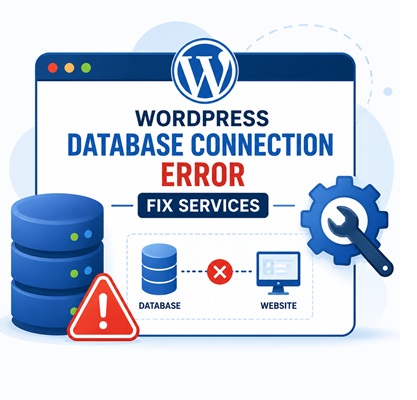
3. WordPress Database Connection Error Fix Services
WordPress Database Connection Error is one of the most crucial errors which can lead to your site going down. Such an error happens when WordPress is unable to connect to the database because of wrong database details, corrupted database, server related problems, or high server load. We at Search Engine Genie offer you efficient WordPress Error Fix Services so that you do not lose any of your site's information.
Our WordPress Troubleshooting Services ensure quick identification of the problem and efficient WordPress Website Repair services. If you face any kind of WordPress Website Down Fix problems, we are always there to help you out.
- Checking wp-config.php Configuration: Our experienced WordPress Bug Fix Experts carefully verify your wp-config.php file to ensure the correct database name, username, password, and host settings are configured properly. Incorrect database credentials are one of the most common causes of WordPress Critical Errors and database connection failures.
- Repairing Corrupted WordPress Databases: If your database is corrupted, we perform advanced WordPress Database Error Fix procedures using WordPress repair tools and optimized SQL repair techniques to restore data integrity and website functionality quickly.
- Restoring Website Backups: As part of our comprehensive WordPress Site Recovery Services, we restore the latest secure database backup when necessary to get your website back online safely and efficiently.
- Server & Hosting Diagnostics:Our team performs complete server diagnostics to identify hosting-related issues, server downtime, or MySQL connectivity problems affecting your website. We provide expert WordPress Hosting Error Fix solutions to ensure stable and secure database communication.
4. PHP Warnings & Fatal Error Fix Services for WordPress
WordPress PHP warning and fatal errors are some of the most common problems which can have an effect on the performance, security, and functionality of your WordPress site. The causes of these issues include WordPress plugin conflicts, outdated PHP, theme issues, coding errors, and corrupt website files. PHP warning can reveal confidential data on your website, whereas fatal error can make your website go down and also affect your search engine ranking. You can get rid of these problems using our WordPress Error Fix Services.
- PHP Error Log Analysis: Our expert WordPress Troubleshooting Services team analyzes PHP error logs to quickly identify issues related to plugins, themes, server settings, or incompatible PHP versions, ensuring fast and reliable WordPress Website Repair solutions.
- PHP Version Upgrade & Compatibility Fix: We update your website to the latest stable PHP version to improve speed, compatibility, and security. Our WordPress Technical Support experts also ensure all plugins and themes work smoothly in the updated environment.
- WordPress Plugin Conflict Repair: Our team provides complete WordPress Plugin Conflict Repair and WordPress Theme Error Fix services by detecting incompatible plugins, resolving conflicts, and implementing stable solutions to prevent PHP fatal errors.
- Code Optimization & Performance Enhancement:We optimize outdated theme and plugin code, remove deprecated functions, and improve website stability through our Professional WordPress Error Resolution services for better speed and performance.
- Advanced WordPress Debugging:Using tools like WP_DEBUG, our expert WordPress Bug Fix Services team detects hidden PHP errors and resolves warnings and fatal issues quickly without affecting website functionality.
5. Plugin & Theme Conflict Resolution Services for WordPress
At Search Engine Genie, we provide expert WordPress Plugin Conflict Repair and WordPress Theme Error Fix Services to resolve compatibility issues that can break your website, slow performance, or trigger critical WordPress errors. Plugin and theme conflicts are among the most common causes of WordPress Website Errors, including the White Screen of Death (WSOD), 500 Internal Server Error, layout issues, broken functionality, and WooCommerce problems.
Our professional WordPress Error Fix Services are designed to quickly identify and resolve plugin and theme conflicts to restore your website's stability, performance, and user experience with minimal downtime.
- Systematic Plugin & Theme Troubleshooting: Our WordPress Troubleshooting Experts deactivate plugins and themes one by one to identify conflicts causing website errors, performance issues, or broken functionality.
- WordPress Theme Compatibility Testing: We test your website with a default WordPress theme to identify theme-related problems. Our WordPress Theme Error Fix Services ensure full compatibility with the latest WordPress updates.
- Plugin & Theme Updates:Outdated plugins and themes can cause WordPress Critical Errors and security risks. We update all components to improve compatibility, security, and website performance.
- Alternative Plugin Recommendations:If conflicts continue, we recommend reliable alternatives that provide the same functionality without causing compatibility issues or downtime.
FIX WORDPRESS ERRORS & BOOST WEBSITE PERFORMANCE
Resolve WordPress Critical Errors, WSOD, plugin conflicts, and database issues with expert WordPress Error Fix Services.
Why Choose Search Engine Genie?
Search Engine Genie provides reliable and affordable WordPress Error Fix Services, WordPress Website Repair, and WordPress Troubleshooting Services that help businesses keep their websites secure, fast, and fully functional. Our solutions focus on long-term website stability, performance optimization, and error prevention rather than temporary fixes.
- Professional WordPress Problem Solving: Our experts solve all kinds of WordPress Critical Errors, plugin errors, theme-related errors, and site downtime issues.
- Quick and Safe Website Fixes: We offer highly effective Website Repair Services with minimum downtime and maximum safety.
- 24/7 WordPress Support Services: We offer 24/7 WordPress support services including Website Down Fix and WooCommerce Error Fix.
- WordPress Security and Malware Protection: We take care of all aspects of your website's protection with our WordPress Malware Removal Services and WordPress Security Fix Services.
- Customized WordPress Services:All our Professional WordPress Error Resolution services are customized for your website requirements.
Our team also reviews plugin compatibility, theme performance, website speed, security vulnerabilities, database stability, and overall site functionality to ensure your WordPress website runs smoothly and efficiently.
Our WordPress Error Fix Process
We begin every WordPress Error Fix Service with a detailed review of your plugins, themes, WordPress core files, database, and hosting environment to identify the exact cause of WordPress Critical Errors, plugin conflicts, website downtime, and performance issues.
Following diagnosis, the WordPress Troubleshooting Specialists will come up with a tailor-made plan for repairing your WordPress site based on the specific structure of your website and business requirements. We will also fix your WooCommerce website in case of any WooCommerce Error Fix issues relating to checkout, payment gateways, and plugin compatibility.
To ensure the safety of your website data, we will back up your website before making any changes and carry out malware scans. The specialists will then take care of 500 Internal Server Errors, White Screen of Death (WSOD), login problems, database issues, and theme conflicts in a way that does not harm your SEO performance.
Finally, we perform complete testing to ensure your website is secure, fast, mobile-friendly, and fully functional across all devices and browsers.
- Complete WordPress Error Audit: We perform analysis of plugins, themes, WordPress core files, database, server, and other technical issues before proceeding to fix them.
- Safe WordPress Website Repair: All fixes are made using safe backup, compatibility, malware detection, and SEO-friendly troubleshooting techniques.
- Advanced WordPress Troubleshooting Services: We solve WordPress Website Down Fix, plugin issues, login problems, theme problems, and server issues promptly.
- Post-Repair Testing & Optimization: We check the website speed, mobile friendliness, security, and flawless operation after fixing any technical issue.
- Long-Term WordPress Maintenance Services:We provide solutions that ensure your website does not experience future WordPress issues, downtime, malware infection, and performance problems.
Frequently Asked Questions(FAQ's)
What are WordPress Error Fix Services?
WordPress Error Fix Services help identify and resolve technical website issues such as WordPress Critical Errors, plugin conflicts, theme issues, database errors, login problems, and website downtime to keep your website secure and fully functional.
What common WordPress errors do you fix?
We fix issues including 500 Internal Server Errors, White Screen of Death (WSOD), database connection errors, plugin conflicts, theme compatibility issues, WooCommerce errors, and malware-related problems.
Do you provide Emergency WordPress Support?
Yes, we offer 24/7 Emergency WordPress Support Services for website crashes, hacked websites, malware attacks, and urgent WordPress Website Down Fix requirements.
Can you fix WooCommerce errors?
Yes, our WooCommerce Error Fix Services resolve checkout issues, payment gateway problems, cart errors, plugin conflicts, and other WooCommerce-related technical issues.
Will fixing WordPress errors affect my SEO rankings?
No, our Professional WordPress Error Resolution process uses SEO-safe methods to protect your rankings, backlinks, website structure, and search engine visibility during repairs.
Do you provide WordPress Malware Removal Services?
Yes, we provide complete WordPress Malware Removal Services and WordPress Security Fix Services to remove malware, secure vulnerabilities, and protect your website from future attacks.
Search Engine Genie will make sure that you have all the benefits mentioned above at a click of your finger.