search engines
Search intent is the reason behind a user’s search. It tells us what someone is actually trying to find when they type a query into Google.
A person searching for “how to improve website speed” wants information. Someone searching for “best SEO tools” may be comparing options. Another user searching for “SEO company near me” may already be ready to contact a service provider.
Understanding this difference helps businesses create content that matches what users actually want.
What Is Search Intent?
Search intent, also called user intent, is the goal behind a search query.
Google tries to understand whether a user wants to learn something, find a specific website, compare products or services, or take action.
This is why two similar keywords can show very different search results.
For SEO, choosing the right keyword is important, but understanding the intent behind that keyword is just as important.
Why Search Intent Matters for SEO
Search engines aim to show results that are most useful for the user.
If someone is looking for information but lands on a sales-focused page, they may leave quickly. In the same way, someone ready to buy may not want to read a long educational article.
When your content matches the user’s intent, it becomes more relevant and useful. This can improve engagement and help attract visitors who are genuinely interested in your content, product, or service.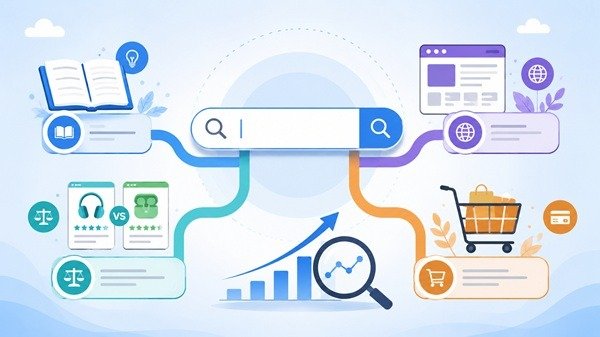
Types of Search Intent
Search intent is usually grouped into four main types.
Informational intent is when users want to learn something or find an answer.
Navigational intent is when users are looking for a particular website or brand.
Commercial intent is when users are researching and comparing options before making a decision.
Transactional intent is when users are ready to take action, such as buying a product, contacting a company, or signing up for a service.
Knowing the type of intent helps you decide what kind of page or content to create.
How to Understand Search Intent
One of the easiest ways to understand search intent is to look at the current Google results for your target keyword.
If most of the top results are blog posts, the intent is likely informational. If the results mostly show product or service pages, the intent may be commercial or transactional.
SERP features such as People Also Ask, featured snippets, shopping results, local listings, and videos can also give useful clues about what users are expecting.
How to Optimize Content for Search Intent
Start by understanding what the user wants before creating the content.
If the search is informational, provide a clear answer. If the user is comparing options, give helpful comparisons. If the intent is transactional, make it easy for the visitor to take the next step.
Your title, headings, and main content should all match the purpose of the search.
It is also useful to review older pages from time to time because search intent can change as user behavior and search results evolve.
Final Thoughts
Search intent helps you understand the meaning behind a keyword.
Instead of creating content only to target search terms, focus on giving users the type of information or solution they are actually looking for.
When your content matches search intent, it becomes more useful for visitors and more relevant for search engines.
Tags: content-optimization, Google Rankings, Keyword Research, on-page-seo, Organic Search, Search Intent, Search Queries, SEO Strategy, SEO Tips, User Intent
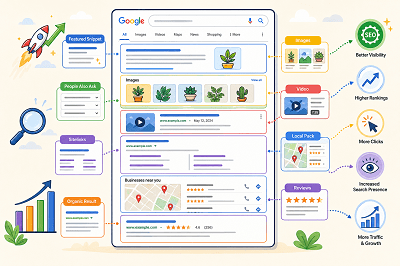
When you search on Google, the results page often shows more than a list of blue links. You may see images, videos, featured answers, local results, ratings, or other special elements.
These are commonly called SERP features.
What Are SERP Features?
SERP stands for Search Engine Results Page. SERP features are special elements that appear alongside or instead of traditional search results.
Google changes the features it shows depending on the search query. For example, a local search may show local results, while an image-related search may display more images.
Common Types of SERP Features
Some common SERP features include:
- Featured snippets
- Rich results
- Images
- Videos
- Sitelinks
- Review information
- Local results
- People Also Ask results
Google also supports different visual search elements depending on the type of content and the user’s search.
What Is a Featured Snippet?
A featured snippet is a special result that displays a short answer or information from a webpage prominently in the search results.
Google automatically decides whether a page is suitable for a featured snippet. Website owners cannot manually mark a page as a featured snippet.
What Are Rich Results?
Rich results are search listings that can include additional visual information such as ratings, images, product details, event information, or other interactive elements.
Adding the correct structured data can help Google understand your page and make it eligible for certain rich results. However, adding structured data does not guarantee that a rich result will appear.
How Do SERP Features Affect SEO?
SERP features can make a search result more noticeable and give users more information before they click.
Appearing in a featured snippet, image result, video result, or rich result can give your website additional visibility on the search results page.
At the same time, SERP features also create more competition for attention because traditional organic results may appear alongside many other visual elements.
How Can You Improve Your Chances of Appearing?
Start by creating clear, useful content that directly answers what users are searching for. Use descriptive headings, relevant images, and well-structured pages.
Where appropriate, you can also add supported structured data to help Google better understand your content and make it eligible for richer search appearances.
SERP features have made Google search results much more visual and interactive. Understanding how they work can help you create content that is easier for search engines to understand and more noticeable to users.
Tags: Featured Snippets, Google Rankings, Google SERP, Local Pack, People Also Ask, Rich Results, Search Visibility, SERP Features
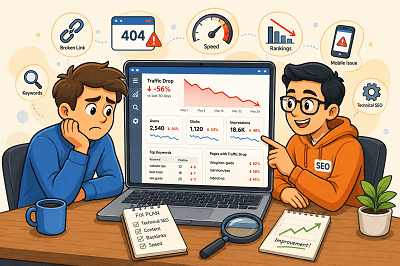
Seeing your website traffic suddenly fall can be worrying. But a traffic drop does not always mean your SEO has failed.
Rankings, technical issues, competitors, seasonal searches, and outdated content can all affect your visitor numbers. The key is finding out where the drop started and what caused it.
First, Find Out Where the Traffic Dropped
Before changing your website, check Google Search Console and Google Analytics.
Look for:
- Pages that lost the most visitors
- Keywords receiving fewer clicks
- Changes in impressions
- Traffic drops from specific devices or countries
Once you know where the decline happened, finding the cause becomes much easier.
Did Your Google Rankings Fall?
A ranking drop is one of the most common reasons for losing organic traffic.
Check whether your important pages and keywords have moved lower in Google. If they have, review the pages ranking above you and improve your content, headings, internal links, and overall usefulness.
Is Your Content Getting Old?
Content that performed well a year ago may no longer provide the best answer.
Update old statistics, replace outdated information, improve weak sections, and add useful new details. Sometimes refreshing an existing page is more valuable than publishing another similar article.
Are Technical Problems Hurting Your Site?
A broken page, indexing issue, server problem, or incorrect redirect can quietly reduce traffic.
Check important pages in Google Search Console and make sure Google can crawl and index them correctly. Also look for broken links and pages returning errors.
Have Your Competitors Improved?
Sometimes your traffic falls even when you haven’t changed anything.
Competitors may have published better content, improved their websites, or earned stronger backlinks. Compare the pages ranking above yours and look for areas where your page can offer something more useful.
Has Search Demand Changed?
Not every traffic decline is an SEO problem.
Some searches are seasonal. Others become less popular as customer interests change.
Compare traffic with the same period from the previous year before assuming something is wrong. Google Trends can also help you understand whether interest in a topic has changed.
Is Your Website Slow or Difficult to Use?
Slow pages and poor mobile experiences can frustrate visitors.
Make sure your website loads quickly, works properly on mobile devices, and makes important information easy to find.
Website traffic can drop for many reasons, so avoid making random SEO changes immediately. Start with your data, identify which pages or keywords lost traffic, and then investigate the cause. Once you understand what changed, you can focus on the improvements that matter most.
Tags: Google Rankings, google-search-console, Keyword Rankings, Organic Traffic, seo-audit, Traffic Drop, Website Performance, Website Traffic
If your website does not show up on Google, there might be some reasons.
At times, it is because Google has not indexed your website. It may be the case that Google has indexed your website but your site is ranking very low.
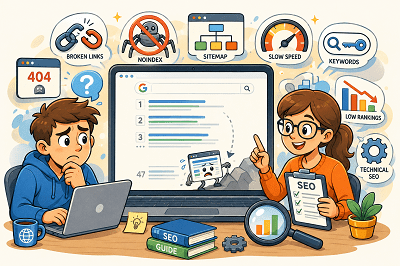
Here are the seven most common SEO issues:
1. Google Has Not Indexed Your Website
In order to show your web pages on Google, first, Google needs to crawl them.
Fix: Configure Google Search Console, submit your sitemap, and use URL Inspection tool.
2. Your Website Is Blocking Google
You have set noindex on your website or you have blocked your site by using a robots.txt file.
Fix: Make sure that you are not blocking Google in any way.
3. Your Website Has Technical SEO Issues
It may happen due to various technical issues such as broken links, server errors, incorrect redirects, and duplicate pages.
Fix: Do an SEO audit and correct any technical issues that might hinder crawling and indexing.
4. The Information Provided by Your Content Is Inadequate
Pages that have very little information can fail to rank.
Google loves content that is valuable, clear, and user-focused.
Fix: Make sure you create valuable content that clearly communicates your products, services, or topic.
5. You are Using the Wrong Keywords
Your site may fail to show up if you don’t target the terms used by people searching.
Fix: Make sure you use the right keywords within your title, headings, and body copy.
6. You Have Bad Internal Linking
Pages that have no or few internal links are less likely to be found by Google.
Fix: Make sure you link your pages and blog posts to each other for easy navigation by visitors and search engines.
7. Your Website Has a Low Rank
Your website might already be indexed but ranks below your competitors.
This is often due to the better content, backlinks, or SEO of competing sites.
Fix: Improve your website and its SEO over time.
Google Search Console can help you check whether your pages are indexed and identify possible SEO problems. If your website is not showing up on Google, start by checking indexing, then review your technical SEO, content, keywords, and internal links. Fixing these basic issues can help Google better understand your website and improve its chances of appearing in search results.
Tags: Google Indexing, Google Rankings, google-search-console, SEO Problems, SEO Tips, Technical SEO, Website Ranking
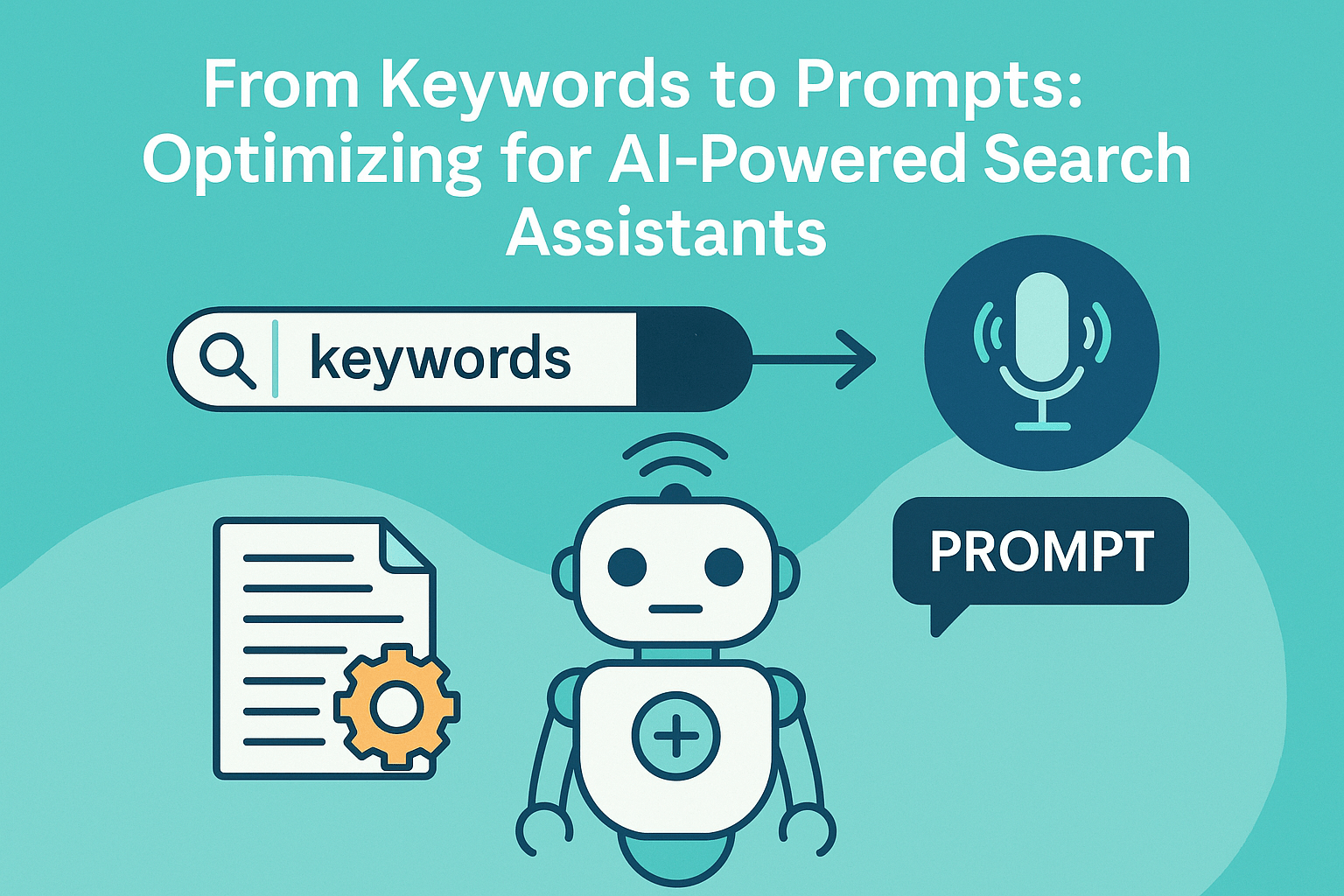
The world of search is changing fast. Traditional keyword-based SEO is no longer the only way people discover content, because AI-powered search assistants like ChatGPT, Perplexity, Gemini, and Bing Copilot are becoming part of how users search and make decisions. Instead of typing short phrases, users now ask conversational prompts and expect direct, personalized answers. This shift is creating a new frontier—prompt-driven SEO—where brands need to adapt their content strategy so they remain visible and “recommended” inside AI-generated responses, not just ranked on a results page.
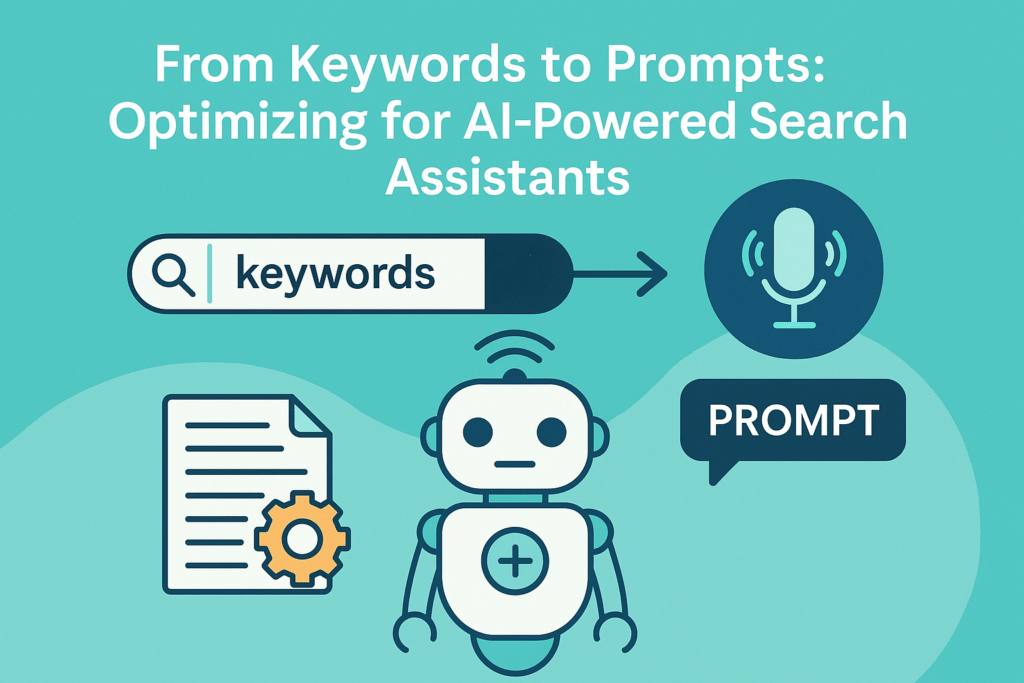
For decades, SEO revolved around keyword research and targeting high-volume terms, but keywords alone are no longer enough when intent is expressed in natural language. Compare the old search “best SEO tools” with a modern prompt like “What are the best SEO tools for small businesses in 2025, and which ones use AI features?” That second query includes audience, timeframe, and specific preferences—meaning your content needs to answer detailed, context-rich questions rather than just repeating a keyword. Prompts are basically the new SEO currency: AI assistants don’t just retrieve links, they generate answers, and your content has a better chance of being surfaced when it’s written conversationally, covers topics in depth, anticipates follow-up questions, and explains concepts clearly with examples, comparisons, pros/cons, and FAQs.
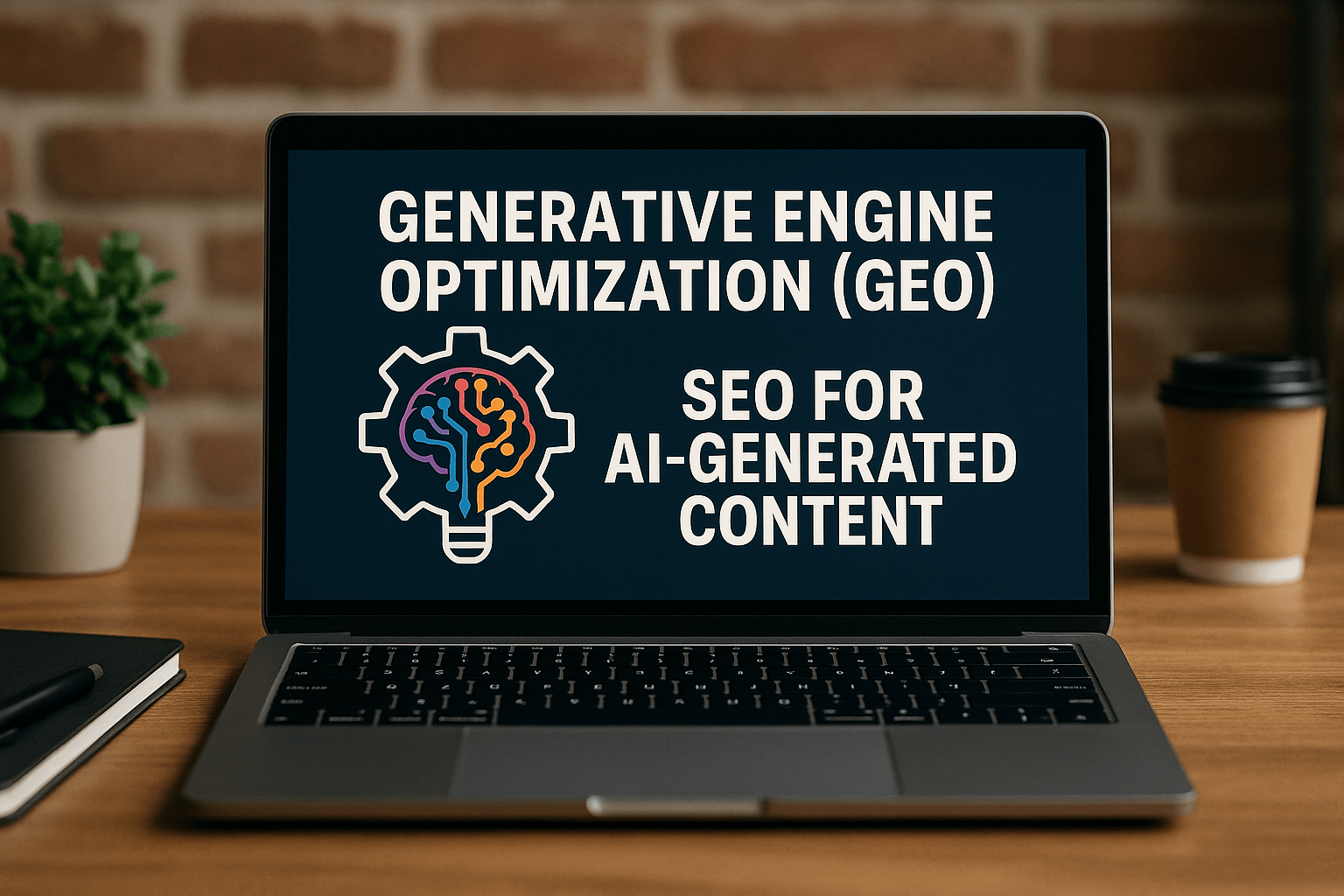
To optimize for AI-powered search, you’ll want to shift from pure keyword targeting to creating content around conversational queries and strong structure. Use question-style headings that mirror how people prompt AI (for example, “What is the difference between keywords and prompts?”), and build entity and semantic clarity by naming relevant tools, concepts, and terms while connecting them with internal links and schema where possible. This is where GEO—Generative Engine Optimization—comes in: a growing discipline focused on making content easy for AI systems to understand, trust, and reuse in generated answers. For example, if you run a fashion eCommerce store, instead of only optimizing for “men’s charcoal grey suit,” you’d also publish content answering prompts like “What occasions are best for wearing a charcoal grey three-piece suit?” or “How should men style a pleated pant suit for weddings?” The future of SEO is beyond keywords; brands that embrace prompt-optimized, comprehensive, entity-rich content now will be the ones that win visibility in the AI-driven search economy.
As artificial intelligence reshapes how people search online, a new discipline is emerging: Generative Engine Optimization (GEO). Unlike traditional SEO, which focuses on ranking in Google’s search results, GEO is about optimizing content for AI-powered engines like ChatGPT, Google Gemini, and other large language models (LLMs) that deliver direct answers instead of links. If your business depends on online visibility, it’s time to understand how GEO can help your brand show up in AI-generated responses and protect your digital strategy as search becomes more answer-first and conversational.
Generative Engine Optimization is the practice of tailoring digital content so it’s easily understood, trusted, cited, and surfaced by AI-driven search engines and assistants. Instead of relying mainly on keyword placement and traditional ranking signals, GEO focuses on structuring content for machine comprehension, ensuring information is credible, up-to-date, and verifiable, and adding semantic richness and structured cues that help AI models recognize your content as authoritative. As AI assistants increasingly summarize and recommend information directly, clear structure and reliability become the deciding factors for whether your content is used as a source.
GEO matters because traditional search results are evolving quickly. With AI assistants providing instant answers, fewer users may click through to websites, which means the old blue-link model is giving way to an “answer-first” experience. Brands that adopt GEO early can gain a competitive edge by increasing the chances their content is referenced in AI outputs—even when users don’t visit the site—keeping their expertise visible where decisions are being made. The strongest GEO strategies combine structured data and schema markup, credible and well-sourced writing, question-based content that mirrors real user prompts, long-form evergreen resources with real depth, transparency signals like citations and fresh updates, and early adoption of AI-facing standards like llms.txt. While GEO comes with challenges—like measurement difficulty, rapid change, and rising competition—the direction is clear: businesses that focus on structure, trust, and real usefulness will be the ones that continue to be discovered in the AI-driven future of search.
When it comes to SEO best practices, even the smallest details matter—especially how you structure your URLs. For years, SEOs have debated whether underscores (_) or hyphens (-) are better, and while Google has clarified this multiple times, confusion still remains. The truth is your URL is more than just an address; it acts as a signal for users and search engines. Clean, descriptive URLs can improve click-through rates, help search engines understand what a page is about, and create a better user experience. For example, a URL like (www.example.com/seo-tips-for-beginners) is clearer and more readable than something messy like (www.example.com/seotipsforbeginners123), which is where the hyphen vs underscore discussion becomes important.
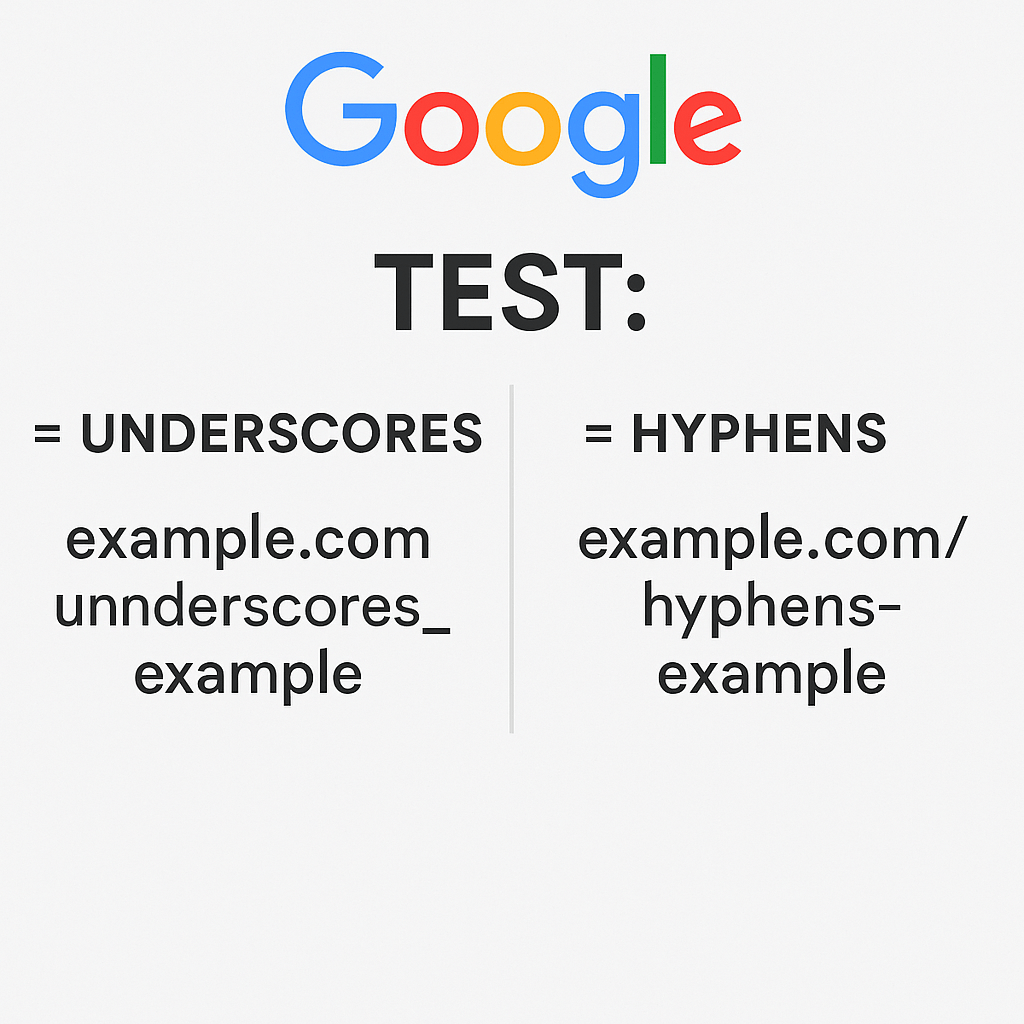
Google’s official position is straightforward: hyphens are treated as word separators, while underscores are treated as word joiners. In practical terms, best-seo-tools is understood as “best seo tools,” but best_seo_tools may be read as “bestseotools” as if it’s one combined word. That’s why hyphens are considered more SEO-friendly—they make it easier for Google to parse a URL into meaningful words. Even though modern search engines have improved and can often interpret both formats, Google still recommends hyphens because they improve readability, provide clearer keyword separation, and reduce ambiguity that underscores can sometimes create.
If you want your URLs to perform well in 2025, the best approach is to keep them short, descriptive, and easy to read, while using hyphens as your default separator. Avoid unnecessary numbers, extra words, or messy parameters, stick to lowercase letters, and don’t change old URLs unless it’s absolutely necessary—if you do, use proper redirects. A simple comparison makes the point clear: www.example.com/mens-suits-charcoal-grey is more readable and keyword-friendly than www.example.com/mens_suits_charcoal_grey. Both can rank, but the hyphen version is typically clearer for users and search engines, which can help improve CTR and overall SEO performance.
As of now, GMail lacks native support for the Safari browser, leaving users of Apple’s web browser without a seamless experience. While GMail is optimized for various browsers, including Google Chrome and Mozilla Firefox, Safari users have faced limitations in accessing certain features.
The absence of dedicated support for Safari prompts questions about the future and whether Google will extend compatibility to cater to Safari users. As technology and web standards evolve, there is a possibility that Google will address this gap and enhance GMail compatibility with Safari, aligning with the diverse preferences of internet users.
Google, known for its commitment to accessibility and user experience, may prioritize expanding browser support to include Safari in its ongoing efforts to make GMail accessible across different platforms. The dynamic nature of the tech industry suggests that solutions and updates are continually in progress, and users may witness improvements in Safari compatibility for GMail in the foreseeable future.
As the web landscape evolves and user preferences diversify, enhancing cross-browser compatibility remains a strategic consideration for major platforms like GMail. Users can anticipate updates or adjustments to ensure a more inclusive experience across a range of browsers, potentially addressing the current lack of dedicated Safari support in GMail.
Nielsen’s Latest Top Ten in Usability provides valuable insights into the current trends and benchmarks in user experience. This list, curated by usability expert Jakob Nielsen, reflects the evolving landscape of usability in digital interfaces. The rankings likely encompass factors such as website navigation, accessibility, responsiveness, and overall user satisfaction.
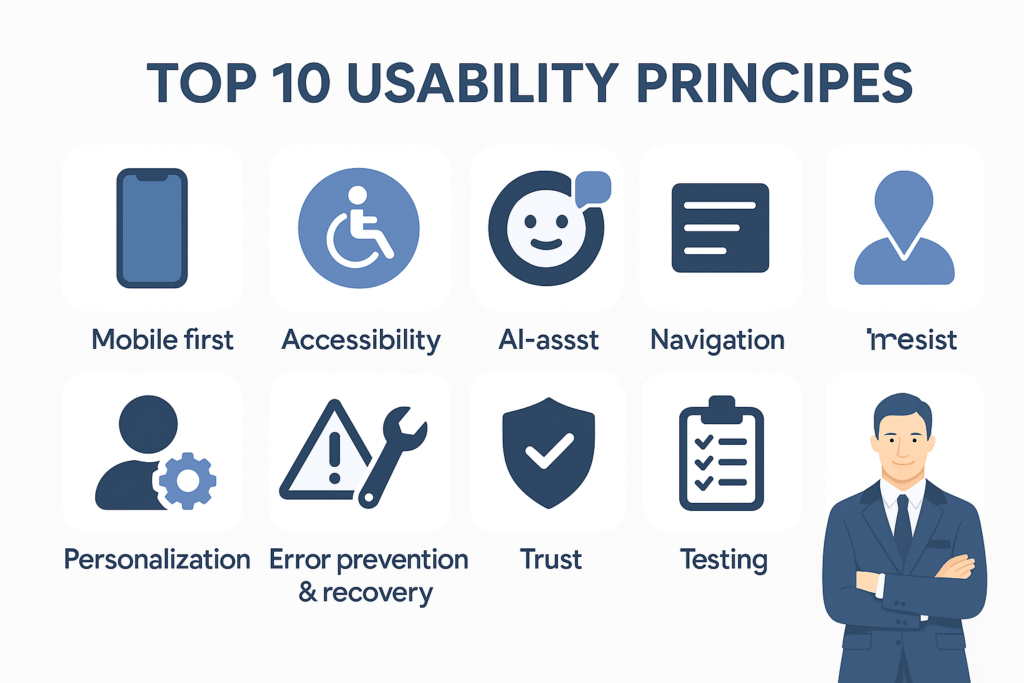
Usability is a critical aspect of web design, influencing user engagement and success in achieving specific goals. Nielsen’s expertise in this field ensures that the Top Ten highlights platforms that excel in creating intuitive, user-friendly experiences. It’s essential for businesses and developers to stay informed about these rankings, as they offer a snapshot of best practices and emerging standards in usability.
Staying abreast of Nielsen’s Latest Top Ten in Usability is not only beneficial for professionals in the web development and design industries but also for users who increasingly rely on digital platforms for various tasks. As technology evolves, the usability of digital interfaces plays a pivotal role in enhancing user experiences and shaping the future of user-centric design.
When it comes to user experience (UX), few names carry as much weight as Jakob Nielsen, co-founder of the Nielsen Norman Group (NN/g). Known as the “guru of web usability,” Nielsen’s research has shaped how businesses, designers, and developers approach digital product design for decades.
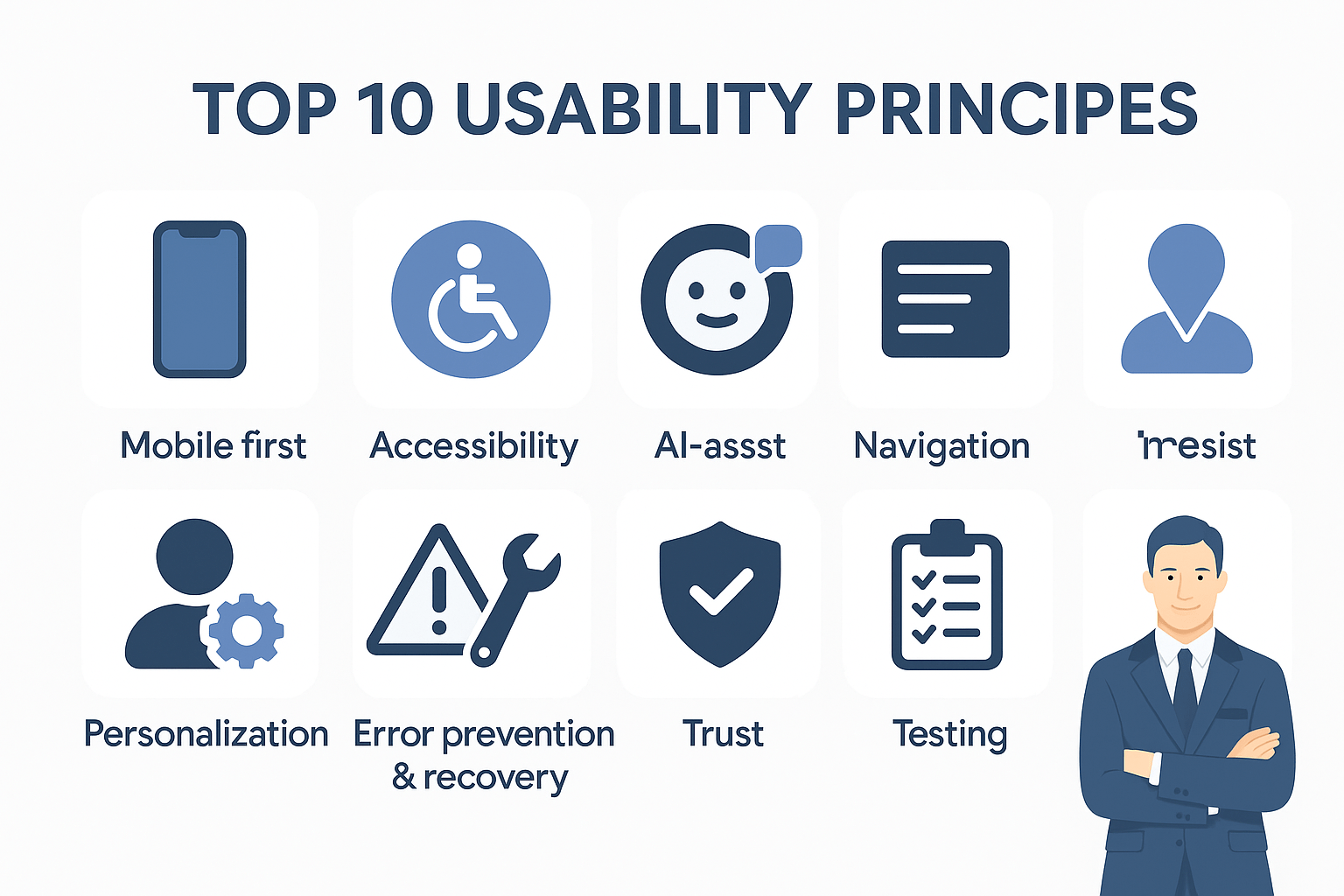
Recently, Nielsen and NN/g released their latest “Top Ten in Usability” list, highlighting the most important principles shaping the future of user experience. Whether you’re a UX designer, product manager, or digital marketer, understanding these insights is essential to building products people love to use.
Nielsen’s usability guidelines matter because they’re not just “nice ideas” about design—they’re practical, research-backed best practices proven through years of user testing. When teams follow these principles, websites and apps become easier to use, which directly reduces user frustration and confusion. That translates into better task completion (people can actually do what they came for), higher satisfaction, stronger retention, and ultimately better business outcomes because the product is built around real user behavior instead of assumptions.
Nielsen’s latest usability insights show where modern UX priorities are heading, especially as technology and user expectations evolve. Mobile-first experience is now essential because most users interact on small screens, so responsiveness and thumb-friendly design can’t be optional. Clarity beats cleverness—users want straightforward labels and visible features instead of confusing jargon or hidden interactions. Accessibility has moved from “extra” to “core,” ensuring everyone—including people with disabilities—can use your product comfortably. Performance remains a major UX factor, since faster load times reduce bounce rates and keep users engaged. AI-integrated assistance is also becoming part of usability, meaning AI features should support users naturally without cluttering or overwhelming the interface. Personalization can boost engagement when it adapts content to user needs, but it must stay transparent and easy to control. Navigation should be simple and predictable, supported by clear menus, search, and breadcrumbs to reduce friction. Error prevention and recovery still matter a lot—good validation, clear messages, and undo options help users recover quickly. Trust and transparency are growing priorities too, with users expecting honest messaging, visible policies, and secure experiences. And finally, usability isn’t a one-time checklist—continuous testing and iteration is key, using feedback loops to keep improving as users and platforms change.
Businesses can apply these insights by building usability into their routine, not treating it as a final polish step. That means running regular usability tests, prioritizing mobile optimization and accessibility on every project, and using analytics plus customer feedback to identify where users struggle. Teams should also be trained to think in a user-centered way so decisions are based on what people actually need. Nielsen’s top usability priorities reinforce a timeless truth: while tools and trends evolve, great design still comes down to making experiences simple, clear, fast, and user-friendly—so customers not only succeed quickly, but also trust your brand and keep coming back.
Google Local Service Ads play a vital role in connecting businesses with local customers. Recent updates to the platform’s photo guidelines have brought about improvements that impact reviews, creativity, and overall efficiency. This essay aims to explore these updates and their implications for businesses, customers, and the local service ecosystem.
Google Local Service Ads: A Brief Overview
1. Connecting Local Businesses: Google Local Service Ads enable local businesses to reach potential customers through targeted ads displayed in search results.
2. Service Verification: Google verifies businesses to ensure they provide high-quality services and meet customer expectations.
Recent Photo Guideline Updates
1. Enhancing Visual Content: The updates aim to improve the visual representation of businesses’ services, fostering better communication with potential customers.
2. Faster Reviews: These updates also expedite the review process by encouraging businesses to upload relevant photos that showcase their services.
Implications for Businesses
1. Improved Credibility: High-quality photos increase the credibility of businesses, allowing customers to visualize the offered services and facilities.
2. Customer Engagement: Engaging photos provide potential customers with a glimpse of what to expect, enticing them to choose a particular business.
3. Enhanced Conversion: Eye-catching visuals can lead to higher click-through rates, driving more conversions for businesses.
Benefits for Customers
1. Informed Decisions: High-quality images help customers make informed decisions about the services they are seeking.
2. Visual Transparency: Visual representations of businesses’ offerings promote transparency and help customers avoid surprises.
3. Streamlined Selection: With a clearer understanding of services, customers can quickly narrow down their choices.
Promoting Creativity and Uniqueness
1. Showcasing Uniqueness: Businesses can use images to highlight their unique selling points and stand out from the competition.
2. Enhancing Brand Identity: Creative visuals contribute to building a strong brand identity, which resonates with customers.
Accelerated Review Process
1. Quick Visual Feedback: With relevant photos, customers can quickly assess a business’s suitability, expediting the decision-making process.
2. Review Authenticity: Authentic photos enhance the reliability of reviews, as customers can visualize the experiences of others.
Best Practices for Businesses
1. High-Quality Images: Clear and high-resolution photos offer the best representation of services.
2. Variety: Businesses should include a variety of images that capture different aspects of their services.
3. Relevance: Photos should accurately depict the business’s offerings and facilities.
The recent updates to Google Local Service Ads’ photo guidelines mark a significant step forward in enhancing the user experience for both businesses and customers. These updates not only improve the efficiency of the review process but also allow businesses to showcase their offerings more creatively and authentically. Through the power of visuals, local businesses can engage customers, build trust, and drive conversions. As the digital landscape continues to evolve, these updates stand as a testament to Google’s commitment to fostering meaningful connections between local businesses and their customers.
Tags: Creative Ads, Photo Guidelines Update, SEO, SEO Service, Visual Content Guidelines