




Uncategorized
What Is Keyword Cannibalization and How Does It Hurt SEO?
Creating more content around an important keyword can seem like a good SEO strategy. But when several pages on the same website target nearly the same keyword and serve the same purpose, they can end up competing with each other.
This situation is known as keyword cannibalization.
Instead of helping Google understand which page is most relevant, similar pages can send mixed signals. As a result, rankings may become unstable, traffic may be split across multiple URLs, and the page you actually want to rank may struggle to perform.
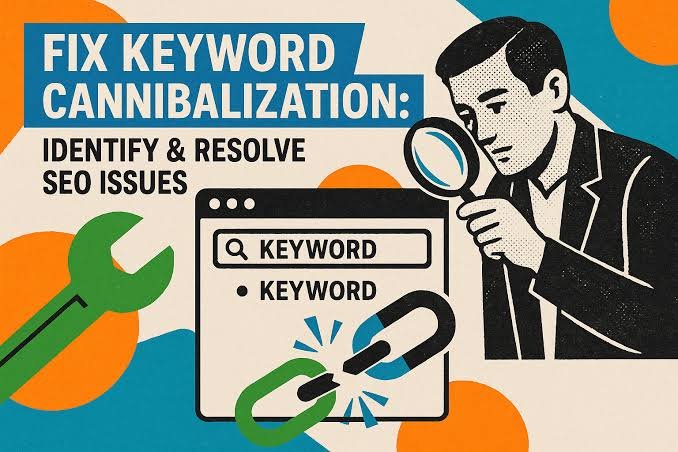
What Is Keyword Cannibalization?
Keyword cannibalization happens when two or more pages on the same website target the same keyword or very similar search intent.
For example, imagine a website has one article titled “Best SEO Tips” and another called “Top SEO Tips for Better Rankings.” If both pages cover almost the same information and target the same audience, Google may have difficulty deciding which one should rank.
This does not mean that using the same keyword on more than one page is always a problem. The issue appears when multiple pages are trying to satisfy the same search intent.
How Does Keyword Cannibalization Happen?
Cannibalization often develops naturally as a website grows.
A business may publish new content without realizing that an older article already covers the same topic. Similar service pages, category pages, product pages, and blog posts can also overlap over time.
Sometimes titles are different, but the content and purpose are nearly identical. In other cases, several pages may target small variations of the same keyword even though users expect the same type of result.
Without a clear content structure, it becomes easy for multiple pages to start competing for the same search visibility.
Why Can Keyword Cannibalization Hurt SEO?
When similar pages compete with each other, search engines may struggle to identify which page is the strongest result.
One page may rank one week while another replaces it later. Rankings can fluctuate, backlinks may be divided between multiple URLs, and internal links may point to different versions of similar content.
This can weaken the overall authority of the topic.
Keyword cannibalization can also create a confusing experience for users. If visitors find several pages saying almost the same thing, the website may feel repetitive rather than helpful.
The goal should be to have a clear page for each important search intent.
How Can You Identify Keyword Cannibalization?
A simple way to spot possible cannibalization is to search your own website for pages targeting the same subject.
Google Search Console can also help. If multiple URLs receive impressions for the same keyword, it may be worth checking whether those pages serve different purposes or are competing for the same intent.
Look at the titles, headings, page topics, and search results carefully.
If two pages provide genuinely different value, there may be no problem. But if they are nearly identical in purpose, combining or repositioning them may create a stronger SEO result.
How to Fix Keyword Cannibalization
The right solution depends on the pages involved.
If two articles cover the same topic, combining the strongest information into one complete page can be effective. The weaker page can then be redirected to the stronger one where appropriate.
Another option is to adjust the focus of each page so they target different search intentions.
Internal linking can also help make it clearer which page is the primary resource for a topic. Updating titles, headings, and content can further reduce unnecessary overlap.
The goal is not to remove every page that shares a keyword. It is to make sure each page has a clear and useful purpose.
Final Thoughts
Keyword cannibalization is not about simply using the same keyword more than once. It becomes a problem when multiple pages compete to answer the same search need.
A well-organized website should make it easy for search engines and users to understand which page is the main resource for each topic.
Reviewing older content, checking overlapping pages, and improving the structure of your website can help prevent your own pages from competing against each other.
Sometimes, better SEO is not about creating another page. It is about making the right existing page stronger.
What Is Internal Linking and Why Is It Important for SEO?
 Internal linking is one of the simplest SEO techniques, but it is often overlooked. A well-planned internal linking structure can help visitors discover more useful content, make important pages easier to find, and help search engines understand how different pages on your website are connected.
Unlike backlinks, which come from other websites, internal links connect pages within your own website. When used naturally, they can improve navigation, strengthen important pages, and create a clearer structure for both users and search engines.
What Is Internal Linking?
Internal linking means adding links from one page of your website to another page on the same website.
For example, a blog post about keyword research might link to another article about search intent. A service page about technical SEO might link to a blog explaining website indexing problems.
These links help visitors move naturally through related content instead of reaching the end of a page and leaving the website.
Internal links can appear inside blog posts, navigation menus, category pages, related-content sections, service pages, and other areas of a website. The most useful internal links are usually those that connect closely related topics and give readers a logical next step.
Why Internal Links Matter for SEO
Internal linking helps search engines discover pages and understand which content is important.
When several relevant pages link to another page, it gives search engines additional context about that page and its relationship to the rest of the website.
Internal links can also help distribute authority across a site. A strong page that already attracts traffic or backlinks can link to another relevant page and help make that content easier for search engines and users to discover.
From a visitor’s perspective, internal links improve the browsing experience. Someone reading about one SEO topic may naturally want to learn about another related topic. Giving them a useful link keeps them engaged with the website instead of forcing them to search elsewhere.
How Internal Linking Helps Google Understand Your Website
A website should have a clear structure rather than a collection of isolated pages.
Internal links help create that structure by showing how different topics relate to each other. For example, a main SEO guide might connect to individual articles about technical SEO, backlinks, search intent, internal linking, and keyword research.
This creates a logical relationship between the main topic and its supporting content.
Descriptive anchor text also provides useful context. Instead of linking vague words such as “click here,” a natural phrase like “technical SEO audit” gives visitors and search engines a better idea of what they will find on the linked page.
A clear internal structure can also reduce the chances of important content becoming difficult to discover.
How to Build a Better Internal Linking Structure
Good internal linking should feel natural. Links should be added where they genuinely help readers understand a topic or discover useful related information.
When publishing a new blog post, look for older relevant articles that can link to the new content. At the same time, check whether the new article can link to existing pages.
Important service pages and high-value content should receive internal links from relevant sections of the website. However, links should not be forced into unrelated content simply for SEO purposes.
It is also useful to review older posts regularly. As a website grows, new linking opportunities appear. Updating older content with relevant internal links can strengthen the overall structure without creating completely new pages.
Common Internal Linking Mistakes
One common mistake is adding too many links without considering whether they are useful. A page filled with unnecessary links can become distracting and reduce the value of each recommendation.
Another problem is using the same generic anchor text repeatedly. Clear and descriptive wording usually creates a better experience.
Broken internal links should also be fixed quickly. If a page has been removed or its URL has changed, links pointing to the old address can frustrate visitors and make the website harder to navigate.
Some websites also focus heavily on their newest content while leaving older pages isolated. Valuable evergreen articles should continue receiving relevant internal links when appropriate.
Final Thoughts
Internal linking is a simple SEO strategy that can make a meaningful difference to how visitors and search engines understand a website.
The goal is not to add as many links as possible. It is to create useful connections between related pages.
A strong internal linking structure helps users discover more content, gives important pages greater visibility, and creates a clearer path through your website.
When publishing new content, take a moment to ask which existing pages should link to it and which useful pages the new article should reference. That small habit can gradually build a much stronger website structure.
What Is Search Intent and Why Is It Important for SEO?
Search intent is the reason behind a user’s search. It tells us what someone is actually trying to find when they type a query into Google.
A person searching for “how to improve website speed” wants information. Someone searching for “best SEO tools” may be comparing options. Another user searching for “SEO company near me” may already be ready to contact a service provider.
Understanding this difference helps businesses create content that matches what users actually want.
What Is Search Intent?
Search intent, also called user intent, is the goal behind a search query.
Google tries to understand whether a user wants to learn something, find a specific website, compare products or services, or take action.
This is why two similar keywords can show very different search results.
For SEO, choosing the right keyword is important, but understanding the intent behind that keyword is just as important.
Why Search Intent Matters for SEO
Search engines aim to show results that are most useful for the user.
If someone is looking for information but lands on a sales-focused page, they may leave quickly. In the same way, someone ready to buy may not want to read a long educational article.
When your content matches the user’s intent, it becomes more relevant and useful. This can improve engagement and help attract visitors who are genuinely interested in your content, product, or service.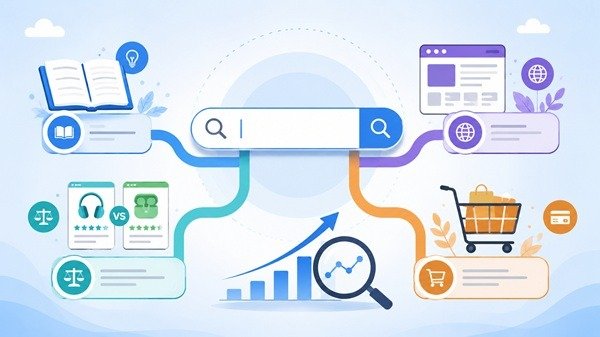
Types of Search Intent
Search intent is usually grouped into four main types.
Informational intent is when users want to learn something or find an answer.
Navigational intent is when users are looking for a particular website or brand.
Commercial intent is when users are researching and comparing options before making a decision.
Transactional intent is when users are ready to take action, such as buying a product, contacting a company, or signing up for a service.
Knowing the type of intent helps you decide what kind of page or content to create.
How to Understand Search Intent
One of the easiest ways to understand search intent is to look at the current Google results for your target keyword.
If most of the top results are blog posts, the intent is likely informational. If the results mostly show product or service pages, the intent may be commercial or transactional.
SERP features such as People Also Ask, featured snippets, shopping results, local listings, and videos can also give useful clues about what users are expecting.
How to Optimize Content for Search Intent
Start by understanding what the user wants before creating the content.
If the search is informational, provide a clear answer. If the user is comparing options, give helpful comparisons. If the intent is transactional, make it easy for the visitor to take the next step.
Your title, headings, and main content should all match the purpose of the search.
It is also useful to review older pages from time to time because search intent can change as user behavior and search results evolve.
Final Thoughts
Search intent helps you understand the meaning behind a keyword.
Instead of creating content only to target search terms, focus on giving users the type of information or solution they are actually looking for.
When your content matches search intent, it becomes more useful for visitors and more relevant for search engines.
What Are SERP Features and How Do They Affect SEO?
When you search on Google, the results page often shows more than a list of blue links. You may see images, videos, featured answers, local results, ratings, or other special elements.
These are commonly called SERP features.
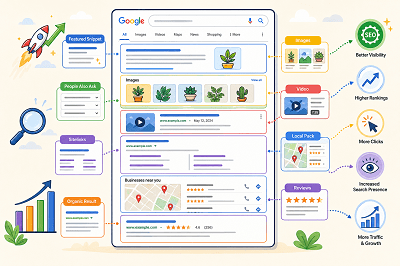
What Are SERP Features?
SERP stands for Search Engine Results Page. SERP features are special elements that appear alongside or instead of traditional search results.
Google changes the features it shows depending on the search query. For example, a local search may show local results, while an image-related search may display more images.
Common Types of SERP Features
Some common SERP features include:
- Featured snippets
- Rich results
- Images
- Videos
- Sitelinks
- Review information
- Local results
- People Also Ask results
Google also supports different visual search elements depending on the type of content and the user’s search.
What Is a Featured Snippet?
A featured snippet is a special result that displays a short answer or information from a webpage prominently in the search results.
Google automatically decides whether a page is suitable for a featured snippet. Website owners cannot manually mark a page as a featured snippet.
What Are Rich Results?
Rich results are search listings that can include additional visual information such as ratings, images, product details, event information, or other interactive elements.
Adding the correct structured data can help Google understand your page and make it eligible for certain rich results. However, adding structured data does not guarantee that a rich result will appear.
How Do SERP Features Affect SEO?
SERP features can make a search result more noticeable and give users more information before they click.
Appearing in a featured snippet, image result, video result, or rich result can give your website additional visibility on the search results page.
At the same time, SERP features also create more competition for attention because traditional organic results may appear alongside many other visual elements.
How Can You Improve Your Chances of Appearing?
Start by creating clear, useful content that directly answers what users are searching for. Use descriptive headings, relevant images, and well-structured pages.
Where appropriate, you can also add supported structured data to help Google better understand your content and make it eligible for richer search appearances.
SERP features have made Google search results much more visual and interactive. Understanding how they work can help you create content that is easier for search engines to understand and more noticeable to users.

5 Marketing Principles To Maximize SEO Effectiveness
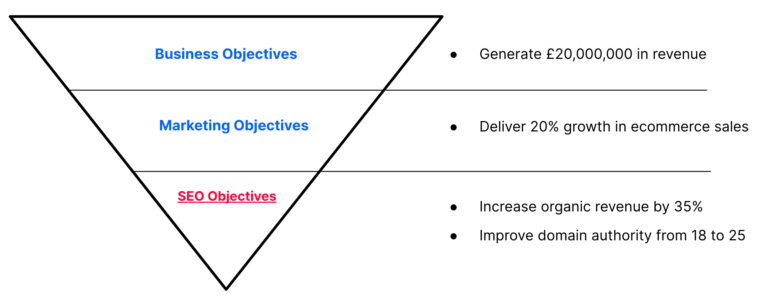
To maximize SEO (Search Engine Optimization) effectiveness, incorporating key marketing principles is crucial. Here are five principles to enhance your SEO strategy:
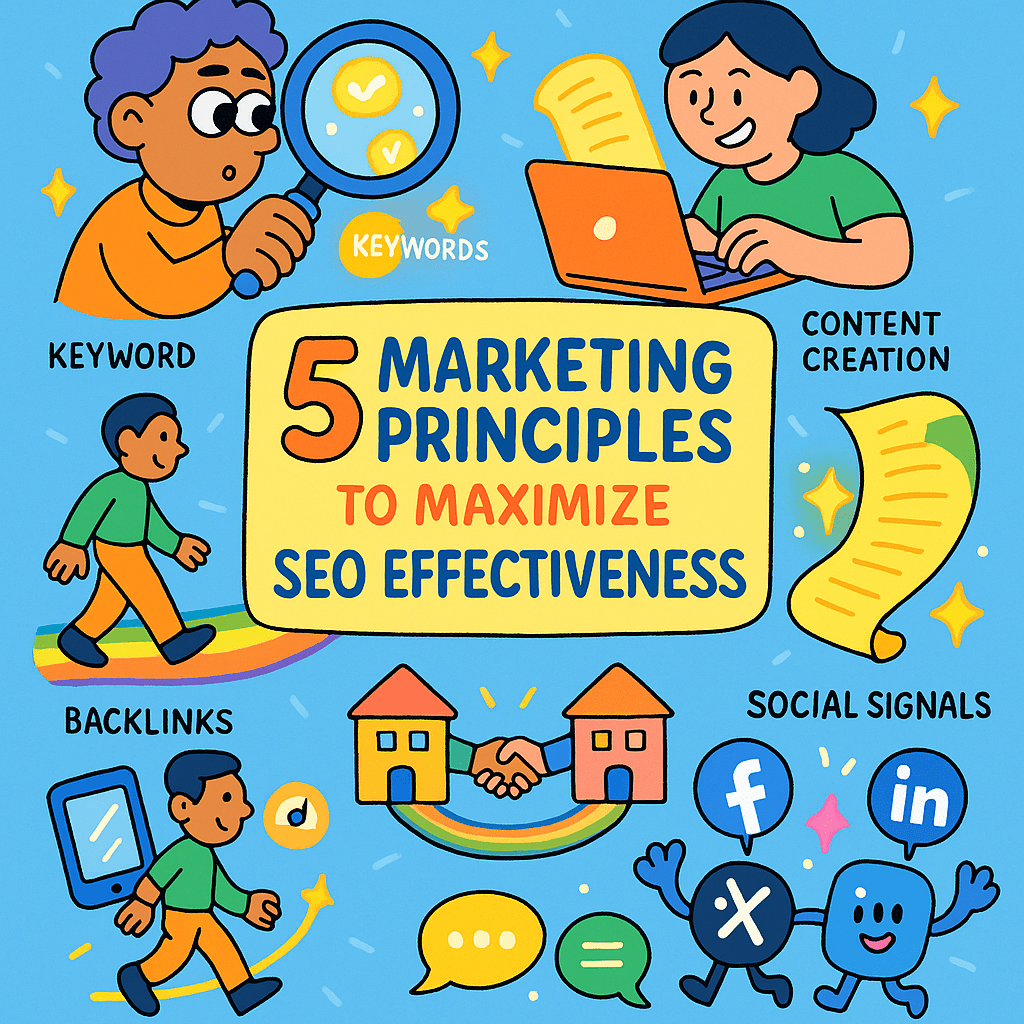
1. Keyword Research and Strategy:
Identify relevant keywords that align with your content and audience. Use tools like Google Keyword Planner to discover high-search-volume keywords and integrate them strategically into your content.
2. Quality Content Creation:
Develop high-quality, valuable, and relevant content that addresses the needs of your target audience. Engaging content not only attracts visitors but also encourages sharing and backlinking, contributing to SEO.
3. User Experience (UX) Optimization:
Prioritize a seamless and user-friendly website experience. Optimize site navigation, page loading speed, and mobile responsiveness. Positive UX signals are valued by search engines.
4. Link Building:
Build a strong backlink profile by earning high-quality inbound links from reputable websites. Focus on natural link-building strategies, such as creating shareable content and guest posting on authoritative platforms.
5. Social Media Integration:
Leverage social media platforms to amplify your content reach. Social signals, such as likes and shares, can indirectly influence search rankings. Share content across relevant social channels to increase visibility.
By integrating these marketing principles into your SEO strategy, you create a holistic approach that not only boosts your search engine rankings but also enhances overall online visibility and audience engagement. Regularly analyze and adapt your strategy based on SEO trends and algorithm updates for sustained effectiveness.
How Search Generative Experience works and why retrieval-augmented generation is our future
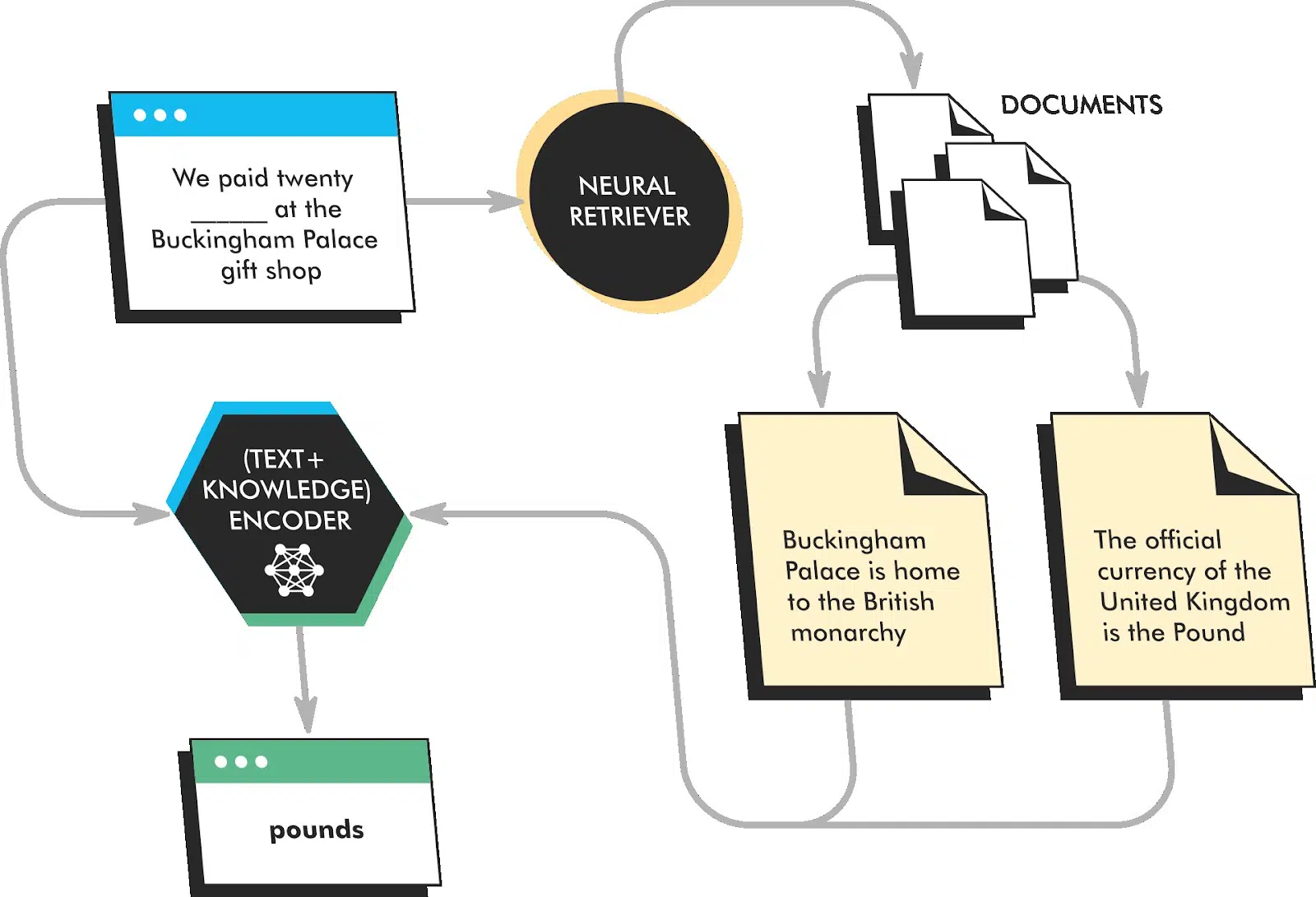
The concept of Search Generative Experience and retrieval-augmented generation represents an innovative approach to information retrieval and content creation. Here’s an explanation of how it works and why it’s considered a promising future direction:
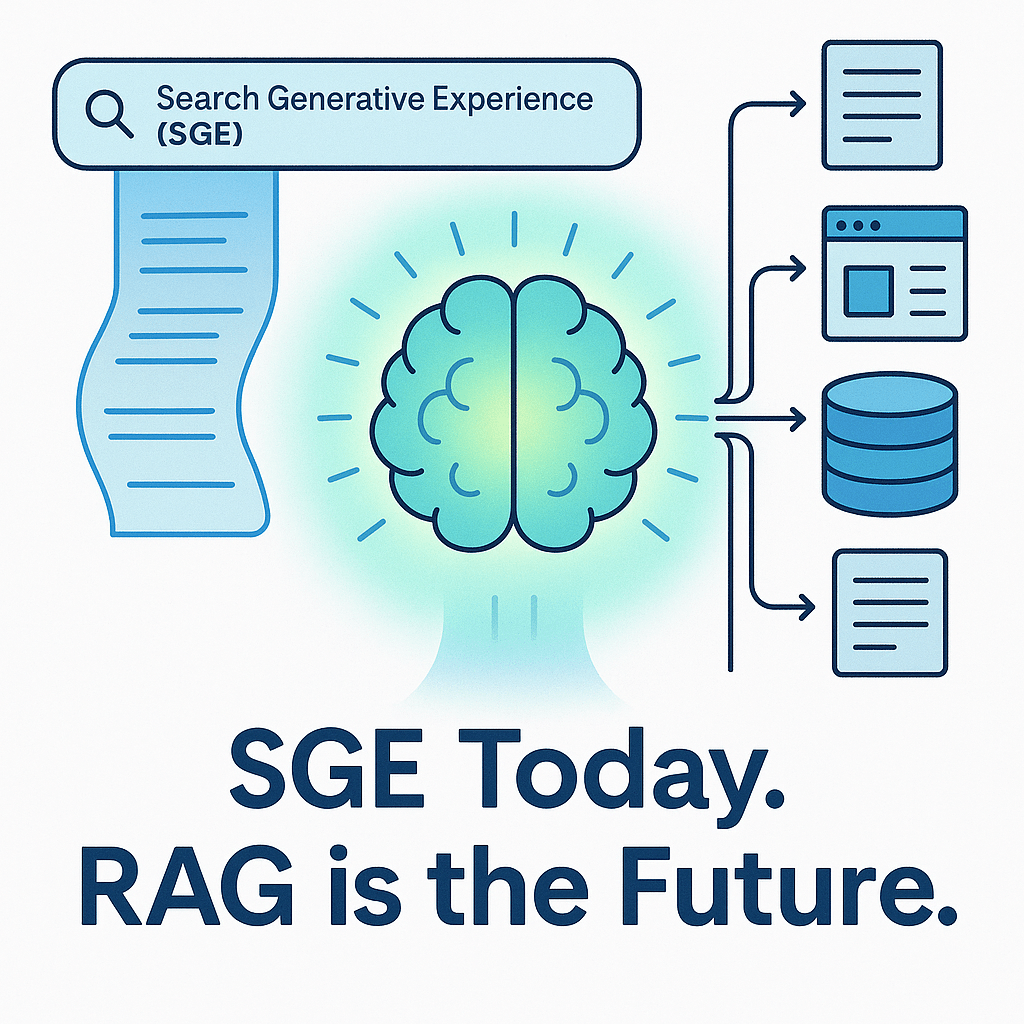
Search Generative Experience:
1. Contextual Understanding:
Search Generative Experience involves a system, like a language model, that can understand the context of a user’s query in a sophisticated manner. It doesn’t just look for keywords but interprets the intent and context behind the search.
2. Generative Output:
Once the context is understood, the system generates responses or content that is relevant to the query. This content is not limited to predefined responses but can be dynamically created based on the context.
3. Dynamic Adaptation:
The system can adapt its output based on the evolving conversation or query. It doesn’t rely on static responses but dynamically generates content based on the ongoing interaction.
Retrieval-Augmented Generation:
1. Combining Retrieval and Generation:
Retrieval-augmented generation involves the integration of two key approaches: retrieval-based methods and generative methods.
Retrieval-based methods retrieve pre-existing information or responses based on similarity to the query.
Generative methods create responses from scratch based on the context.
2. Hybrid Approach:
By combining these two approaches, the system can benefit from the strengths of both. It can provide contextually relevant responses from a large database of pre-existing information while also generating dynamic content when needed.
Advantages and Future Implications:
1. Improved Relevance and Context:
Retrieval-augmented generation ensures that responses are not only relevant to the query but also highly contextual. This leads to more accurate and meaningful interactions.
2. Adaptability and Personalization:
Such a system can adapt to individual user preferences and styles of communication. It can learn from past interactions to provide more personalized responses.
3. Efficient Content Creation:
For content creation tasks, this approach can be highly efficient. It can assist in generating articles, reports, or any form of written content based on specific criteria and context.
4. Conversational AI:
In chatbots and virtual assistants, this approach can make interactions more natural and dynamic. It can understand and respond to a wide range of user inputs.
5. Applications in Knowledge Management:
Retrieval-augmented generation can revolutionize knowledge management systems. It can help in finding and generating information within an organization more efficiently.
6. Research and Information Retrieval:
In academic or professional settings, this approach can assist in quickly finding relevant research papers, articles, or documents based on specific criteria.
Overall, the combination of Search Generative Experience and retrieval-augmented generation represents a powerful step forward in natural language processing and information retrieval. It holds the potential to significantly enhance the way we interact with AI systems and retrieve information in the digital age.
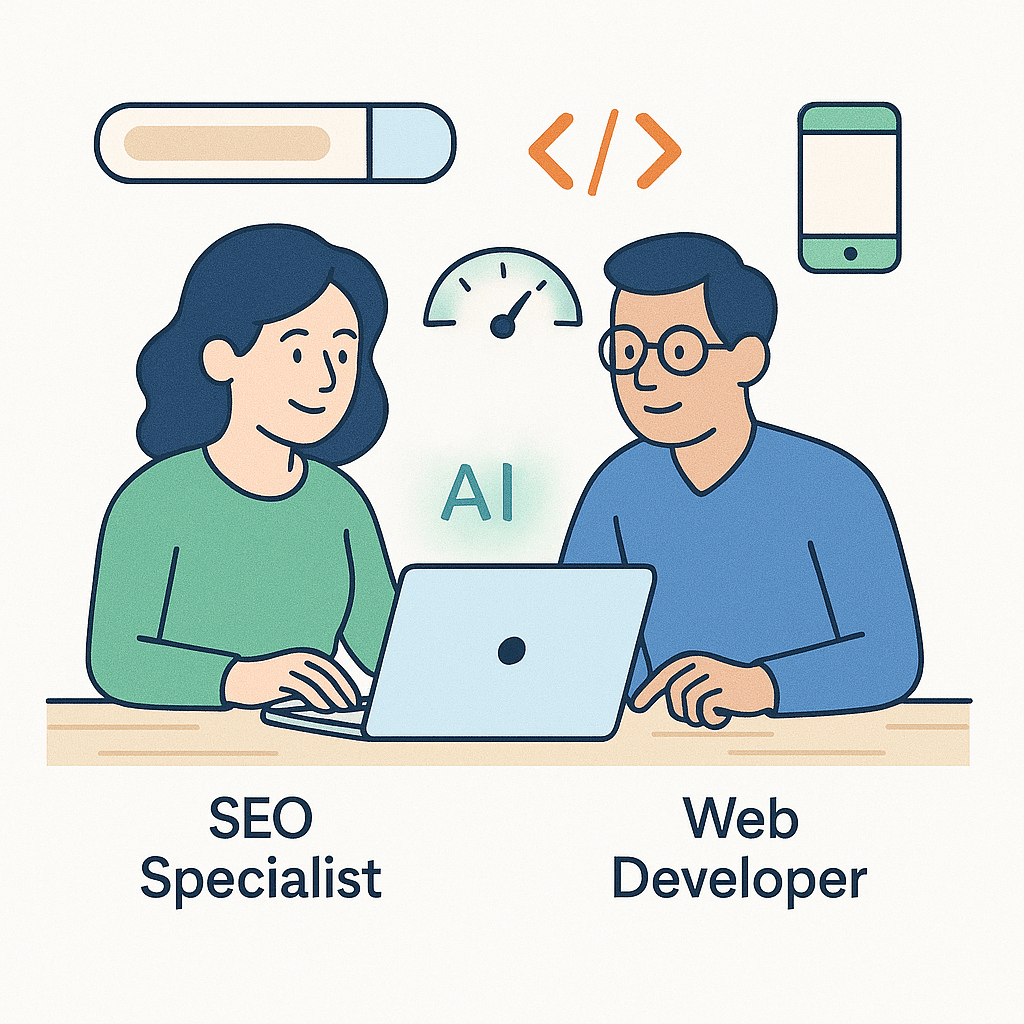
How SEOs can successfully collaborate with web developers

Collaboration between SEOs (Search Engine Optimizers) and web developers is crucial for creating a website that not only looks good but also performs well in search engine rankings. Here are some strategies for successful collaboration:
1. Open Communication Channels:
– Establish clear lines of communication between SEOs and web developers. Regular meetings, emails, and project management tools can be used to facilitate this.
2. Educate Each Other:
– SEOs should provide web developers with an understanding of SEO best practices, including keyword research, on-page optimization, and technical SEO elements.
– Web developers can educate SEOs about technical constraints and opportunities, ensuring that SEO strategies align with the website’s capabilities.
3. Involve SEO from the Beginning:
– Bring SEOs into the project from the planning phase. This ensures that SEO considerations are integrated from the outset rather than being retrofitted later.
4. Define Clear Roles and Responsibilities:
– Clearly outline who is responsible for what tasks. For instance, web developers handle technical implementations, while SEOs oversee content optimization and keyword targeting.
5. Collaborate on Site Architecture:
– Work together to design a logical site structure that is user-friendly and search engine-friendly. This includes navigation, URL structure, and internal linking.
6. Prioritize Page Speed and Performance:
– Web developers should optimize code, images, and other elements to ensure fast loading times. This is crucial for both user experience and SEO.
7. Mobile Optimization:
– Ensure the website is fully responsive and mobile-friendly. SEOs and web developers should work together to address any mobile-specific issues.
8. Implement Structured Data Markup:
– SEOs can provide guidance on implementing structured data to enhance search results, while web developers handle the technical implementation.
9. Collaborate on Content Creation and Optimization:
– SEOs should work with content creators to ensure that content is optimized for relevant keywords and provides value to users.
– Web developers can assist in creating a content management system (CMS) that is SEO-friendly and easy to use.
10. Technical SEO Audits:
– Conduct regular technical SEO audits to identify and address any issues. Web developers play a crucial role in implementing the necessary fixes.
11. Monitor Analytics and Reporting:
– SEOs and web developers should collaborate on setting up and interpreting web analytics. This helps track performance, identify areas for improvement, and measure the impact of SEO efforts.
12. Stay Updated on Industry Trends:
– Both SEOs and web developers should stay informed about the latest trends and updates in SEO and web development. This ensures that strategies remain effective in a constantly evolving landscape.
13. Test and Iterate:
– Continuously test and iterate on strategies. This includes A/B testing, monitoring rankings, and analyzing user behavior to make data-driven decisions.
14. Provide Constructive Feedback:
– Foster a culture of constructive feedback. This helps in refining processes and improving collaboration over time.
By following these strategies, SEOs and web developers can work together effectively to create websites that are optimized for search engines, user-friendly, and technically sound. This collaborative approach ultimately leads to better online visibility and user experiences.
Build trust and boost profits with programmatic ads

Building trust and boosting profits with programmatic ads requires a strategic approach that focuses on transparency, relevance, and customer-centricity. Here are some steps you can take to achieve this:

1. Transparency and Honesty:
Clearly Define Your Goals: Understand what you want to achieve with programmatic advertising, whether it’s driving website visits, generating leads, or increasing sales.
Explain Your Process: Provide clear explanations of how programmatic advertising works and how it benefits both advertisers and users.
2. Audience Segmentation:
Understand Your Audience: Use data to create detailed customer personas. This allows you to target specific segments with relevant content.
Utilize First-Party Data: Leverage data collected directly from your customers to ensure accuracy and relevance in your targeting.
3. Quality Content and Creative:
Create Compelling Ads: Design visually appealing, relevant, and engaging creatives that resonate with your target audience.
A/B Testing: Continuously test different ad formats, messages, and visuals to optimize performance.
4. Ad Placement and Context:
Choose the Right Channels: Select platforms that align with your audience’s preferences and behaviors.
Avoid Intrusiveness: Ensure ads are placed in a way that doesn’t disrupt the user experience.
5. Ad Frequency and Retargeting:
Optimize Ad Frequency: Avoid bombarding users with the same ad. Use frequency capping to maintain a balanced approach.
Implement Retargeting Strategies: Target users who have shown interest in your products or services but haven’t converted yet.
6. Ad Verification and Brand Safety:
Employ Ad Verification Tools: Ensure that your ads are being displayed on reputable websites and are not associated with harmful or low-quality content.
Monitor Ad Placements: Regularly review where your ads are being displayed to prevent any misalignment with your brand values.
7. Data Privacy and Compliance:
Adhere to Privacy Regulations: Stay compliant with data protection laws like GDPR or CCPA. Be transparent about data collection and usage.
Use Consent Mechanisms: Implement clear opt-in and opt-out mechanisms for data usage.
8. Optimize for Mobile and User Experience:
Mobile Optimization: Ensure your ads are designed for mobile devices, as a significant portion of internet traffic comes from mobile users.
Page Load Speed: Ensure that landing pages load quickly to prevent users from abandoning the page.
9. Monitor and Analyze Performance:
Track Key Metrics: Keep an eye on key performance indicators (KPIs) such as click-through rates (CTR), conversion rates, and return on ad spend (ROAS).
A/B Testing and Optimization: Use data-driven insights to refine your strategies and improve results.
10. Feedback Loop and Customer Engagement:
Listen to Customer Feedback: Actively seek and respond to customer feedback regarding your ads.
Engage with Your Audience: Use social media and other channels to interact with your audience and build a sense of community.
By implementing these strategies, you can enhance trust with your audience, deliver more relevant ads, and ultimately increase profitability through programmatic advertising. Remember, it’s an ongoing process that requires continuous monitoring and adaptation to stay effective in a dynamic digital landscape.
Blogroll
Categories
- 2016 SEO trends predictions
- AI for eCommerce
- AI Search & SEO
- author rank
- Authority Trust
- Bing search engine
- blogger
- CDN & Caching.
- Content Strategy
- Core Web Vitals
- eCommerce Growth
- Experience SEO
- Fake popularity
- gbp-optimization
- Google Adsense
- Google Business Profile Optimization
- google fault
- google impact
- google Investigation
- google knowledge
- Google panda
- Google penguin
- Google Plus
- Google Search Console
- Google Search Updates
- Google webmaster tools
- google-business-profile
- google-maps-ranking
- Hummingbird algorithm
- infographics
- link building
- Local SEO
- local-seo
- Mattcutts Video Transcript
- Microsoft
- Mobile Performance Optimization
- Mobile SEO
- MSN Live Search
- Negative SEO
- On-Page SEO
- Page Speed Optimization
- pagerank
- Paid links
- Panda and penguin timeline
- Panda Update
- Panda Update #22
- Panda Update 25
- Panda update releases 2012
- Penguin Update
- Performance Optimization
- Sandbox Tool
- search engines
- SEO
- SEO Audits
- SEO Audits & Monitoring
- SEO cartoons comics
- seo predictions
- SEO Recovery & Fixes
- SEO Reporting & Analytics
- seo techniques
- SEO Tips & Strategies
- SEO tools
- SEO Trends 2013
- seo updates
- Server Optimization
- Shopify Optimization
- Shopify SEO
- Shopify Services
- Small Business Marketing
- social bookmarking
- Social Media
- SOPA Act
- Spam
- Technical SEO
- Uncategorized
- User Experience (UX)
- Webmaster News
- website
- Website Security
- Website Speed Optimization
- Yahoo