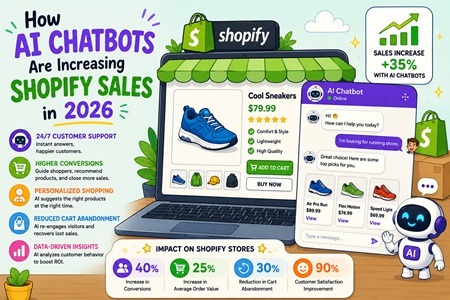
In 2026, AI Chatbots for Shopify have become one of the most valuable tools for eCommerce businesses looking to increase sales, improve customer engagement, and streamline support operations. As online shopping continues to evolve, customers expect instant responses and personalized experiences whenever they visit a Shopify store. Traditional customer service methods often struggle to meet these expectations, leading to lost sales and frustrated shoppers. By implementing a Shopify AI Chatbot, store owners can provide 24/7 customer assistance, answer frequently asked questions, and guide visitors through the purchasing journey without requiring constant human intervention. This not only enhances the customer experience but also helps businesses improve their Shopify conversion rate optimization (CRO) efforts and generate more revenue from existing traffic.
TAGS: AI Chatbots for Shopify, Shopify AI Chatbot, Shopify Conversion Optimization, Shopify Store Optimization
Search Engine Optimization (SEO) helps websites appear higher on search engines like Google. One of the most important parts of SEO is On-Page SEO, which focuses on improving individual web pages to make them more helpful for both users and search engines.
Good On-Page SEO helps websites get more visibility, attract more visitors, and improve user experience. Even small improvements can help websites perform better over time.
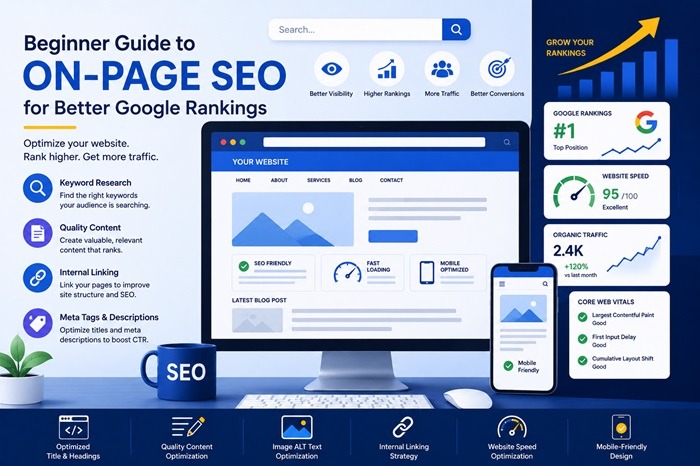
Here are 20 simple and beginner-friendly On-Page SEO tips every website owner should know.
1) Use Simple and Clear Page Titles:
Your page title should clearly explain what the page is about. Clear titles help people understand your content quickly and encourage more clicks from search results.
2) Add Keywords Naturally:
Use important keywords naturally throughout your content so search engines can understand your topic without making the content feel forced or repetitive.
3) Write Helpful Content for Readers:
Focus on creating useful content that answers questions, solves problems, and gives visitors the information they are looking for.
4) Organize Content with Headings:
Using headings helps break content into sections, making pages easier to read and helping visitors quickly find important information.
5) Write Good Meta Descriptions:
Meta descriptions are short summaries shown in Google search results. Clear descriptions can encourage more people to click your website.
6) Make Your Website Load Faster:
Fast websites create better experiences for visitors and help keep people from leaving your website too quickly.
7) Make Your Website Mobile-Friendly:
Most people browse websites on phones, so your website should look good and work properly on all screen sizes.
8) Add Links to Other Pages on Your Website:
Internal links help visitors explore more content and help search engines understand your website structure more clearly.
9) Use Optimized Images:
Large image files can slow down your website, so use properly sized and compressed images to improve loading speed.
10) Add Descriptions to Images:
Image alt text helps search engines understand your images and improves accessibility for users with screen readers.
11) Use Clean and Simple URLs:
Short and readable URLs make pages easier for users and search engines to understand.
12) Keep Paragraphs Short and Easy to Read:
Small paragraphs and simple language improve readability and help visitors stay engaged longer on your website.
13) Update Old Content Regularly:
Refreshing older pages with updated information helps keep your website relevant and useful for visitors.
14) Avoid Copying Content from Other Websites:
Original and unique content helps build trust and improves your chances of ranking better on search engines.
15) Secure Your Website with HTTPS:
Secure websites help protect visitor information and create more trust for both users and search engines.
16) Improve Overall User Experience:
Easy navigation, clear layouts, and fast-loading pages help visitors use your website more comfortably.
17) Use Attention-Grabbing Headlines:
Interesting headlines attract readers and encourage more people to click and continue reading your content.
18) Provide Valuable Information:
Content that teaches, helps, or answers questions creates better experiences for visitors and improves SEO performance.
19) Remove Unnecessary Plugins and Features:
Too many plugins or extra features can slow down your website and create a poor browsing experience.
20) Stay Consistent with SEO Improvements:
Regularly improving your website, updating content, and maintaining quality helps build long-term SEO success over time.
TAGS: BeginnerSEO, GoogleRankings, MobileSEO, OnPageSEO, SearchEngineGenie, SEOGuide, SEOtips, TechnicalSEO
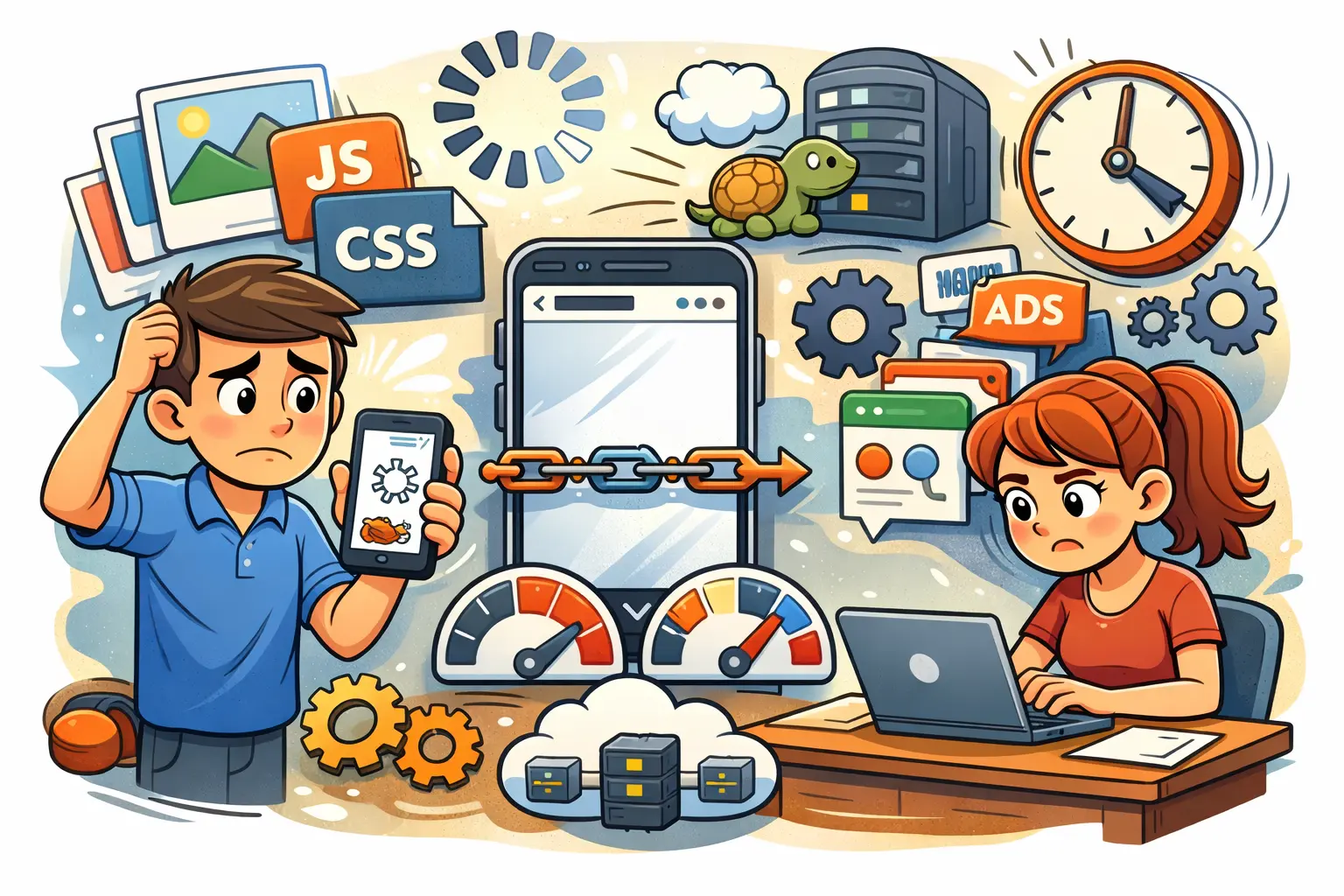
A slow mobile website is one of the fastest ways to lose traffic, rankings, and customers. Today’s users expect pages to load in seconds—and Google expects the same. If your site feels sluggish on mobile, chances are it’s hurting both your SEO performance and your conversions.
The good news? Most mobile speed issues are common and fixable. Below are 15 real reasons why websites are slow on mobile—and what you can do to fix them.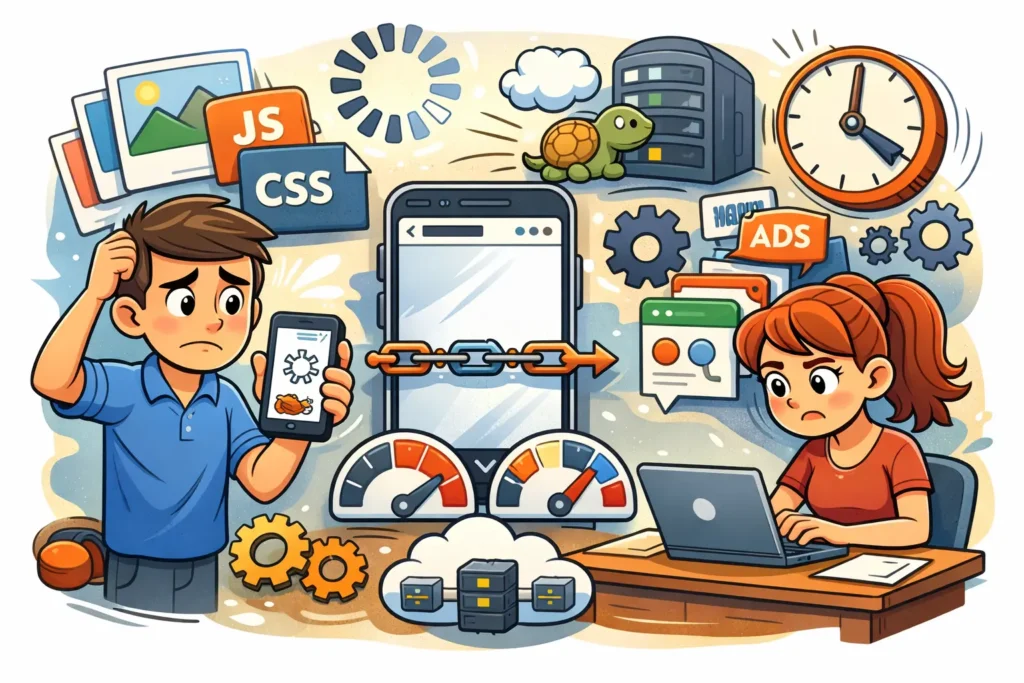
1) Images are too large:
Big image files are the most common reason a site feels slow on mobile. When images aren’t compressed, phones have to download heavier files over weaker networks, which delays the full page load. Fix this by compressing images, switching to WebP/AVIF where possible, and serving responsive image sizes so mobile users don’t download desktop-sized images.
2) No lazy loading for images:
If your page loads every image at once—especially below-the-fold images—your mobile load time increases immediately. This makes the first screen slower and can increase bounce rate. Enable lazy loading so images load only when the user scrolls, improving the initial load speed and making the page feel faster.
3) Too much JavaScript:
Heavy JavaScript can block the page from rendering and delay user interactions like scrolling, clicking, or opening menus. On mobile devices with less processing power, this problem becomes even worse. Reduce unused scripts, defer non-critical JavaScript, and limit unnecessary features that add extra JS.
4) Heavy CSS files:
Large CSS files slow down how quickly the browser can paint the page on mobile. This can make your website feel like it’s “loading forever” even if the server is fine. Minify CSS, remove unused styles, and prioritize critical CSS so the top section of the page displays quickly.
5) Slow server response time:
Even if your site is well-designed, it will still be slow on mobile if your hosting/server takes too long to respond. A slow TTFB (time to first byte) delays everything else that happens after. Improve this by upgrading hosting, enabling server-side caching, and optimizing your database and backend performance.
6) No browser caching:
Without browser caching, mobile visitors have to download the same files every time they visit your site. This makes repeat visits slower and wastes bandwidth, which can frustrate users. Set proper cache headers so browsers store common assets (CSS, JS, images) and load them instantly on return visits.
7) Too many third-party scripts:
Tracking pixels, ad scripts, chat tools, heatmaps, and embedded widgets can easily slow mobile pages because they create extra requests and often load late. On mobile networks, this can be a major performance killer. Remove what you don’t truly need and load essential third-party scripts asynchronously.
8) Fonts loading incorrectly:
Custom fonts can delay text from appearing, which makes users feel the site is slow even if the page is partially loaded. Multiple font weights and large font files also increase load time. Reduce font variations, preload key fonts, use font-display settings properly, or choose fast system fonts where appropriate.
9) Layout shifts while loading:
When elements jump around while a page loads, it creates a poor mobile experience and makes the site feel unstable. This often happens when images or ads don’t have fixed dimensions. Prevent layout shifts by setting image width/height, reserving space for banners, and avoiding late-loading elements that push content down.
10) No CDN (Content Delivery Network):
If your files are served from one server location, visitors far away will experience slower load times—especially on mobile. A CDN stores and delivers your content from the nearest location, reducing delay. Using a CDN also helps handle traffic spikes and improves overall consistency across regions.
11) Poor mobile theme or template:
Some themes look attractive but are built with heavy scripts, sliders, and unnecessary design elements that slow down mobile performance. This often leads to slower load times and a worse user experience. Switching to a lightweight, mobile-first theme can instantly improve performance without sacrificing quality.
12) Too many plugins (WordPress sites):
Each plugin can add extra files, database requests, and background scripts that slow your website on mobile. Even a few heavy plugins can significantly reduce performance. Remove unused plugins, replace heavy tools with lightweight alternatives, and avoid installing plugins for features that can be done with simple code.
13) Redirect chains:
Redirects add extra steps before the browser can load the final page, and multiple redirects can make mobile users wait longer than necessary. This often happens with outdated URLs or poor site migrations. Fix redirect chains by updating internal links and ensuring old URLs point directly to the final destination.
14) Not optimized for mobile-first indexing:
If your mobile site is missing content, internal links, or structured data that exists on desktop, Google may not fully understand your pages. That can reduce rankings and visibility in mobile search. Make sure the mobile version contains the same essential content and SEO signals as the desktop version.
15) No regular speed testing:
Websites naturally slow down over time as new plugins, scripts, and content get added. Without testing, you won’t notice the problem until rankings or conversions drop. Run regular checks using PageSpeed Insights and Search Console, and fix issues early before they affect traffic and leads.
TAGS: core web vitals mobile, Mobile Page Speed, mobile performance fixes, slow mobile website
Mobile SEO is no longer optional. With Google fully focused on mobile-first indexing and user experience, your website’s mobile performance directly impacts rankings, traffic, and conversions. In 2026, businesses that ignore mobile SEO risk losing visibility to competitors with faster, smoother, and more user-friendly mobile sites.
This checklist covers the most important mobile SEO factors you need to focus on to improve rankings, page speed, and Core Web Vitals.

1. Optimize for Mobile-First Indexing
Google primarily evaluates the mobile version of your website for ranking. Make sure your mobile site contains the same important content as desktop, including text, images, internal links, and structured data.
Avoid hiding content on mobile and ensure your navigation is simple and crawlable.
2. Improve Mobile Page Speed
Speed is critical for both rankings and user experience. Slow-loading mobile pages lead to higher bounce rates and lost leads.
Focus on compressing images, reducing unused JavaScript and CSS, enabling browser caching, and using modern image formats like WebP. A fast site keeps users engaged and signals quality to Google.
3. Fix Core Web Vitals for Mobile
Core Web Vitals remain a key ranking factor in 2026, especially on mobile devices.
LCP (Largest Contentful Paint): Ensure main content loads quickly by optimizing images, fonts, and server response times.
FID (First Input Delay): Improve interactivity by reducing heavy JavaScript, minimizing third-party scripts, and ensuring pages respond instantly when users tap, click, or scroll on mobile.
CLS (Cumulative Layout Shift): Prevent layout shifts by defining image sizes and avoiding late-loading elements.
A strong Core Web Vitals score improves both rankings and real user experience.
4. Ensure Mobile-Friendly Design & UX
Your website should be easy to use on small screens. Buttons must be easy to tap, text should be readable without zooming, and layouts should adapt smoothly across devices.
Avoid intrusive pop-ups and make key actions—like calls or form submissions—simple and accessible.
5. Optimize Images for Mobile SEO
Images play a huge role in mobile performance. Large, unoptimized images slow pages down and hurt rankings.
Use proper file names, descriptive alt text, responsive image sizes, and lazy loading. Optimized images improve speed, accessibility, and visibility in Google Images.
6. Strengthen Mobile Local SEO Signals
Most mobile searches have local intent. Make sure your Google Business Profile is fully optimized, NAP details are consistent, and local keywords are included naturally on mobile pages.
Click-to-call buttons and location-based content help turn mobile traffic into real leads.
7. Test and Monitor Regularly
Mobile SEO isn’t a one-time fix. Use tools like Google Search Console, PageSpeed Insights, and real-device testing to monitor performance.
Regular testing helps you catch issues early and stay ahead of algorithm updates.
In 2026, winning at SEO means winning on mobile first. By following this mobile SEO checklist—focusing on speed, Core Web Vitals, user experience, and mobile-first optimization—you can improve rankings, attract more traffic, and convert more visitors.
TAGS: Core Web Vitals 2026, Mobile Page Speed, Mobile SEO Checklist, Mobile-First Indexing
In 2026, E-E-A-T (Experience, Expertise, Authoritativeness, Trust) remains one of the most important frameworks Google uses to evaluate content quality, especially after the rise of AI-generated content. While E-E-A-T is not a direct ranking factor, it strongly influences how Google’s systems assess credibility and usefulness. Searches like “E-E-A-T SEO”, “Google E-E-A-T ranking factors”, and “on-page trust signals” continue to grow because website owners want to know what still works. Google now places more weight on real-world experience, accurate information, and trustworthy presentation—making practical on-page optimization more important than ever.

For 2026, Google rewards content that clearly demonstrates first-hand experience and subject expertise. Practical on-page signals include original examples, screenshots, case studies, and step-by-step explanations that show the author has actually done the work. Thin, generic content—even if well-written—struggles to rank. High-performing pages use structured headings, updated publish dates, and accurate technical details to prove relevance. Keywords like “E-E-A-T SEO best practices” and “experience signals in SEO” align strongly with pages that provide actionable insights instead of surface-level advice.
Authoritativeness in 2026 is built through topical consistency and strong internal linking, not just backlinks. On-page signals such as detailed author bios, links to related expert content, and clear content hierarchy help search engines understand who is qualified to speak on a topic. Websites that publish consistently within a single niche perform better than sites covering unrelated topics. Including outbound links to reputable sources also reinforces authority. Searches like “E-E-A-T authority signals” and “SEO trust and authority” highlight the demand for clear, structured guidance on this topic.
Trust is one of the strongest E-E-A-T components in 2026. Google expects websites to be secure, transparent, and user-focused. Practical on-page trust signals include HTTPS, clear contact information, privacy and policy pages, honest claims, and non-deceptive UX. Pages with misleading titles or exaggerated promises often underperform, even with good content. User reviews, testimonials, and visible brand information also contribute to trust perception. High-traffic searches such as “SEO trust signals” and “how to build trust for Google rankings” reflect this growing importance.
As search results become more influenced by AI and user intent, E-E-A-T helps Google decide which content deserves visibility. Pages that combine real experience, expert knowledge, authority, and trust consistently outperform competitors relying on automation alone. By implementing practical on-page signals—clear authorship, structured content, original insights, and transparency—websites can improve rankings, engagement, and long-term visibility. In 2026, E-E-A-T is not about gaming algorithms; it’s about proving genuine value in a crowded search landscape.
TAGS: eeat, google-eeat, google-ranking-factors, on-page-seo
Time to First Byte (TTFB) is a critical performance metric for Magento websites, and a slow TTFB is one of the most common reasons Magento stores fail Core Web Vitals tests. TTFB measures how quickly your server responds to a browser request before any content is loaded. When Magento’s TTFB is high, pages feel sluggish, bounce rates increase, and Google may lower rankings due to poor user experience. Since server response time is a direct SEO factor, reducing TTFB in Magento is essential for improving both search visibility and conversion rates.

One of the biggest causes of slow TTFB in Magento is poor hosting and server configuration. Shared hosting, low PHP workers, outdated PHP versions, and missing server-level caching can significantly delay the first byte. Magento performs best on optimized VPS or cloud hosting with sufficient CPU, RAM, and fast storage (NVMe SSDs). Using the latest stable PHP version supported by Magento, enabling OPcache, and configuring proper memory limits can drastically reduce Magento server response time.
Another major factor affecting Magento TTFB is database and application-level inefficiencies. Large databases with unused tables, logs, and expired sessions slow down backend processing. Regular database cleanup, optimized indexing, and proper cron configuration help Magento respond faster. In addition, enabling Magento production mode, compiling dependency injection, and disabling unused modules reduce backend execution time, which directly improves Time to First Byte.
Implementing full-page caching and a Content Delivery Network (CDN) is also critical for reducing TTFB in Magento. Magento’s built-in Full Page Cache (Varnish) significantly reduces server processing for repeat requests. When combined with a CDN like Cloudflare or Fastly, cached pages are delivered from locations closer to users, dramatically lowering TTFB globally. Proper CDN configuration ensures static assets and even HTML responses are served faster without hitting the origin server repeatedly.
Finally, ongoing monitoring and performance tuning are essential to keep Magento TTFB low. Regularly test your store using tools like Google PageSpeed Insights, GTmetrix, and WebPageTest to track server response time. Remove heavy third-party extensions, audit custom code, and monitor slow database queries. Reducing TTFB in Magento is not a one-time fix—it requires consistent optimization, security updates, and infrastructure improvements. A fast Magento store not only ranks better but also converts more visitors into customers.
TAGS: magento-performance, magento-speed-optimization, server-response-time, ttfb
Yes, a hacked website can lose Google rankings, sometimes dramatically. When Google detects malware, spam injections, phishing pages, or suspicious redirects, it may flag the site as unsafe, suppress rankings, or even remove pages from search results entirely. In many cases, traffic drops happen within hours-not because Google is “penalizing” you manually, but because trust signals are broken. Users avoid flagged sites, crawl budgets are reduced, and infected pages pollute your index with low-quality or spam content. The faster you act, the better your chances of minimizing long-term SEO damage.

The first thing to understand is how hacks affect SEO. Most hacks inject spam pages, hidden links, malicious scripts, or redirects targeting pharmaceutical, gambling, or adult keywords. Google’s crawlers index this junk content, which dilutes topical relevance and can trigger security warnings in Search Console. Even if your main pages look normal, hidden payloads can still harm rankings. Over time, backlinks may be devalued, impressions drop, and Google may stop crawling important pages altogether. This is why “waiting it out” is one of the worst responses after a hack.
In the first few hours, your priority is containment. Take the site offline or put it into maintenance mode to prevent further damage. Change all passwords immediately-hosting, CMS, database, FTP, admin accounts-and revoke unknown users. Scan the site for malware and file changes, including theme and plugin files. Check Google Search Console for security issues, manual actions, and sudden spikes in indexed pages. If spam URLs are indexed, document them. These steps don’t restore rankings instantly, but they stop the bleeding and preserve what trust you still have.
Next, focus on cleanup and validation. Remove all malicious code, injected pages, redirects, and backdoors. Update the CMS, plugins, and themes, and delete anything unused or outdated. Restore clean backups only if you’re certain they predate the hack. Once the site is clean, request a malware review in Google Search Console and submit updated sitemaps. This tells Google you’ve fixed the issue and are ready to be re-evaluated. Skipping this step often delays recovery by weeks.
Finally, think beyond cleanup and work on rebuilding trust. Monitor crawl errors, indexing, and rankings daily for the next few weeks. Add security hardening-firewalls, malware monitoring, file integrity checks-to prevent repeat attacks. Review server logs to understand how the breach occurred. Most importantly, improve site quality signals: fix broken pages, remove thin or spam-like URLs, and ensure your core content is strong. While some sites recover rankings within days, others may take weeks. The difference usually comes down to how fast and thoroughly you act in the first 24 hours.
TAGS: google-ranking-drop, google-search-console, hacked-website, malware-removal
Google Search Console (GSC) is the most reliable place to track SEO changes because it shows how Google Search is actually displaying and driving traffic to your site. Whenever you publish new content, update titles, improve internal links, or fix technical issues, GSC helps you measure the real impact. Instead of guessing, you can track changes in clicks, impressions, CTR, and average position over time to understand whether your SEO work is improving visibility and traffic.
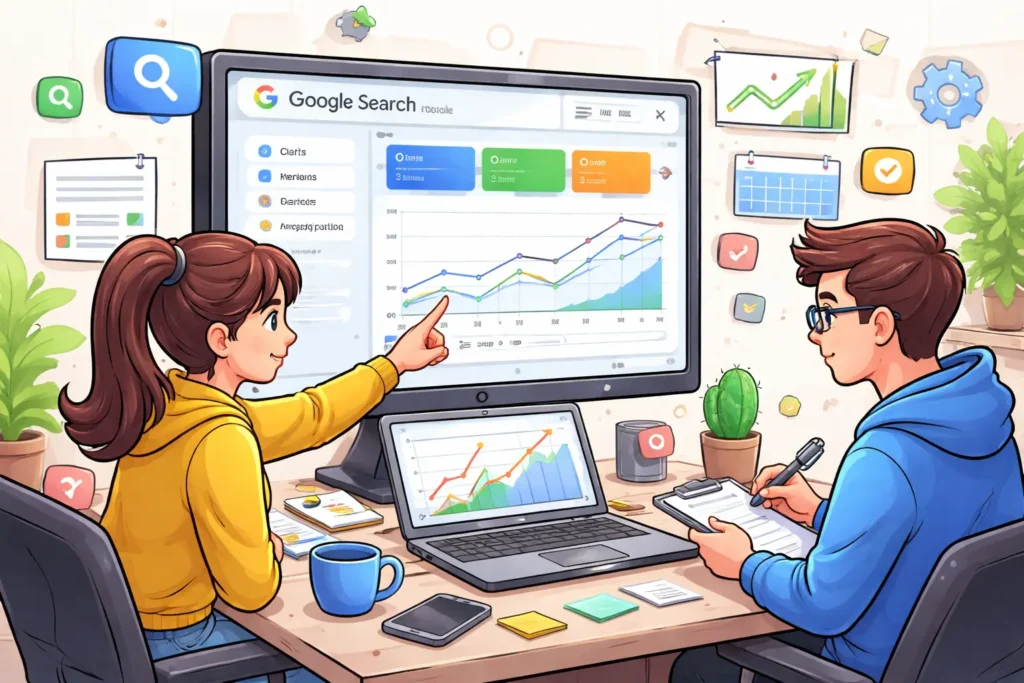
Start inside Performance → Search results, because this is your main “scoreboard” for SEO. Here you’ll see total clicks (traffic), total impressions (visibility), average CTR (how attractive your snippet is), and average position (ranking trend). To properly measure improvements, use the Compare feature-like “Last 28 days vs Previous 28 days”-so you can spot meaningful trends instead of reacting to daily fluctuations. If you made a big update recently, comparing shorter ranges like “Last 7 days vs Previous 7 days” can show early signals, but longer comparisons are usually more stable.
Next, segment the data so you know exactly what changed. Most people only look at totals, but smart tracking happens in filters: use the Query filter to monitor your target keywords, and the Page filter to measure the exact page you optimized (service page, location page, or blog post). You can also split performance by device (mobile vs desktop) and country to find hidden issues-sometimes rankings improve on desktop but drop on mobile, or a specific location starts performing better after local optimization.
To keep your tracking clean, always note the dates you made changes. Add annotations in Search Console to mark when you published a new page, updated meta titles, changed headings, or improved site speed. This helps you connect ranking or traffic changes to specific actions. After major edits, also use URL Inspection to confirm the page is indexed correctly and review the Page indexing report for any crawl or indexing problems that could block your results. If your changes were performance-related, checking Core Web Vitals reports can also help you understand whether speed or usability improvements are being reflected.
Finally, build a simple weekly routine so tracking becomes easy. Each week, review which queries gained impressions but didn’t gain clicks (usually a title/CTR problem), which pages lost position (often needs a refresh or internal linking), and which pages gained clicks (double down with supporting content). When you consistently track SEO changes this way-compare date ranges, segment by query and page, confirm indexing, and document updates-you’ll know what’s working and where to focus for maximum growth.
TAGS: google-search-console, search-console-report, seo-performance, seo-tracking
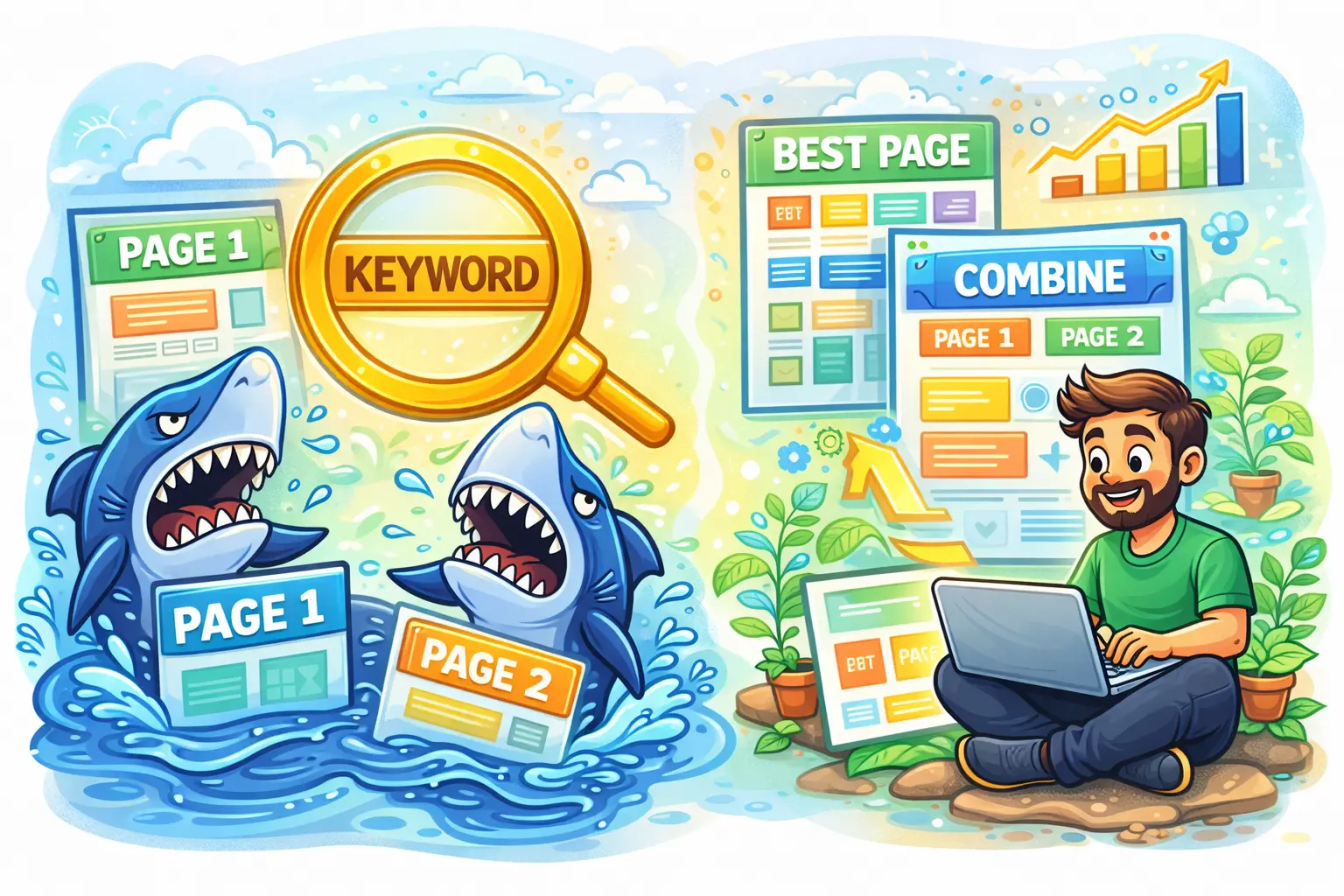
Keyword cannibalization happens when two or more pages on your website target the same keyword or the same search intent, which makes search engines unsure about which page should rank. For example, if you have two blog posts both optimized for “local SEO checklist” or two service pages both trying to rank for “website speed optimization,” Google may treat them as competing options rather than complementary resources. Instead of building one strong page that clearly deserves the top position, your site ends up sending mixed signals. This can happen even if the pages are not identical—if they answer the same question for the same type of user, they can still cannibalize each other. In simple terms, keyword cannibalization is when your own pages “fight” each other in Google results, and you lose the chance to rank your best page consistently.

The biggest problem with keyword cannibalization is that it often leads to unstable rankings and weaker traffic growth. You might notice that one week Page A ranks on Google, and the next week Page B replaces it, and then it switches again. When rankings keep rotating, click-through rate usually drops because users are not always landing on the most relevant or most convincing page. It also reduces SEO authority because your internal links, external backlinks, and engagement signals get split across multiple URLs instead of strengthening one primary URL. Over time, this can prevent both pages from reaching their full potential, especially for competitive keywords. You may also experience situations where neither page ranks in the top positions because search engines can’t confidently decide which one is the “best answer.” For businesses, that means fewer calls, fewer leads, and missed opportunities even though you created enough content.
Cannibalization usually happens because of normal content growth. Many websites publish multiple similar blogs on the same topic, create new pages without updating old ones, or build service pages that overlap too much. It’s common in local business sites that have multiple location pages with nearly the same content, or websites that publish “guide,” “checklist,” and “tips” posts that all target the same keyword. It can also happen if your category pages, tag pages, and blog posts all rank for the same terms, or when you create separate pages for “pricing,” “services,” and “benefits” but optimize them using the exact same main keyword. Typical signs include two URLs showing impressions for the same query in Google Search Console, frequent switching of ranking pages, sudden drops in traffic for a page you recently published, or a strong page that never climbs because another page keeps competing with it.
To fix keyword cannibalization, start by deciding which page should be the main “winner” for the keyword and intent. Usually, the best choice is the page with stronger backlinks, better content depth, higher conversions, or the page that matches the intent most accurately. Once you select the primary page, the most effective solution is often to merge content: combine the best parts of both pages into one improved page, update it thoroughly, and then set up a 301 redirect from the weaker page to the primary one. If both pages deserve to exist, then differentiate their intent instead of letting them overlap. For example, one page can target “how to do keyword research for local SEO,” while another targets “local SEO keyword research tools,” so each page serves a distinct purpose. Update the titles, headings, and main keyword targeting so each page has its own unique focus.
If you must keep similar pages (for example, due to product variations or multiple location pages), you can use canonical tags to tell Google which page is the preferred version for ranking. You should also improve internal linking by pointing the most important keyword-focused links toward the primary page and using clearer anchor text that matches each page’s purpose. In some cases, you may also “de-optimize” the duplicate page by changing the keyword focus, reducing overlapping sections, or rewriting content so it answers a different question. The best long-term strategy is simple: for most websites, aim for one primary page per keyword or intent, and make that page the strongest resource on your site. When your content has clear roles and clear targets, Google can rank it more confidently, your rankings become more stable, and your traffic and leads improve consistently.
TAGS: content-optimization, internal-linking, keyword-cannibalization, seo-audit
Google AI Mode is changing how local customers discover businesses, and it’s important to understand what that means before your calls and enquiries start dropping. In the classic version of local search, people typed “plumber near me” or “best dentist in Dubai” and then chose from the Local Pack (map results), websites, and reviews. With AI Mode, Google can summarize options, suggest businesses, and guide decisions faster-sometimes before a user even scrolls to the usual results. For local business owners, this isn’t the end of local SEO, but it is a shift: you need to make your business easier for Google’s AI to understand and easier for customers to trust at a glance.
In the AI Mode layout, you’ll often see two major areas: an AI-style overview at the top (summary, recommendations, and context) and the familiar Local Pack underneath. That AI overview may pull information from Business Profiles, websites, reviews, and other sources to create quick answers like “top-rated nearby,” “best for families,” or “open now.” This means your visibility is no longer only about ranking #1 in the map results-it’s also about whether your business details are strong enough to be “featured” in the AI summary. If your profile is incomplete, inconsistent, or outdated, Google’s AI has fewer reasons to include you.
To increase your chances of appearing in these AI-driven summaries, start with the fundamentals that the AI can read clearly. Your Google Business Profile should have the right categories, complete services, accurate hours, fresh photos, and consistent contact details. Your website should clearly explain what you offer, where you serve, and what makes you different, using simple headings and service pages that match real search intent. Reviews matter more than ever because AI summaries often reflect reputation signals-rating, recency, keywords in reviews, and how you respond. A business with clear services, strong review activity, and up-to-date information becomes an easy “yes” for the AI to recommend.
AI Mode also changes how customers make decisions. People will compare businesses faster because the AI overview can highlight key differences like pricing style, availability, specialties, or “popular for” use cases. That’s why your content must be direct and conversion-friendly: add pricing ranges (or “starting from”), include quick FAQs, and place strong CTAs like “Call now,” “WhatsApp us,” or “Book online.” If your website is slow or confusing on mobile, you’ll lose users who clicked from AI or Local Pack results. Improving speed (Core Web Vitals), compressing images, and making your contact options obvious can make the difference between “clicked” and “converted.”
If you want a simple plan to stay ahead of Google AI Mode, focus on three things: trust, clarity, and activity. Keep your GBP active with regular updates and photos, build a steady stream of reviews, and make sure your website is structured around services + city intent. Track what matters-calls, messages, direction requests, and form leads-so you can see whether AI-driven changes affect your enquiries.
TAGS: ai-search, google-business-profile, google-maps-ranking, local-seo