




Latest SEO news
Google: Keyword-Heavy Titles Not Against Our Guidelines

Google doesn’t explicitly penalize websites for using keyword-heavy titles, but there are some important considerations to keep in mind for effective SEO and user experience:
1. Relevance and User Intent: While using keywords in titles is important for SEO, it’s crucial that the titles remain relevant to the content and accurately reflect the page’s topic. Keyword stuffing or using irrelevant keywords can negatively impact user experience and rankings.
2. User-Friendly Titles: Titles are one of the first things users see in search results, and they play a significant role in click-through rates. Crafting titles that are clear, concise, and user-friendly can lead to higher engagement.
3. Search Engine Algorithms: Search engines, including Google, have become sophisticated in understanding context and user intent. Over-optimization or using too many keywords can be seen as an attempt to manipulate rankings and might not yield the desired results.
4. Long-Tail Keywords: Instead of focusing solely on highly competitive short-tail keywords, consider using long-tail keywords that are more specific to your content. These can attract more targeted traffic and result in higher conversions.
5. Title Length: While Google doesn’t explicitly penalize long titles, it’s a good practice to keep titles under 60 characters to ensure they’re fully displayed in search results. This helps users quickly understand the content.
6. User Experience: Titles should be crafted with users in mind. A clear and compelling title can lead to higher click-through rates, better engagement, and improved user satisfaction.
7. Natural Language: Use keywords in a way that fits naturally within the title. Titles should make sense and not appear as a random collection of keywords.
8. Mobile-Friendly: Ensure that your titles are mobile-friendly and display well on various devices, as a significant portion of searches are performed on mobile devices.
Remember that Google’s algorithms and guidelines can change over time. It’s always a good idea to stay updated with the latest information directly from Google’s official sources or reputable SEO resources. Additionally, prioritize providing valuable content to users, as search engines aim to deliver the best possible results for their users’ queries.
What Does a Zebra Sound Like? Ask Google
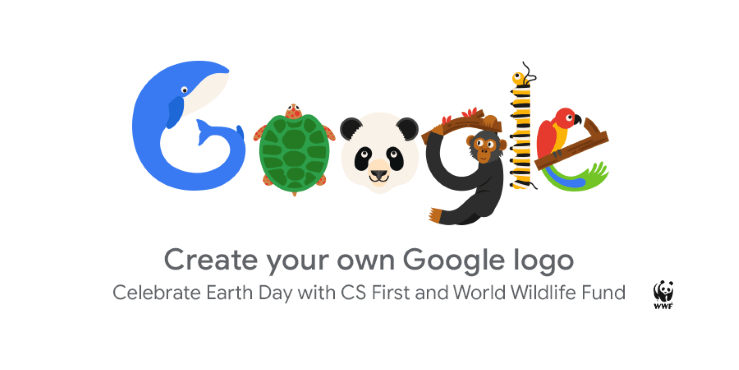
The animal kingdom’s symphony is as diverse as the creatures themselves, each species contributing a unique sound to the cacophony of nature. Zebras, those iconic striped equids, hold a certain enigmatic allure. Have you ever wondered, “What does a zebra sound like?” This essay delves into the intriguing world of zebra vocalizations and the role that Google plays in providing answers that connect us with the wildlife symphony.
Zebras: Striped Wonders of the Savanna
1. Zebra Diversity: Zebras, though visually similar, are represented by three species: the plains zebra, Grevy’s zebra, and the mountain zebra.
2. Social Nature: Zebras are known for their social behavior, often congregating in herds that provide safety in numbers.
The Melodic Language of Zebras
1. Vocal Repertoire: Zebras communicate through various vocalizations, including braying, barking, snorting, and a distinctive high-pitched call known as “whickering.”
2. Intra-Herd Communication: Zebras employ these sounds to convey emotions, alert others to danger, establish territory, and maintain cohesion within the herd.
The Curious Question: “What Does a Zebra Sound Like?”
1. Google’s Role as a Gateway: Google’s search engine serves as a gateway to information, answering queries about the enigmatic vocalizations of zebras.
2. Accessing Wildlife Sounds: Google allows users to explore audio recordings of zebra vocalizations, capturing the essence of these animals’ communication.
Unlocking the Auditory Archive: Online Resources
1. Wildlife Sound Databases: Online platforms like the Macaulay Library at the Cornell Lab of Ornithology house a treasure trove of wildlife sounds, including those of zebras.
2. Educational Portals: Websites and educational institutions curate and share zebra vocalizations to enhance our understanding of these remarkable creatures.
The Evolution of Zebra Sound Research
1. Scientific Curiosity: Researchers have delved into the world of zebra vocalizations, studying their context, variations, and meanings.
2. Technology’s Impact: Advancements in audio recording technology and analytical tools have expanded our ability to capture and study zebra sounds.
Interpreting Zebra Sounds: Communication and Beyond
1. Communication Dynamics: Zebra vocalizations unveil a world of communication intricacies within the herd, reflecting social bonds and behavioral cues.
2. Environmental Clues: Beyond communication, zebra sounds offer insights into their environment, helping us understand the auditory landscape of their habitats.
Cultivating Nature Appreciation and Conservation
1. Empathy Through Sound: Hearing zebra sounds fosters empathy and connection with these creatures, highlighting the importance of wildlife conservation.
2. Inspiring Future Naturalists: The accessibility of zebra vocalizations through Google and online resources encourages curiosity among future generations.
As we ponder the question, “What does a zebra sound like?” We are reminded of the intricate connections that bind us to the natural world. Google’s role in providing access to zebra vocalizations amplifies our understanding of these creatures’ communication and the symphony of the savanna. By opening the auditory gateway to nature’s melodies, we can embrace the beauty, complexity, and fragility of the animal kingdom, inspiring us to cherish and conserve the wildlife that shares our planet.
How to use Schema to create a Google Action

Creating a Google Action using Schema requires integrating structured data markup on your website or content to enable Google to understand and process your data effectively. Google Actions are voice-activated apps for Google Assistant that provide users with valuable information or perform specific tasks. Schema markup helps define the content and context of your data, making it easier for Google to comprehend and present to users through voice interactions.
Here’s a step-by-step guide on how to use Schema to create a Google Action:
1. Choose the Right Schema Markup:
Select a relevant Schema markup type that aligns with the content or service you want to provide through your Google Action. Common Schema markup types include “FAQPage,” “HowTo,” “Recipe,” “Event,” and more. Choose the one that best suits your use case.
2. Implement Schema Markup:
Add the Schema markup to the HTML of the web page that corresponds to the content you want to make available through your Google Action. This involves adding the appropriate Schema properties, such as name, description, URL, and other relevant details. You can manually add the markup using JSON-LD, microdata, or RDFa formats.
3. Validate Schema Markup:
Use Google’s Structured Data Testing Tool or Rich Results Test to validate your Schema markup. This step ensures that your markup is correctly implemented and will be interpreted accurately by Google.
4. Register Your Action on Google:
To create a Google Action, you need to create a project on the Google Actions Console. This is where you’ll define the conversational interface and interactions for your Action. Go to the Google Actions Console (https://console.actions.google.com/) and create a new project.
5. Define Intents and Utterances:
Within your Google Action project, define the intents (user requests) and associated sample utterances that users will say to invoke your Action. For each intent, map it to the appropriate Schema markup on your website.
6. Setup Dialog Flow (Optional):
You can use Dialog Flow, Google’s natural language processing platform, to build the conversational flow of your Google Action. Link your Dialog Flow project to your Google Action project to create a seamless interaction experience.
7. Test Your Google Action:
Test your Google Action using the simulator provided in the Google Actions Console. Ensure that the intents are correctly triggering and that the responses align with the structured data you’ve marked up.
8. Submit for Review:
Once you’re satisfied with the functionality and testing of your Google Action, submit it for review by Google. This process ensures that your Action meets Google’s quality and content guidelines.
9. Deploy Your Google Action:
After Google approves your Action, it will be available to users on Google Assistant-enabled devices. Users can invoke your Action by saying “Hey Google” or “Okay Google,” followed by the name of your Action and the intent you’ve defined.
Using Schema markup to create a Google Action enhances the relevance and accuracy of the information your Action provides to users. It also ensures a smooth and intuitive user experience. Remember that creating a Google Action involves both technical and conversational design aspects, so a well-rounded understanding of both is essential for a successful implementation.
Bing offers Best Travel results
Bing has been working hard to become a fierce competitor for Google as well as to bring out the best search results. For the same they are coming out with unique search engine experience with their search results and partnerships with big players such as Facebook, Twitter tec. For the last couple of months they brought out many search patterns. Now they have partnered with one of the top travel search site KAYAK to offer the best travel services which can meet all your expectations. This partnership provides a comprehensive travel search results for the users to make decisions fast and easier. You could avail wide list of travel results such as flight fares from multiple cities, airports and airlines in the US. So why waiting, explore Bing’s new feature and analyze whether they had done a good job.
Google updated Google docs with new features
Google has expanded Mobile editing in 44 languages and more page sizes in Google documents. This was apart the one they have launched earlier which was only in English. With this feature in effect, you can edit your documents in 45 languages on Android with Froyo (version 2.2) and on iOS devices (version 3.0+) including the iPad.
 Also they have increased the print sizes, now there are eight more print sizes in Google spreadsheets, including tabloid, statement, executive, folio and A3, A5, B4 and B5.

Bings’ “New natural language capabilities” makes shopping easier and interesting!!!
The main criteria what you see for shopping is your budget and when you find lots of things within your reach, you will surely be overwhelmed. And Bing helps you to meet your expectation and get your things quickly. For eg, If you want to get jeans under a particular price range then you could just type “Levis jeans under $ 100″ and Bing will do the rest, delivering you refined results. Bing says that they received help from Microsoft Research, to handle price queries to deliver automated results as per your budget. This feature is really helpful to get specific results without much searching. 
Bing introduces a new feature “Autosuggest Flight Prices
Bing introduces a new feature “Autosuggest Flight Prices”. It will display the flight prices and the Price Predictor for key markets in the search box which helps you to get the cheapest airfares. This feature gives you a prediction on what you are searching for. For eg, With the Autosuggest Flight price natural language capabilities, you can simply type “Fly to Chicago” or “Chicago Flights” and Bing will immediately recognize where you are, and instantaneously display the Price Predictor based on your location. Also you don’t have to bother about entering the formal city name or airport, it could also comprehend short-forms and colloquial terms.This new feature provides you an option to decide on rather than searching.
Google, Bing and Blekko on a single platform talking about the recent ‘copying’ issue
Matt Cutts from Google, Harry Shum from Bing and Rich Skrenta of Blekko on a search panel open out their views. The debate frenzied between Harry and Matt, despite Matt being a calm natured person. Matt was very certain at Bing Copying Google’s result and clearly pointed to that whereas Harry’s response and answers were quite ambiguous. It is clear that both Google and Bing are using users data to influence rankings. The conversation then diverted to on ‘how’ both are getting their data, of course from the respective toolbar. Here again Matts puts a valid statement blaming that Bing creeped the toolbar onto users PC’s via IE where Harry had a fragile answer as that no one is bothered T&C’s so it does not value. And the discussion concluded with a note of pacifying messages.
Here is the gist of the debate/talk show/conversation
Bing uses user data on Google as a ranking signal – but that these keywords were outliers and that Bing does not just copy results.
Bing uses data from Google in their algorithm, Google denies using Bing data.
-Both Google and Bing are using user data in their algorithm
-Google have developed a chrome add on that will allow user to veto sites from their search results
Search
Blogroll
Categories
Recent Posts
Recent Comments
Archives
- August 2025
- December 2023
- November 2023
- October 2023
- September 2023
- August 2023
- June 2023
- May 2023
- April 2023
- March 2023
- February 2023
- January 2020
- January 2017
- May 2016
- December 2015
- July 2013
- February 2013
- January 2013
- December 2012
- November 2012
- October 2012
- September 2012
- July 2012
- June 2012
- April 2012
- March 2012
- February 2012
- January 2012
- December 2011
- November 2011
- October 2011
- September 2011
- August 2011
- July 2011
- May 2011
- April 2011
- March 2011
- February 2011
- January 2011
- December 2010
- November 2010
- October 2010
- September 2010
- August 2010
- July 2010
- March 2010
- February 2010
- January 2010
- December 2009
- October 2009
- September 2009
- August 2009
- July 2009
- June 2009
- May 2009
- April 2009
- March 2009
- February 2009
- January 2009
- December 2008
- November 2008
- October 2008
- September 2008
- August 2008
- July 2008
- June 2008
- May 2008
- April 2008
- March 2008
- February 2008
- January 2008
- December 2007
- November 2007
- October 2007
- September 2007
- August 2007
- July 2007
- June 2007
- April 2007
- March 2007
- February 2007
- January 2007
- December 2006
- November 2006
- October 2006
- September 2006
- August 2006
- July 2006
- May 2006
- April 2006
- February 2006
- January 2006
- December 2005