




Website Speed Optimization
What Is Internal Linking and Why Is It Important for SEO?
 Internal linking is one of the simplest SEO techniques, but it is often overlooked. A well-planned internal linking structure can help visitors discover more useful content, make important pages easier to find, and help search engines understand how different pages on your website are connected.
Unlike backlinks, which come from other websites, internal links connect pages within your own website. When used naturally, they can improve navigation, strengthen important pages, and create a clearer structure for both users and search engines.
What Is Internal Linking?
Internal linking means adding links from one page of your website to another page on the same website.
For example, a blog post about keyword research might link to another article about search intent. A service page about technical SEO might link to a blog explaining website indexing problems.
These links help visitors move naturally through related content instead of reaching the end of a page and leaving the website.
Internal links can appear inside blog posts, navigation menus, category pages, related-content sections, service pages, and other areas of a website. The most useful internal links are usually those that connect closely related topics and give readers a logical next step.
Why Internal Links Matter for SEO
Internal linking helps search engines discover pages and understand which content is important.
When several relevant pages link to another page, it gives search engines additional context about that page and its relationship to the rest of the website.
Internal links can also help distribute authority across a site. A strong page that already attracts traffic or backlinks can link to another relevant page and help make that content easier for search engines and users to discover.
From a visitor’s perspective, internal links improve the browsing experience. Someone reading about one SEO topic may naturally want to learn about another related topic. Giving them a useful link keeps them engaged with the website instead of forcing them to search elsewhere.
How Internal Linking Helps Google Understand Your Website
A website should have a clear structure rather than a collection of isolated pages.
Internal links help create that structure by showing how different topics relate to each other. For example, a main SEO guide might connect to individual articles about technical SEO, backlinks, search intent, internal linking, and keyword research.
This creates a logical relationship between the main topic and its supporting content.
Descriptive anchor text also provides useful context. Instead of linking vague words such as “click here,” a natural phrase like “technical SEO audit” gives visitors and search engines a better idea of what they will find on the linked page.
A clear internal structure can also reduce the chances of important content becoming difficult to discover.
How to Build a Better Internal Linking Structure
Good internal linking should feel natural. Links should be added where they genuinely help readers understand a topic or discover useful related information.
When publishing a new blog post, look for older relevant articles that can link to the new content. At the same time, check whether the new article can link to existing pages.
Important service pages and high-value content should receive internal links from relevant sections of the website. However, links should not be forced into unrelated content simply for SEO purposes.
It is also useful to review older posts regularly. As a website grows, new linking opportunities appear. Updating older content with relevant internal links can strengthen the overall structure without creating completely new pages.
Common Internal Linking Mistakes
One common mistake is adding too many links without considering whether they are useful. A page filled with unnecessary links can become distracting and reduce the value of each recommendation.
Another problem is using the same generic anchor text repeatedly. Clear and descriptive wording usually creates a better experience.
Broken internal links should also be fixed quickly. If a page has been removed or its URL has changed, links pointing to the old address can frustrate visitors and make the website harder to navigate.
Some websites also focus heavily on their newest content while leaving older pages isolated. Valuable evergreen articles should continue receiving relevant internal links when appropriate.
Final Thoughts
Internal linking is a simple SEO strategy that can make a meaningful difference to how visitors and search engines understand a website.
The goal is not to add as many links as possible. It is to create useful connections between related pages.
A strong internal linking structure helps users discover more content, gives important pages greater visibility, and creates a clearer path through your website.
When publishing new content, take a moment to ask which existing pages should link to it and which useful pages the new article should reference. That small habit can gradually build a much stronger website structure.
Why Your Website Is Slow on Mobile (15 Fixes for Mobile Performance & Speed)
A slow mobile website is one of the fastest ways to lose traffic, rankings, and customers. Today’s users expect pages to load in seconds—and Google expects the same. If your site feels sluggish on mobile, chances are it’s hurting both your SEO performance and your conversions.
The good news? Most mobile speed issues are common and fixable. Below are 15 real reasons why websites are slow on mobile—and what you can do to fix them.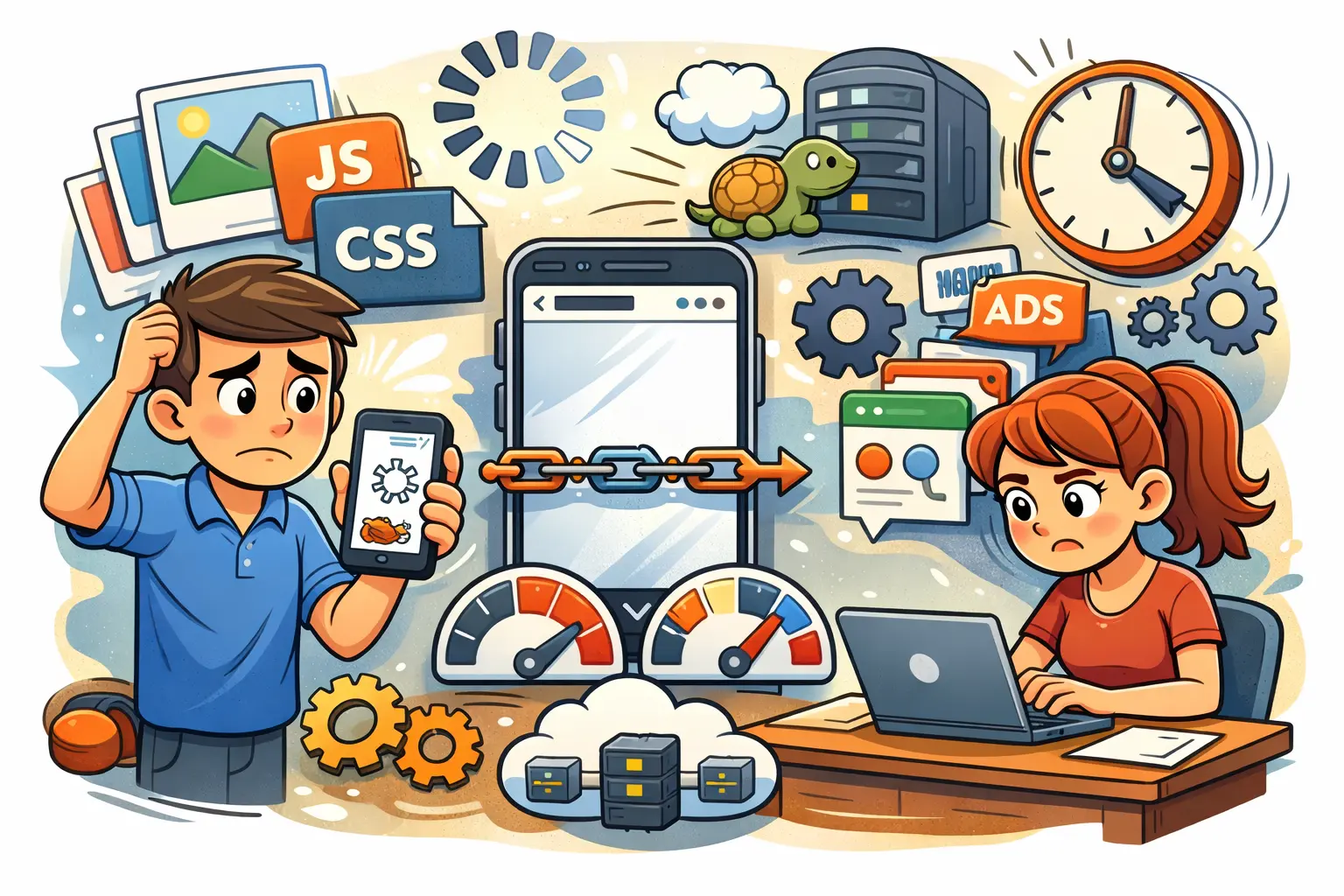
1) Images are too large:
Big image files are the most common reason a site feels slow on mobile. When images aren’t compressed, phones have to download heavier files over weaker networks, which delays the full page load. Fix this by compressing images, switching to WebP/AVIF where possible, and serving responsive image sizes so mobile users don’t download desktop-sized images.
2) No lazy loading for images:
If your page loads every image at once—especially below-the-fold images—your mobile load time increases immediately. This makes the first screen slower and can increase bounce rate. Enable lazy loading so images load only when the user scrolls, improving the initial load speed and making the page feel faster.
3) Too much JavaScript:
Heavy JavaScript can block the page from rendering and delay user interactions like scrolling, clicking, or opening menus. On mobile devices with less processing power, this problem becomes even worse. Reduce unused scripts, defer non-critical JavaScript, and limit unnecessary features that add extra JS.
4) Heavy CSS files:
Large CSS files slow down how quickly the browser can paint the page on mobile. This can make your website feel like it’s “loading forever” even if the server is fine. Minify CSS, remove unused styles, and prioritize critical CSS so the top section of the page displays quickly.
5) Slow server response time:
Even if your site is well-designed, it will still be slow on mobile if your hosting/server takes too long to respond. A slow TTFB (time to first byte) delays everything else that happens after. Improve this by upgrading hosting, enabling server-side caching, and optimizing your database and backend performance.
6) No browser caching:
Without browser caching, mobile visitors have to download the same files every time they visit your site. This makes repeat visits slower and wastes bandwidth, which can frustrate users. Set proper cache headers so browsers store common assets (CSS, JS, images) and load them instantly on return visits.
7) Too many third-party scripts:
Tracking pixels, ad scripts, chat tools, heatmaps, and embedded widgets can easily slow mobile pages because they create extra requests and often load late. On mobile networks, this can be a major performance killer. Remove what you don’t truly need and load essential third-party scripts asynchronously.
8) Fonts loading incorrectly:
Custom fonts can delay text from appearing, which makes users feel the site is slow even if the page is partially loaded. Multiple font weights and large font files also increase load time. Reduce font variations, preload key fonts, use font-display settings properly, or choose fast system fonts where appropriate.
9) Layout shifts while loading:
When elements jump around while a page loads, it creates a poor mobile experience and makes the site feel unstable. This often happens when images or ads don’t have fixed dimensions. Prevent layout shifts by setting image width/height, reserving space for banners, and avoiding late-loading elements that push content down.
10) No CDN (Content Delivery Network):
If your files are served from one server location, visitors far away will experience slower load times—especially on mobile. A CDN stores and delivers your content from the nearest location, reducing delay. Using a CDN also helps handle traffic spikes and improves overall consistency across regions.
11) Poor mobile theme or template:
Some themes look attractive but are built with heavy scripts, sliders, and unnecessary design elements that slow down mobile performance. This often leads to slower load times and a worse user experience. Switching to a lightweight, mobile-first theme can instantly improve performance without sacrificing quality.
12) Too many plugins (WordPress sites):
Each plugin can add extra files, database requests, and background scripts that slow your website on mobile. Even a few heavy plugins can significantly reduce performance. Remove unused plugins, replace heavy tools with lightweight alternatives, and avoid installing plugins for features that can be done with simple code.
13) Redirect chains:
Redirects add extra steps before the browser can load the final page, and multiple redirects can make mobile users wait longer than necessary. This often happens with outdated URLs or poor site migrations. Fix redirect chains by updating internal links and ensuring old URLs point directly to the final destination.
14) Not optimized for mobile-first indexing:
If your mobile site is missing content, internal links, or structured data that exists on desktop, Google may not fully understand your pages. That can reduce rankings and visibility in mobile search. Make sure the mobile version contains the same essential content and SEO signals as the desktop version.
15) No regular speed testing:
Websites naturally slow down over time as new plugins, scripts, and content get added. Without testing, you won’t notice the problem until rankings or conversions drop. Run regular checks using PageSpeed Insights and Search Console, and fix issues early before they affect traffic and leads.
Blogroll
Categories
- 2016 SEO trends predictions
- AI for eCommerce
- AI Search & SEO
- author rank
- Authority Trust
- Bing search engine
- blogger
- CDN & Caching.
- Content Strategy
- Core Web Vitals
- eCommerce Growth
- Experience SEO
- Fake popularity
- gbp-optimization
- Google Adsense
- Google Business Profile Optimization
- google fault
- google impact
- google Investigation
- google knowledge
- Google panda
- Google penguin
- Google Plus
- Google Search Console
- Google Search Updates
- Google webmaster tools
- google-business-profile
- google-maps-ranking
- Hummingbird algorithm
- infographics
- link building
- Local SEO
- local-seo
- Mattcutts Video Transcript
- Microsoft
- Mobile Performance Optimization
- Mobile SEO
- MSN Live Search
- Negative SEO
- On-Page SEO
- Page Speed Optimization
- pagerank
- Paid links
- Panda and penguin timeline
- Panda Update
- Panda Update #22
- Panda Update 25
- Panda update releases 2012
- Penguin Update
- Performance Optimization
- Sandbox Tool
- search engines
- SEO
- SEO Audits
- SEO Audits & Monitoring
- SEO cartoons comics
- seo predictions
- SEO Recovery & Fixes
- SEO Reporting & Analytics
- seo techniques
- SEO Tips & Strategies
- SEO tools
- SEO Trends 2013
- seo updates
- Server Optimization
- Shopify Optimization
- Shopify SEO
- Shopify Services
- Small Business Marketing
- social bookmarking
- Social Media
- SOPA Act
- Spam
- Technical SEO
- Uncategorized
- User Experience (UX)
- Webmaster News
- website
- Website Security
- Website Speed Optimization
- Yahoo