




On-Page SEO
What Is Internal Linking and Why Is It Important for SEO?
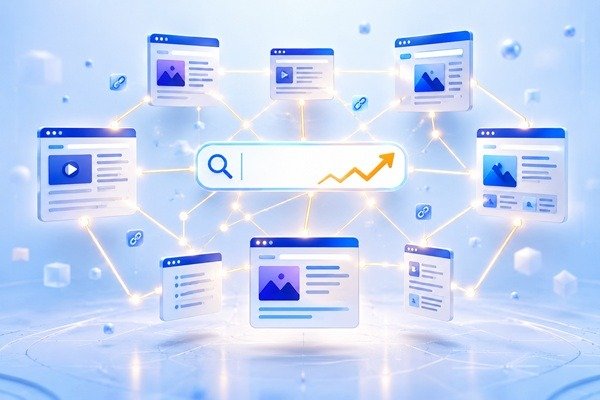 Internal linking is one of the simplest SEO techniques, but it is often overlooked. A well-planned internal linking structure can help visitors discover more useful content, make important pages easier to find, and help search engines understand how different pages on your website are connected.
Unlike backlinks, which come from other websites, internal links connect pages within your own website. When used naturally, they can improve navigation, strengthen important pages, and create a clearer structure for both users and search engines.
What Is Internal Linking?
Internal linking means adding links from one page of your website to another page on the same website.
For example, a blog post about keyword research might link to another article about search intent. A service page about technical SEO might link to a blog explaining website indexing problems.
These links help visitors move naturally through related content instead of reaching the end of a page and leaving the website.
Internal links can appear inside blog posts, navigation menus, category pages, related-content sections, service pages, and other areas of a website. The most useful internal links are usually those that connect closely related topics and give readers a logical next step.
Why Internal Links Matter for SEO
Internal linking helps search engines discover pages and understand which content is important.
When several relevant pages link to another page, it gives search engines additional context about that page and its relationship to the rest of the website.
Internal links can also help distribute authority across a site. A strong page that already attracts traffic or backlinks can link to another relevant page and help make that content easier for search engines and users to discover.
From a visitor’s perspective, internal links improve the browsing experience. Someone reading about one SEO topic may naturally want to learn about another related topic. Giving them a useful link keeps them engaged with the website instead of forcing them to search elsewhere.
How Internal Linking Helps Google Understand Your Website
A website should have a clear structure rather than a collection of isolated pages.
Internal links help create that structure by showing how different topics relate to each other. For example, a main SEO guide might connect to individual articles about technical SEO, backlinks, search intent, internal linking, and keyword research.
This creates a logical relationship between the main topic and its supporting content.
Descriptive anchor text also provides useful context. Instead of linking vague words such as “click here,” a natural phrase like “technical SEO audit” gives visitors and search engines a better idea of what they will find on the linked page.
A clear internal structure can also reduce the chances of important content becoming difficult to discover.
How to Build a Better Internal Linking Structure
Good internal linking should feel natural. Links should be added where they genuinely help readers understand a topic or discover useful related information.
When publishing a new blog post, look for older relevant articles that can link to the new content. At the same time, check whether the new article can link to existing pages.
Important service pages and high-value content should receive internal links from relevant sections of the website. However, links should not be forced into unrelated content simply for SEO purposes.
It is also useful to review older posts regularly. As a website grows, new linking opportunities appear. Updating older content with relevant internal links can strengthen the overall structure without creating completely new pages.
Common Internal Linking Mistakes
One common mistake is adding too many links without considering whether they are useful. A page filled with unnecessary links can become distracting and reduce the value of each recommendation.
Another problem is using the same generic anchor text repeatedly. Clear and descriptive wording usually creates a better experience.
Broken internal links should also be fixed quickly. If a page has been removed or its URL has changed, links pointing to the old address can frustrate visitors and make the website harder to navigate.
Some websites also focus heavily on their newest content while leaving older pages isolated. Valuable evergreen articles should continue receiving relevant internal links when appropriate.
Final Thoughts
Internal linking is a simple SEO strategy that can make a meaningful difference to how visitors and search engines understand a website.
The goal is not to add as many links as possible. It is to create useful connections between related pages.
A strong internal linking structure helps users discover more content, gives important pages greater visibility, and creates a clearer path through your website.
When publishing new content, take a moment to ask which existing pages should link to it and which useful pages the new article should reference. That small habit can gradually build a much stronger website structure.
What Are SERP Features and How Do They Affect SEO?
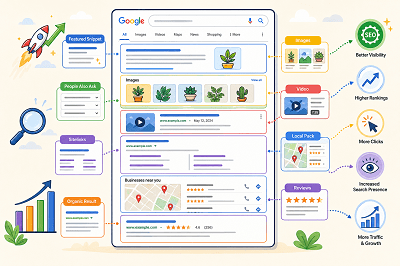
When you search on Google, the results page often shows more than a list of blue links. You may see images, videos, featured answers, local results, ratings, or other special elements.
These are commonly called SERP features.
What Are SERP Features?
SERP stands for Search Engine Results Page. SERP features are special elements that appear alongside or instead of traditional search results.
Google changes the features it shows depending on the search query. For example, a local search may show local results, while an image-related search may display more images.
Common Types of SERP Features
Some common SERP features include:
- Featured snippets
- Rich results
- Images
- Videos
- Sitelinks
- Review information
- Local results
- People Also Ask results
Google also supports different visual search elements depending on the type of content and the user’s search.
What Is a Featured Snippet?
A featured snippet is a special result that displays a short answer or information from a webpage prominently in the search results.
Google automatically decides whether a page is suitable for a featured snippet. Website owners cannot manually mark a page as a featured snippet.
What Are Rich Results?
Rich results are search listings that can include additional visual information such as ratings, images, product details, event information, or other interactive elements.
Adding the correct structured data can help Google understand your page and make it eligible for certain rich results. However, adding structured data does not guarantee that a rich result will appear.
How Do SERP Features Affect SEO?
SERP features can make a search result more noticeable and give users more information before they click.
Appearing in a featured snippet, image result, video result, or rich result can give your website additional visibility on the search results page.
At the same time, SERP features also create more competition for attention because traditional organic results may appear alongside many other visual elements.
How Can You Improve Your Chances of Appearing?
Start by creating clear, useful content that directly answers what users are searching for. Use descriptive headings, relevant images, and well-structured pages.
Where appropriate, you can also add supported structured data to help Google better understand your content and make it eligible for richer search appearances.
SERP features have made Google search results much more visual and interactive. Understanding how they work can help you create content that is easier for search engines to understand and more noticeable to users.
Why Your Website Traffic Is Dropping and How to Fix It
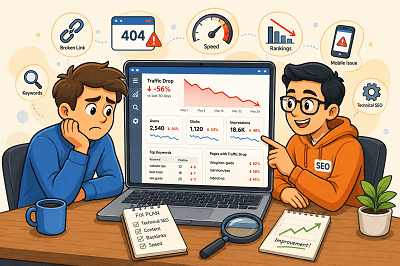
Seeing your website traffic suddenly fall can be worrying. But a traffic drop does not always mean your SEO has failed.
Rankings, technical issues, competitors, seasonal searches, and outdated content can all affect your visitor numbers. The key is finding out where the drop started and what caused it.
First, Find Out Where the Traffic Dropped
Before changing your website, check Google Search Console and Google Analytics.
Look for:
- Pages that lost the most visitors
- Keywords receiving fewer clicks
- Changes in impressions
- Traffic drops from specific devices or countries
Once you know where the decline happened, finding the cause becomes much easier.
Did Your Google Rankings Fall?
A ranking drop is one of the most common reasons for losing organic traffic.
Check whether your important pages and keywords have moved lower in Google. If they have, review the pages ranking above you and improve your content, headings, internal links, and overall usefulness.
Is Your Content Getting Old?
Content that performed well a year ago may no longer provide the best answer.
Update old statistics, replace outdated information, improve weak sections, and add useful new details. Sometimes refreshing an existing page is more valuable than publishing another similar article.
Are Technical Problems Hurting Your Site?
A broken page, indexing issue, server problem, or incorrect redirect can quietly reduce traffic.
Check important pages in Google Search Console and make sure Google can crawl and index them correctly. Also look for broken links and pages returning errors.
Have Your Competitors Improved?
Sometimes your traffic falls even when you haven’t changed anything.
Competitors may have published better content, improved their websites, or earned stronger backlinks. Compare the pages ranking above yours and look for areas where your page can offer something more useful.
Has Search Demand Changed?
Not every traffic decline is an SEO problem.
Some searches are seasonal. Others become less popular as customer interests change.
Compare traffic with the same period from the previous year before assuming something is wrong. Google Trends can also help you understand whether interest in a topic has changed.
Is Your Website Slow or Difficult to Use?
Slow pages and poor mobile experiences can frustrate visitors.
Make sure your website loads quickly, works properly on mobile devices, and makes important information easy to find.
Website traffic can drop for many reasons, so avoid making random SEO changes immediately. Start with your data, identify which pages or keywords lost traffic, and then investigate the cause. Once you understand what changed, you can focus on the improvements that matter most.
Why Is My Website Not Showing Up on Google? 7 Common SEO Problems
If your website does not show up on Google, there might be some reasons.
At times, it is because Google has not indexed your website. It may be the case that Google has indexed your website but your site is ranking very low.
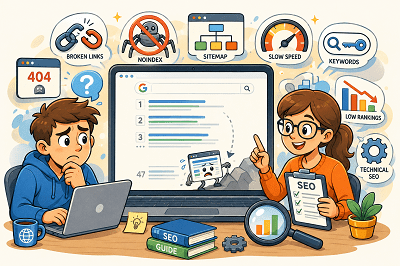
Here are the seven most common SEO issues:
1. Google Has Not Indexed Your Website
In order to show your web pages on Google, first, Google needs to crawl them.
Fix: Configure Google Search Console, submit your sitemap, and use URL Inspection tool.
2. Your Website Is Blocking Google
You have set noindex on your website or you have blocked your site by using a robots.txt file.
Fix: Make sure that you are not blocking Google in any way.
3. Your Website Has Technical SEO Issues
It may happen due to various technical issues such as broken links, server errors, incorrect redirects, and duplicate pages.
Fix: Do an SEO audit and correct any technical issues that might hinder crawling and indexing.
4. The Information Provided by Your Content Is Inadequate
Pages that have very little information can fail to rank.
Google loves content that is valuable, clear, and user-focused.
Fix: Make sure you create valuable content that clearly communicates your products, services, or topic.
5. You are Using the Wrong Keywords
Your site may fail to show up if you don’t target the terms used by people searching.
Fix: Make sure you use the right keywords within your title, headings, and body copy.
6. You Have Bad Internal Linking
Pages that have no or few internal links are less likely to be found by Google.
Fix: Make sure you link your pages and blog posts to each other for easy navigation by visitors and search engines.
7. Your Website Has a Low Rank
Your website might already be indexed but ranks below your competitors.
This is often due to the better content, backlinks, or SEO of competing sites.
Fix: Improve your website and its SEO over time.
Google Search Console can help you check whether your pages are indexed and identify possible SEO problems. If your website is not showing up on Google, start by checking indexing, then review your technical SEO, content, keywords, and internal links. Fixing these basic issues can help Google better understand your website and improve its chances of appearing in search results.
20 On-Page SEO Techniques for Better Google Rankings
Search Engine Optimization (SEO) helps websites appear higher on search engines like Google. One of the most important parts of SEO is On-Page SEO, which focuses on improving individual web pages to make them more helpful for both users and search engines.
Good On-Page SEO helps websites get more visibility, attract more visitors, and improve user experience. Even small improvements can help websites perform better over time.
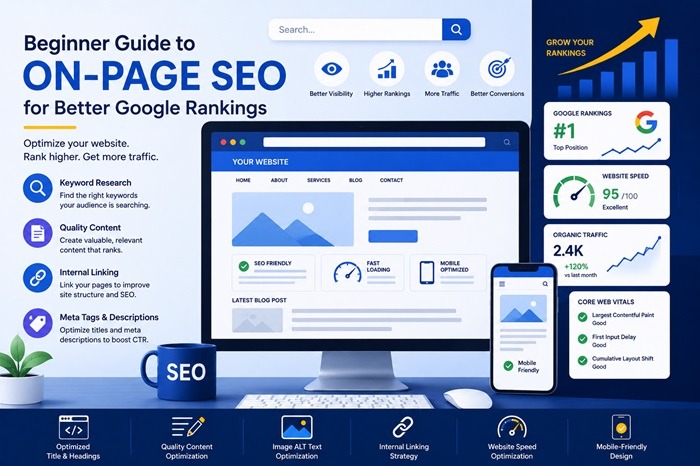
Here are 20 simple and beginner-friendly On-Page SEO tips every website owner should know.
1) Use Simple and Clear Page Titles:
Your page title should clearly explain what the page is about. Clear titles help people understand your content quickly and encourage more clicks from search results.
2) Add Keywords Naturally:
Use important keywords naturally throughout your content so search engines can understand your topic without making the content feel forced or repetitive.
3) Write Helpful Content for Readers:
Focus on creating useful content that answers questions, solves problems, and gives visitors the information they are looking for.
4) Organize Content with Headings:
Using headings helps break content into sections, making pages easier to read and helping visitors quickly find important information.
5) Write Good Meta Descriptions:
Meta descriptions are short summaries shown in Google search results. Clear descriptions can encourage more people to click your website.
6) Make Your Website Load Faster:
Fast websites create better experiences for visitors and help keep people from leaving your website too quickly.
7) Make Your Website Mobile-Friendly:
Most people browse websites on phones, so your website should look good and work properly on all screen sizes.
8) Add Links to Other Pages on Your Website:
Internal links help visitors explore more content and help search engines understand your website structure more clearly.
9) Use Optimized Images:
Large image files can slow down your website, so use properly sized and compressed images to improve loading speed.
10) Add Descriptions to Images:
Image alt text helps search engines understand your images and improves accessibility for users with screen readers.
11) Use Clean and Simple URLs:
Short and readable URLs make pages easier for users and search engines to understand.
12) Keep Paragraphs Short and Easy to Read:
Small paragraphs and simple language improve readability and help visitors stay engaged longer on your website.
13) Update Old Content Regularly:
Refreshing older pages with updated information helps keep your website relevant and useful for visitors.
14) Avoid Copying Content from Other Websites:
Original and unique content helps build trust and improves your chances of ranking better on search engines.
15) Secure Your Website with HTTPS:
Secure websites help protect visitor information and create more trust for both users and search engines.
16) Improve Overall User Experience:
Easy navigation, clear layouts, and fast-loading pages help visitors use your website more comfortably.
17) Use Attention-Grabbing Headlines:
Interesting headlines attract readers and encourage more people to click and continue reading your content.
18) Provide Valuable Information:
Content that teaches, helps, or answers questions creates better experiences for visitors and improves SEO performance.
19) Remove Unnecessary Plugins and Features:
Too many plugins or extra features can slow down your website and create a poor browsing experience.
20) Stay Consistent with SEO Improvements:
Regularly improving your website, updating content, and maintaining quality helps build long-term SEO success over time.
What Is Keyword Cannibalization and How to Fix It?
Keyword cannibalization happens when two or more pages on your website target the same keyword or the same search intent, which makes search engines unsure about which page should rank. For example, if you have two blog posts both optimized for “local SEO checklist” or two service pages both trying to rank for “website speed optimization,” Google may treat them as competing options rather than complementary resources. Instead of building one strong page that clearly deserves the top position, your site ends up sending mixed signals. This can happen even if the pages are not identical—if they answer the same question for the same type of user, they can still cannibalize each other. In simple terms, keyword cannibalization is when your own pages “fight” each other in Google results, and you lose the chance to rank your best page consistently.
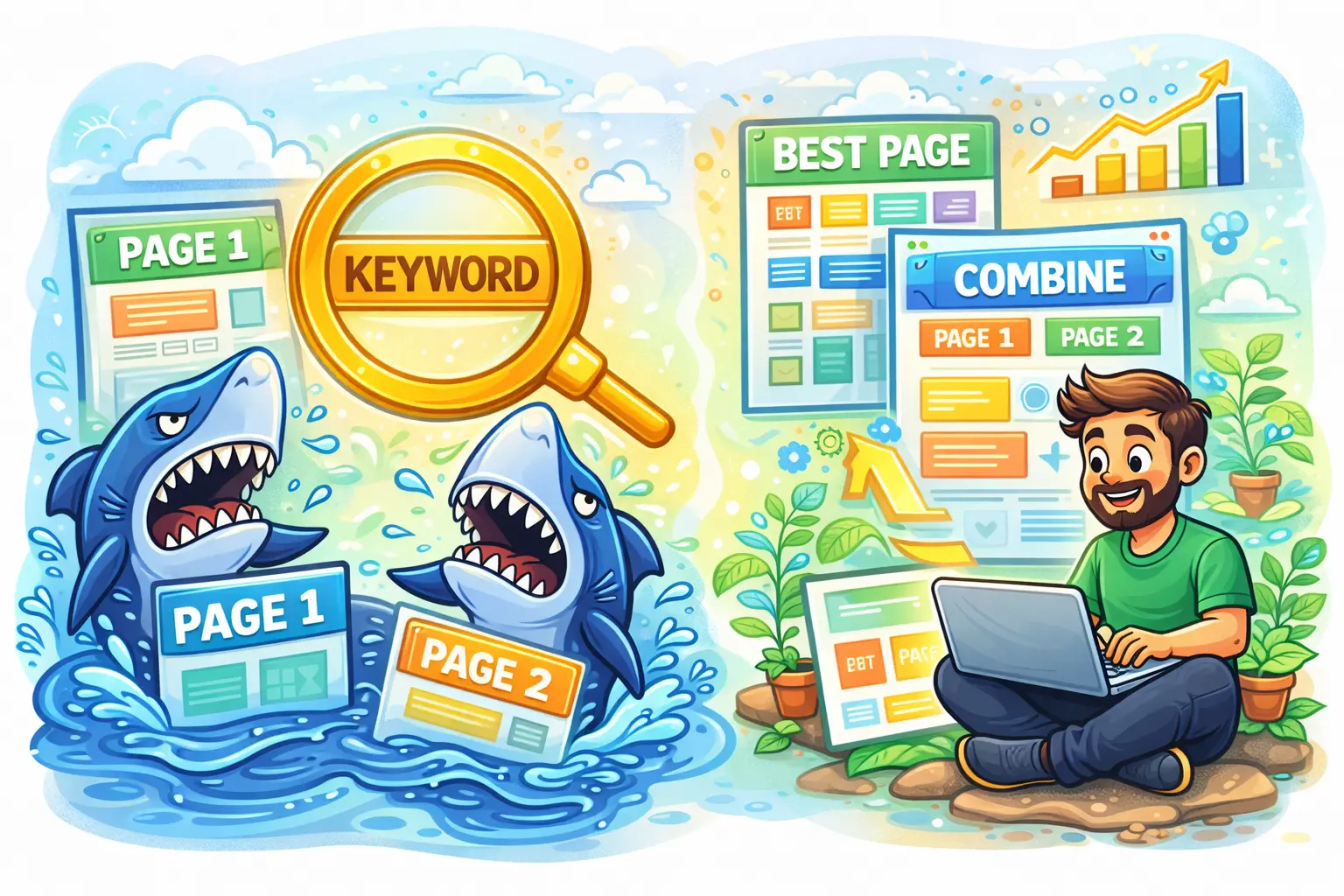
The biggest problem with keyword cannibalization is that it often leads to unstable rankings and weaker traffic growth. You might notice that one week Page A ranks on Google, and the next week Page B replaces it, and then it switches again. When rankings keep rotating, click-through rate usually drops because users are not always landing on the most relevant or most convincing page. It also reduces SEO authority because your internal links, external backlinks, and engagement signals get split across multiple URLs instead of strengthening one primary URL. Over time, this can prevent both pages from reaching their full potential, especially for competitive keywords. You may also experience situations where neither page ranks in the top positions because search engines can’t confidently decide which one is the “best answer.” For businesses, that means fewer calls, fewer leads, and missed opportunities even though you created enough content.
Cannibalization usually happens because of normal content growth. Many websites publish multiple similar blogs on the same topic, create new pages without updating old ones, or build service pages that overlap too much. It’s common in local business sites that have multiple location pages with nearly the same content, or websites that publish “guide,” “checklist,” and “tips” posts that all target the same keyword. It can also happen if your category pages, tag pages, and blog posts all rank for the same terms, or when you create separate pages for “pricing,” “services,” and “benefits” but optimize them using the exact same main keyword. Typical signs include two URLs showing impressions for the same query in Google Search Console, frequent switching of ranking pages, sudden drops in traffic for a page you recently published, or a strong page that never climbs because another page keeps competing with it.
To fix keyword cannibalization, start by deciding which page should be the main “winner” for the keyword and intent. Usually, the best choice is the page with stronger backlinks, better content depth, higher conversions, or the page that matches the intent most accurately. Once you select the primary page, the most effective solution is often to merge content: combine the best parts of both pages into one improved page, update it thoroughly, and then set up a 301 redirect from the weaker page to the primary one. If both pages deserve to exist, then differentiate their intent instead of letting them overlap. For example, one page can target “how to do keyword research for local SEO,” while another targets “local SEO keyword research tools,” so each page serves a distinct purpose. Update the titles, headings, and main keyword targeting so each page has its own unique focus.
If you must keep similar pages (for example, due to product variations or multiple location pages), you can use canonical tags to tell Google which page is the preferred version for ranking. You should also improve internal linking by pointing the most important keyword-focused links toward the primary page and using clearer anchor text that matches each page’s purpose. In some cases, you may also “de-optimize” the duplicate page by changing the keyword focus, reducing overlapping sections, or rewriting content so it answers a different question. The best long-term strategy is simple: for most websites, aim for one primary page per keyword or intent, and make that page the strongest resource on your site. When your content has clear roles and clear targets, Google can rank it more confidently, your rankings become more stable, and your traffic and leads improve consistently.
Blogroll
Categories
- 2016 SEO trends predictions
- AI for eCommerce
- AI Search & SEO
- author rank
- Authority Trust
- Bing search engine
- blogger
- CDN & Caching.
- Content Strategy
- Core Web Vitals
- eCommerce Growth
- Experience SEO
- Fake popularity
- gbp-optimization
- Google Adsense
- Google Business Profile Optimization
- google fault
- google impact
- google Investigation
- google knowledge
- Google panda
- Google penguin
- Google Plus
- Google Search Console
- Google Search Updates
- Google webmaster tools
- google-business-profile
- google-maps-ranking
- Hummingbird algorithm
- infographics
- link building
- Local SEO
- local-seo
- Mattcutts Video Transcript
- Microsoft
- Mobile Performance Optimization
- Mobile SEO
- MSN Live Search
- Negative SEO
- On-Page SEO
- Page Speed Optimization
- pagerank
- Paid links
- Panda and penguin timeline
- Panda Update
- Panda Update #22
- Panda Update 25
- Panda update releases 2012
- Penguin Update
- Performance Optimization
- Sandbox Tool
- search engines
- SEO
- SEO Audits
- SEO Audits & Monitoring
- SEO cartoons comics
- seo predictions
- SEO Recovery & Fixes
- SEO Reporting & Analytics
- seo techniques
- SEO Tips & Strategies
- SEO tools
- SEO Trends 2013
- seo updates
- Server Optimization
- Shopify Optimization
- Shopify SEO
- Shopify Services
- Small Business Marketing
- social bookmarking
- Social Media
- SOPA Act
- Spam
- Technical SEO
- Uncategorized
- User Experience (UX)
- Webmaster News
- website
- Website Security
- Website Speed Optimization
- Yahoo